Page 2 - Welcome; Congratulations on your purchase!
2 Welcome Congratulations on your purchase! This manual tells you all you need to know about using your new Hitachi product. Please take special note of any important safety and usage information presented with the symbol. All products brought to you by Hitachi are manufactured to the highest standa...
Page 3 - Contents
3 Contents Welcome 2 Contents 3 Unpack and Prepare 4 What's in the box 4 Important Tips 5 Attaching the stand 6 Wall-mounting the TV 7 Connect to power 8 Connect your antenna 8 Controls and Connections 9 Get to know your TV 9 Control joystick on the TV 9 Ports on the TV 10 Remote Control 12 Setup 12...
Page 4 - Unpack and Prepare; In the box you will find:; • Internet connection (to access Smart TV apps and
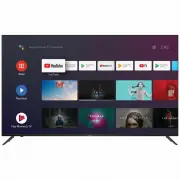
4 | UNPACK AND PREPARE See the top box flap for how to handle the TV without damaging it! Unpack and Prepare What's in the box Before installing your new TV, check you have everything needed. In the box you will find: A. 75" Ultra HD Android TV B. Remote Control C. AAA Batteries D. Mini AV Adapt...
Page 5 - Important Tips
UNPACK AND PREPARE | 5 Important Tips • Place the TV on a level surface. • Place the TV away from any source that may generate heat or vibrations. • Make sure there is enough space around vents for airflow. • The remote control works up to 5 metres away from the TV. • Unplug the TV before cleaning i...
Page 6 - Attaching the stand
6 | UNPACK AND PREPARE Unless you are wall-mounting the TV, you will need to attach its stand/legs. 1. Lay the TV face-down on a soft, flat surface (like the sofa, or a towel on a table) larger than the TV itself. 2. Match the stands to the installation points on the underside of the TV. 3. Attach t...
Page 7 - Back of the TV
UNPACK AND PREPARE | 7 400mm Back of the TV 300mm Wall-mounting the TV The TV comes with holes on the back panel for use with wall-mounting brackets (bracket not included). Use four standard M6*16mm screws (or longer, depending on the mounting bracket) to wall-mount this TV (screws are not included)...
Page 8 - Connect to power; Connect your antenna
8 | UNPACK AND PREPARE Free-to-air TV in HD (High Definition) High Definition (HD) channels provide the best viewing quality and are available with a digital antenna connection. TV channels in Ultra HD resolution are not currently available in Australia. Therefore when you watch HD broadcast signals...
Page 9 - : Increase the volume level or move right.; Controls and Connections; Control joystick on the TV
CONTROLS AND CONNECTIONS | 9 1. : Select the next channel or move up. 2. + : Increase the volume level or move right. 3. - : Decrease the volume level or move left. 4. : • When TV is on standby, press to turn on. 5. : Select the previous channel or move down. See next page for more info on the conne...
Page 10 - USB; Headphone; Ports on the TV
10 | CONTROLS AND CONNECTIONS 1 USB ST ORA GE • Plug in a USB stick to PVR record and pause live TV. • Play media files stored on your USB storage device (supported file codecs and extensions may vary). • Update the TV software via USB. 2 HDMI IN Use a high-speed HDMI cable for best picture and soun...
Page 11 - LAN; AV IN; ANTENNA
CONTROLS AND CONNECTIONS | 11 4 LAN INTERNET Connect to your broadband modem using a network cable (not included) for best steaming experience. However, the TV also has built-in wifi. 5 OPTICAL SOUND Connect an external digital audio device. Use an Optical cable (not included) to connect the unit wi...
Page 12 - Setup; Precautions When Using Batteries; Remote Control
12 | REMOTE CONTROL 2 3 1 Setup Insert two AAA size batteries according to the polarity markings (+ / -) inside the compartment. Make sure the batteries are correctly aligned and properly pushed into place. Precautions When Using Batteries • Do not use old and new batteries together. • Do not use di...
Page 13 - Using the Remote Control; Remote Pairing; Remote Hints and Tips
REMOTE CONTROL | 13 Using the Remote Control To use the remote, point it towards the remote sensor at the front of the TV. The remote will not operate if its path is blocked. The remote has a range of up to about 5 metres from the TV at an angle of up to 30 degrees to either side of the sensor, as i...
Page 14 - Remote Overview
14 | REMOTE CONTROL Microphone (lights up when active) : Switch between input signal sources : Enter ( ) character : Launch the YouTube app S.MODE : Switch between preset Sound Modes MENU : Enter on-screen menu / APPS LIST : Access installed apps list Remote Overview (ON) : Switch the TV to On or St...
Page 16 - First Time Setup Menu
16 | ON-SCREEN SET UP First Time Setup Menu When you turn the TV on for the first time, the First Time Setup Menu will appear. Follow the prompts using the / / / / OK buttons to select your preferences. You will be guided through: 1. Remote Pairing 6. Location 12. TV Mode 8. Google Assistant 13. Chr...
Page 17 - How to access other devices connected to the TV; icon from the Android TV home screen.; How to turn on/off subtitles in live TV mode; SUBTITLE; How to play personal videos, photos and music; Plug in a USB flash drive to one of the USB connections.
ON-SCREEN SET UP | 17 How to access other devices connected to the TV 1. Press the button on the remote control, select your desired input sources and press OK. 2. (OR) select the icon from the Android TV home screen. You can rename the inputs to easily identify the device connected to it by going t...
Page 18 - Smart TV; Function; A paid subscription is required.
18 | SMART TV Smart TV Before you start using apps, your TV must be connected to the internet. The speed of your internet connection determines the quality of your audio/video experience when you watch streaming content. Accessing internet content may count towards your download limit and may incur ...
Page 19 - Download or Delete Apps; Download apps; From the Android TV Home screen, Select the Google Play Store app.; Delete an app
SMART TV | 19 Download or Delete Apps You can download apps and games for your Android TV through the Google Play Store app. Download apps 1. From the Android TV Home screen, Select the Google Play Store app. 2. Browse or search for apps and games. To browse: Move up or down to view different catego...
Page 20 - Stream using Chromecast-enabled Apps; Connect your device to the same Wi-Fi network as this TV.
20 | SMART TV Stream using Chromecast-enabled Apps With chromecast built-in, you can cast content from chromecast-enabled apps and chrome browser on your phones, tablets or laptops to your TV. Make sure to turn "Chromecast built-in always available" to On during first time setup process. 1. ...
Page 22 - Menus Index; TV Setting Menus; Menu Navigation Buttons
22 | TV SETTING MENUS Menus Index Picture 24 • Picture Mode • User Mode Settings: • Backlight, Brightness, Contrast, Saturation, Hue, Sharpness • Gamma• Colour Temperature• HDR • Advanced Video Settings • DNR (Digital Noise Reduction), MPEG NR, Adaptive Luma Control, Game Mode • Reset To Default TV ...
Page 24 - Picture Mode; Picture; User Mode settings
24 | TV SETTING MENUS Picture Mode Standard : Settings are optimised for viewing in brightly-lit environments such as store-fronts. : Enhanced brightness with lower contrast, colour depth and edges for standing out in very bright places such as storefronts. : Settings are optimised for watching spor...
Page 25 - MPEG NR
TV SETTING MENUS | 25 Gamma Adjust the mid level brightness of the picture. Colour Temperature Adjust the on-screen colour temperature. In user mode, you can individually adjust white balance by changing R/G/B gain settings. HDR Turn HDR On/Off. Set it On to experience the best picture quality. Adva...
Page 26 - Sound
26 | TV SETTING MENUS Option Description Sound Style Select your preferred sound mode. Balance Adjust the balance between the left and right speakers. Sound Surround Turn surround sound effect On/Off. Equalizer Detail Adjust equalizer detail frequencies to your liking. Speakers Select which speakers...
Page 27 - Channel
TV SETTING MENUS | 27 Option Description Channels > Channel Scan Automatically scan DTV channels. Channels > Single RF Scan Manually scan DTV channels one frequency at a time. Channels > Channel Skip Hide channels from the channels list. Channels > Channel Edit Delete channels from the c...
Page 28 - Wired Network Settings; Proxy settings; IP settings
28 | TV SETTING MENUS Network & Internet To access network settings, navigate from Settings > Network & Internet You can set up your TV so that it can access the Internet through your home network using a wired or wireless connection. When you connect an ethernet cable, the TV automatical...
Page 29 - Wireless Network Settings
TV SETTING MENUS | 29 Wireless Network Settings Option Description Wi-Fi Switch Wireless connectivity On/Off. Available Networks Select a wireless network to connect to. Add New Network Manually connect to a Wi-Fi network by entering the name of the Wi-Fi network and password. Make sure that you hav...
Page 30 - Searchable Apps; Google Assistant; Add Account
30 | TV SETTING MENUS Option Description Searchable Apps Select which apps to include in search results. SafeSearch Filter Enable or Disable SafeSearch filter. Block Offensive Words Enable or Disable the blocking of offensive words Google Assistant To access Google Assistant settings, navigate from ...
Page 31 - See All Apps; Apps; Retail Mode
TV SETTING MENUS | 31 Option Description Recently Opened Apps Displays your most recently opened apps. See All Apps View all installed apps on your TV. App Permissions Set app permissions for your installed apps. Security & Restrictions Control installation of apps from unknown sources and disal...
Page 32 - System Update; About
32 | TV SETTING MENUS Option Description System Update Check if a system software update is available. Restart Restart your TV. Status View information on IP address, MAC address, Bluetooth ® address Legal Information Read up on legal notices and opt out of personalised ads. Version View Android ver...
Page 33 - Automatic Date & Time; Set Time
TV SETTING MENUS | 33 Option Description Automatic Date & Time Use network provided date and time or enable setting update and time manually. Set Date Manually set the date. Set Time Manually set the time. Set Time-zone Set your time zone. Use 24-hour Format Turn On/Off 24 hour time display. Dat...
Page 34 - HDMI Control; TV Auto Power On; HDMI EDID Version; Inputs
34 | TV SETTING MENUS Option Description Inputs Select the input source to customize the input name. HDMI Control Allow your TV remote to control other devices (that support CEC) connected via HDMI. Device Auto Power Off Power off connected HDMI devices when you switch off your TV. TV Auto Power On ...
Page 35 - Sleep Timer; Power
TV SETTING MENUS | 35 Option Description Sleep Timer Select the desired Auto Sleep (Standby) duration. Picture Off Turn off the screen while sound continues. Press the OK button to turn on the screen again. No Signal Auto Power Off If there’s no input signal nor press-button operation, the TV will e...
Page 36 - When To Start; Put Device To Sleep; Screen Saver; Location Status; Location
36 | TV SETTING MENUS Option Description When To Start Set the screen saver start time. Put Device To Sleep Set the time interval for the TV to go into standby mode. Screen Saver To access screen saver settings, navigate from Settings > Device Preferences > Screen Saver Option Description Loca...
Page 37 - Audio Description; High Contrast Text; Accessibility
TV SETTING MENUS | 37 Option Description Audio Description Turn Audio Description On/Off. Captions Enable closed captions, to see audio as text on the screen. High Contrast Text Turn high contrast text On/Off. Accessibility To access accessibility settings, navigate from Settings > Device Prefere...
Page 38 - Remotes & accessories
38 | TV SETTING MENUS Remotes & accessories To access remote and accessories settings, navigate from Settings > Remotes & accessories In this menu,you can pair Bluetooth ® devices. To pair the TV remote: 1. Press the MENU and LEFT button for 5 seconds. 2. When "SmartTV-RC" appears...
Page 39 - About the HDR feature
TV SETTING MENUS | 39 About the HDR feature High Dynamic Range (HDR) is a picture feature on your TV that attempts to mimic the way visuals are perceived in real life by the human eye. By using this feature, this TV can reproduce greater dynamic range of luminosity by capturing and then combining se...
Page 40 - TV Guide; To activate the TV Channels use the; to; TV Guide Functions
40 | TV GUIDE Function Remote Button Select a Channel / Select a Program / Display programs for the next day GREEN Display programs from previous day RED Filter programs by category BLUE Schedule a program to be recorded REC Exit TV Guide menu TV Guide (Free to air TV) To access the TV guide, press ...
Page 41 - Recording; assume liability for any loss of data due to misuse or malfunction.
RECORDING AND USB MODE | 41 Recording Important Tips: • Back-up your personal data before plugging in your USB to the TV. We do not assume liability for any loss of data due to misuse or malfunction. • You cannot change channels while in recording mode. • If the signal is interrupted while in record...
Page 42 - Playback; Start Recording; Scheduled Recording; Recording Live TV
42 | RECORDING AND USB MODE Playback Press the MENU button then press the DOWN button to go to Record section, and Record List to display the list of recorded programs. Use the / buttons to select a recorded file. Press the OK button to start playback in Full Screen Mode. Press YELLOW to delete the ...
Page 43 - Enable Time Shift Mode
RECORDING AND USB MODE | 43 Recording, scheduled recording and pause live TV functions only work in DTV mode (free-to-air). Start Time-shift Press the button on the remote to enter time-shift mode. Press the button to resume playing the program. Stop Time-shift Press the (STOP) button to exit time-s...
Page 44 - Troubleshooting; Problem
44 | TROUBLESHOOTING If you experience problems with your TV, check below for advice. If you don't find a solution here, contact After Sales Support on 1300 886 649. Troubleshooting Problem Solution The remote control does not work Make sure that the batteries are installed with their poles (+/–) in...
Page 47 - Specifications; For Technical and Warranty Support; Bluetooth
SPECIFICATIONS | 47 Active screen size (diagonal) 189.4cm Resolution 3840 x 2160 Refresh rate 60Hz Aspect ratio 16:9 USB output DC 5V 500mA Power source AC 100-240V, 50/60Hz Power consumption 270W Dimensions (W x D x H) With stand: 1673 x 316 x 1031 mm Without stand: 1673 x 76 x 969 mm Weight Net 23...
Page 48 - Compliance and Responsible Disposal; Trademark acknowledgements
48 | SPECIFICATIONS Compliance and Responsible Disposal Trademark acknowledgements Google, Android, Android TV and Google Play are trademarks of Google LLC. Packaging The packaging of your product has been selected from environmentally friendly materials and can usually be recycled. Please ensure th...
Page 49 - Notes