Hisense 75A6G - User Manual

Hisense 75A6G – User Manual, read for free online in PDF format. We hope this helps you resolve any issues you may have. If you have further questions, please contact us through the contact form.


Table of Contents:
- Page 2 – English; Read the manual carefully and ensure you have fully understood
- Page 3 – Important Safety Instructions; Paragraphs beginning with the symbol; Read these instructions; ▐ Important Notice
- Page 4 – The intended use and ambient conditions for this TV; reduce the risk of fire or electrical shock:; gas or powder fire extinguisher. If such extinguishers; WARNING; be avoided by taking simple precautions such as:
- Page 5 – Moving/Transportation
- Page 6 – The LED screen
- Page 8 – Unplug the power cord prior to cleaning
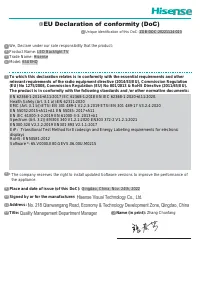
- Page 9 – Contents; The following accessories are included with TV:; NOTE; regions. Please refer to the actual accessory bag.; SIMPLIFIED EU DECLARATION OF CONFORMITY
- Page 10 – Installing the Stand or Wall mount bracket; TV or scratching to the screen.; Installing the stand; CAUTION; Base Stand
- Page 11 – Wall mount screw size; Installing the wall mount bracket; TV screen
- Page 12 – TV Front; NOTES; Item; Remote sensor
- Page 13 – TV Rear
- Page 14 – Making Connections; T h e b u i l t - i n W i r e l e s s L A N A d a p t e r s u p p o r t s t h e I E E E 8 0 2 . 11 b / g / n; Wired setup
- Page 15 – ANT; HDMI; Excessive sound pressure from earphones and headphones; HEADPHONE
- Page 17 – Remote Control; Bluetooth remote control module specifications
- Page 18 – Check
- Page 19 – Installing Batteries in the Remote Control; Handling the Batteries; Pairing the Remote Control (only for Bluetooth remote control)
- Page 20 – Disposal of this unit; Remote Control Operation Range
- Page 21 – Turning the TV on for the First Time
- Page 22 – Specifications; Please refer to the rating label.
- Page 23 – Other Information; WEEE (Waste Electronic Electric Equipment)
- Page 24 – EPREL Registration Information; Model identifier Eprel registration number
ES-A21040D-1
Read the manual carefully and ensure you have fully understood
its contents before operating this device for the first time.
Italiano
Español
English
Français
Nederlands
Português
Deutsch
"Loading the manual" means you need to wait until the file loads and becomes available for online reading. Some manuals are very large, and the time they take to appear depends on your internet speed.
Was this manual helpful?
Helpful for 3 of 3 readers
About this manual
- Brand
- Hisense
- Model
- 75A6G
- Document type
- User Manual
- Language(s)
- English
- Pages
- 24
- File size
- 1.7 MB
- Format
Other Manuals for Hisense 75A6G
Summary
English Read the manual carefully and ensure you have fully understood its contents before operating this device for the first time.
A Important Safety Instructions Paragraphs beginning with the symbol indicate important instructions, tips or conditions for the following settings. For your own safety and the optimal performance of your TV, ensure to read the safety instructions before performing any installation. Compatibility wi...
B Important Safety Instructions The intended use and ambient conditions for this TV This TV is intended for the rendering of video and audio signals, on a table-top or wall- mounted, in a home or office environment. It must not be used in rooms with a high level of humidity or dust concentration. Th...