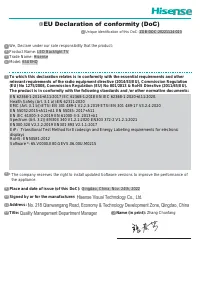
Page 2 - Declaration
Page 3 - Disposal of Used Electrical & Electronic Equipment; equipment waste. By ensuring the correct disposal of this product,
B Important Safety Precautions Class II product: This symbol indicates that it does not require a safety connection of protective earthing (ground). This symbol alerts user about the presence of a dangerous voltage not isolated inside the product which can be sufficiently powerful to constitute a ri...
Page 4 - Important Safety Precautions; Warning; by taking simple precautions such as:
C Important Safety Precautions Warning Never place a television set in an unstable location. A television set may fall, causing serious personal injury or death. Many injuries, particularly to children, can be avoided by taking simple precautions such as: Using stands recommended by the manufacturer...
Page 5 - Safeguards; supplied with this product, you can buy it at the local market.
D Important Safety Precautions Safeguards Please read the following safeguards for your TV and retain for future reference. Always follow all warnings and instructions marked on the television. 1. A note about safety and operating instructions Read and follow all safety and operating instructions, a...
Page 6 - Damage Requiring Service
E Important Safety Precautions 9. Power-Cord Protection Power- supply cords should be routed so that they are not likely to be walked on or pinched by items placed upon or against them, paying particular attention to cords at plug, wall outlets, and the point where they exit from the TV. MAIN plug i...
Page 7 - (e) If the TV has been dropped or the cabinet has been damaged.
F Important Safety Precautions (d) If the TV does not operate normally by following the operating instructions. Adjust only those controls that are covered by the operating instructions as an improper adjustment of other controls may result in damage and will often require extensive work by a qualif...
Page 8 - Contents; Accessories List; please refer to the actual accessory bag.; Specifications
1 Contents Accessories List The following accessories are included with TV: TV Quick Setup Guide Base Stand × 2 Remote Control AAA Battery × 2 Power Cord Contents Figures and illustrations in this manual are provided for reference only and may differ from actual product appearance. Parts of the soft...
Page 9 - CAUTION; Installing the Stand; Installing the Stand or Wall Mount Bracket; TV or scratching to the screen.; Screws
2 CAUTION Be sure to disconnect the AC power cord before installing a stand or wall mount brackets. The display on your TV is fragile. Make sure the TV screen is not scratched or damaged by hard objects or from pressure.After the installation is complete, make sure the TV is steady on a table or fir...
Page 10 - TV screen
3 Installing the Wall Mount Bracket Installing the Stand or Wall Mount Bracket Wall mount hole pattern (mm) 400 × 300Wall mount screw size M6 9.5-11.5 mm Wall Mount Bracket Wall Mount Screw Wall Mount Spacer Rear cover of the TV CAUTION When mounting the TV on a wall, follow instructions provided wi...
Page 11 - TV Front; NOTE; Item; Remote sensor
4 TV Front TV Front NOTE Powering on the TV requires several seconds to load program. Do not rapidly turn the TV off as it may cause the TV to work abnormally. Remote sensor / Power indicator / Single button (Standby / Source) Item Description Remote sensor Receive remote signals from the remote con...
Page 12 - AC Input; NOTES; Check the jacks for position and type before making any; TV Rear
5 TV Rear AC Input NOTES Check the jacks for position and type before making any connections. Loose connections can result in image or color problems. Make sure that all connections are tight and secure.The TV may not be compatible with all external devices. To check compatibility, please refer to t...
Page 13 - Making Connections; Connect an outdoor VHF/UHF antenna or cable.; Please consult your device user manual for instruction.; INPUT
6 Making Connections ANT Connect an outdoor VHF/UHF antenna or cable. TV JACK Outdoor Antenna Antenna Cable (75Ω) or ANT OUT Cable VHF/UHF Antenna ANT (not included) HDMI / AV Connect a HDMI / AV cable from an external AV equipment. No sound connection is needed for HDMI to HDMI connection. If the s...
Page 14 - DIGITAL AUDIO OUT; HEADPHONE; ATTENTION
7 Making Connections DIGITAL AUDIO OUT Connect to an external digital audio system. Before connecting a digital audio system to the DIGITAL AUDIO OUT jack, you should decrease the volume of both the TV and the system to avoid that the volume suddenly becomes bigger. TV JACK DIGITAL AUDIO cable (not ...
Page 15 - USB; and USB2.0 devices such as hard drives, USB sticks and
8 Making Connections LAN (Wired setup) Connect your TV to your network by connecting the LAN port on the back of your TV to an external modem or router using a LAN (Ethernet/Cat 5) cable. See the illustration below. · We recommend you to use a modem or router that supports Dynamic Host Configuration...
Page 16 - Wireless setup; See the illustration below.
9 Making Connections Wireless setup Connect your TV to your wireless network, you need a wireless router or modem. See the illustration below. · The TV’s built-in Wireless LAN Adapter supports the IEEE 802.11 b/g/n communication protocols. Wireless router with DHCP LAN Cable Wireless LAN Adapterbuil...
Page 17 - Remote Control; Quick; Turn on/off the teletext
10 Remote Control NOTE The included remote control will vary depending on model, country/region. Check information according to the actual remote control in the accessory bag. Quick access buttons to apps Mute and restore sound Exit the menu or exit the application Channel (up/down) Under the Menu o...
Page 18 - Display the Electronic; Turn on/off the teletext
11 Playpad keys APP : Quick access buttons to apps Mute and restore sound Exit the menu or exit the application Channel (up/down) Under the Menu or App, return to the previous place Power Standby button: Power on/ Standby Navigation buttons (Up/Down/Left/Right) Select a channel or input numbers OK /...
Page 19 - Installing Batteries in the Remote Control; Remote Control Operation Range; Disposal of this unit; horizontal angle is within ±30°, while the vertical
12 Remote Control Installing Batteries in the Remote Control NOTES Product image is only for reference, actual product may vary in appearance.Dispose of your batteries in a designated disposal area. Do not throw the batteries into fire.Do not mix battery types or combine used batteries with new ones...
Page 20 - Turning the TV on for the First Time; choose to turn on/off each type of smart features separately, a
13 Turning the TV on for the First Time Turning the TV on for the First Time 1. Connect the mains cable to the mains socket after you have completed all the connections. 2. The first time you turn the TV on, it will go straight to the Installation Guide. 3. Press the [ / / < / > ] buttons to n...
Page 21 - troubleshooting tips in the User Manual; Please refer to the rating label.
14 Specifications Features, appearance and specifications are subject to change without notice.If you encountered difficulty when setting up your TV, we suggest you refer to the troubleshooting tips in the User Manual or the E-manual . Item 70" Dimension (mm) Without Stand (W × H × D) 1577 × 883...
Page 22 - Other Information; What is Freeview Plus?
15 Other Information The terms HDMI and HDMI High-Definition Multimedia Interface, and the HDMI Logo are trademarks or registered trademarks of HDMI Licensing Administrator, Inc. in the United States and other countries. Manufactured under license from Dolby Laboratories. Dolby, Dolby Audio,Pro Logi...