Hisense 50H8G - User Manual

Hisense 50H8G – User Manual, read for free online in PDF format. We hope this helps you resolve any issues you may have. If you have further questions, please contact us through the contact form.


Table of Contents:
- Page 2 – Copyright statement; © 2020 Hisense Company Ltd. All Rights Reserved.; Hisense USA Corporation; Disclaimer
- Page 3 – Table of Contents; This Quick Setup Guide supports the following models:
- Page 4 – purposes only and may differ from the actual product.; Country Customer Care
- Page 6 – Getting started; Step 1. Attach stand or mount; damaged by hard objects or from pressure.; Attach the TV stand
- Page 8 – Figure 1. Screws to remove
- Page 9 – Attach the wall mount bracket (not included); Figure 3. Location to insert the spacers
- Page 10 – Step 2. Connect devices to your TV; Side View
- Page 13 – Step 3. Get your remote ready; BUTTON
- Page 14 – Insert the batteries; Restore the battery compartment cover.; Important Information about the remote and batteries; compartment with a cloth. If chemicals touch your skin then wash it; Remote Control Range Information
- Page 15 – Pairing the remote control
- Page 16 – Home; Establish a wired network connection
- Page 17 – Establish a wireless network connection; Close the network connection
- Page 19 – Troubleshooting; Issues
- Page 20 – Product Specifications
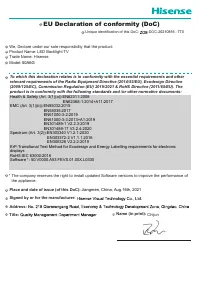
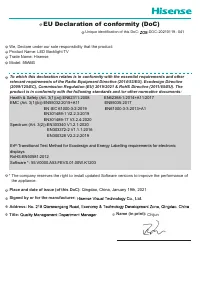
- Page 22 – Certification and Compliance; FCC Notice; ● Consult the dealer or an experienced radio/TV technician for help.; Declaration of Conformity
- Page 23 – Environmental Protection
4K HDR Smart TV
Quick Setup Guide
Help Hisense improve the environment by reducing pa-
per waste. For detailed instructions and feature descrip-
tions, access the full User Manual online. Before using
the TV, please read this guide carefully and keep it for
future reference.
English
ES-G194998-1
"Loading the manual" means you need to wait until the file loads and becomes available for online reading. Some manuals are very large, and the time they take to appear depends on your internet speed.
Was this manual helpful?
About this manual
- Brand
- Hisense
- Model
- 50H8G
- Document type
- User Manual
- Language(s)
- English
- Pages
- 23
- File size
- 2 MB
- Format
Summary
Copyright statement © 2020 Hisense Company Ltd. All Rights Reserved. All material in this Quick Setup Guide is the property of Hisense Company Ltd. and its subsidiaries, and is protected under the laws of the US, Canada, Mexico and international copyright and/or other intellectual property laws. Rep...
1 Table of Contents What's in the box ............................................................................................................3 Getting started ................................................................................................................4 Step 1. Attach stand o...
2 Congratulations on the purchase of your Hisense TV! If you would like to know 'all things Hisense', contact us using the support info:The model and serial number of the TV is located on the back and/or on one side of the TV. We recommend that you record this if you ever need. Disclaimer: This Quic...
Ask a question
Related manuals
Popular Hisense Other





More Hisense Other models
 Hisense 43N3000UW User Manual
 Hisense 43R6G User Manual
 Hisense 50A6G Installation Manual
 Hisense 50A6GV User Manual
 Hisense 50A6H User Manual
 Hisense 50A7N Manual
 Hisense 50R6G Manual
 Hisense 50U6G User Manual
 Hisense 50U6H User Manual
- Hisense 50U6HF User Manual
 Hisense 55A6G Installation Manual
- Hisense 55A6GV User Manual