Page 2 - Thank; duct
1 Please read these instructions carefully before using this appliance. The instructions contain important information which will help you get the best out of the appliance and ensure safe and proper installation, use and maintenance.Keep this manual in a convenient place so you can always refer to ...
Page 3 - Content
2 Safety ............................................................................................... 3Product Description ....................................................................... 5Control Panel ................................................................................. 6Prog...
Page 4 - Safety; Before Switching on the Appliance for the First Time; Do...
3 Intended Use The appliance is designed for domestic use inside the house. It is not intended for commercial or industrial use. Do not use it for purposes other than that for which it was designed. may cause hazards and loss of warranty claims. Standards and Directives This product meets the requir...
Page 5 - During Daily Use
4 During Daily Use Do… ▶ supervise children to prevent them playing with the appliance. ▶ put sharp pointed objects (e.g. knives) in a way that there is no danger of injury. Do not… open the door while a programme operates. The appliance can release hot steam. keep the appliance door open without su...
Page 6 - Product Description; Accessories
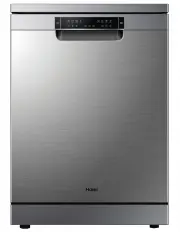
5 Product Description 1. Top spray 8. Detergent dispenser 2. Upper spray arm 9. Rating label 3. Lower spray arm 10. Cutlery basket 4. Filters 11. Lower basket 5. 12. Upper basket 6. Rinse aid dispenser Knife rack User manual Accessories Check the accessories and literature in accordance with this li...
Page 7 - Control Panel
6 Control Panel HDW15V2W1/S1 : 1 2 HDW15V3W1/S1 : 1. ON / OFF button 3. 5. Time & Info Display/Indicator Icon 4. STA RT / PAUSE button 6. Option Indication PROGRAMME Touch button Status Indication 2. 4 5 3 3 6 5 1 2 4 5 3 6 3 5 1. ON / OFF button 3. 5. Time & Info Display 4. STA RT / PAUSE b...
Page 8 - Status Indicators
Control Panel 7 Time & Info display like ► Programme cycle time ► Programme start delay time ► Error codes and service information ► Remaining time in hours of a delayed programme starts, e.g. ► Remaining programme cycle time in hours + minutes, e.g. While running it may vary due to local condit...
Page 9 - Option Indication
8 Control Panel Option Indication Delay start You can delay the start of a programme in 1 hour steps up to 24 hours. Check the according paragraph under “Daily use”. Child Lock To activate or cancel Child lock , press and holduntil the Child lock indicator comes on or turn off. Extra shine This opti...
Page 10 - Programmes
9 Programmes Light to heavy soil:Casseroles, sauces, potatoes, roasted or fried food Non-delicate:Dinnerware, cutlery, pots and pans Auto Heavy ECO Heavy soil: Casseroles, sauces, potatoes , rice, roasted or fried food Non-delicate:Dinnerware, pots and pans Normal soil:Soups, eggs, sauces, potatoes,...
Page 12 - First Steps
11 First Steps Remove all packaging materials, keep them out of children’s reach and dispose them in an environmentally friendly manner. There could be water residue inside the appliance due to quality checks in the factory. Perform the following steps: 1. Install the appliance. ▶ Refer to section I...
Page 13 - Different Settings for Rinse Aid
12 Different Settings for Rinse Aid Rinse aid is added during the last rinsing phase to dry the dishes without streaks and stains. Detergent (e.g. powder, tablets, ...) ▶ requires separate rinse aid:Factory default setting: . No settings are necessary.The rinse aid is added from the rinse aid dispen...
Page 15 - How to Reset Rinse Aid Indicator; Daily Use
14 Please note that not all sales models comes with identical features and options. So pictures of that chapter are sometimes different to your dish- washer model. Explanations try only to point out basic model variants. 1. Load the baskets. 2. Press the ON/OFF button to activate the appliance. ▶ th...
Page 16 - Load the Baskets
15 Daily Use Load the Baskets With delicate glasses and porcelain make sure they are labelled dishwasher-proof. Do not put in the appliance items made of wood, horn, aluminium, pewter and copper. Do not put in the appliance items that can absorb water (sponges, household cloths). ▶ Only use the appl...
Page 17 - Cutlery Basket
16 Daily Use Cutlery Basket ▶ Mix spoons with other cutlery to prevent them to bond together. ▶ Use the grid element in order to separate the cutlery. ▶ Place cutlery with the handles down for better washing results. ▶ If long items may block the spray the upper basket. CAUTION! Put sharp and pointe...
Page 18 - Upper Basket and utensil tray
17 Upper Basket and utensil tray Place small items on the foldable cup holder. Daily Use Utensil tray ► The upper basket is designed to hold items like glasses, cups, saucers, plates, small bowls and shallow pans. ► Use the utensil tray to securely hold long or sharp items like knives, chopsticks, o...
Page 19 - Lift the basket
18 Daily Use Lift the basket 1. Pull out the upper basket. 2. Hold the basket on both sides on the edge above the lever. 3. Lift the basket till you hear a click. 4. Check the horizontal position and safe lock of the basket. Model with lever for easy height adjustment of the upper basket. HDW15V2 / ...
Page 20 - The third Basket; The third basket can be pulled out,
19 Daily Use The third Basket The third basket can be pulled out, it is easy to put down and take out the cutlery. Depending on the model, you can take out the left and right side shelves to provide more room fortaller goblet. Depending on the model, you can take out the third basket.
Page 21 - Detergent; Multitabs
20 Detergent Please use only a dedicated dishwasher detergent and follow the related instructions and dosage on its package. 1. If the lid is closed press the release button ( A ) to open the lid. 2. Put any detergent into compart- ment ( B ). 3. If the programme has a pre-wash phase, put a small qu...
Page 22 - Start a Programme; You can set one option or combine all options.; Activate / Deactivate options; select the washing procedure.
21 Daily Use Start a Programme 1. Close the door. 2. Press the ON/OFF button . 3. and then the required programme indicator lights up. 4. If desired select a start time for a delay start. Refer to section START A PROGRAMME WITH DELAY. 5. Press the START/PAUSE button to activate the programme or the ...
Page 23 - Start a Programme with Delay; Cancel a Delayed Start
22 Start a Programme with Delay Set a start time by the following procedure in order to delay a programme start: 1. Set a programme. 2. 3. 4. Daily Use Cancel a Delayed Start 4. Press the START/PAUSE button . ▶ The display shows the countdown of the start delay. The count- down decreases with steps ...
Page 24 - End of Programme
23 Daily Use 3. Remove dishes: ▶ ▶ Let the dishes become cold before removing them from the appli- ance. Hot dishes damage more easily. ▶ First remove the items from the lower basket, then from the upper basket. There can be water on the sides and on the door of the appliance. Stainless steel become...
Page 25 - Care and Cleaning the Filters; Care and Cleaning
24 Inspect and clean your appliance at regular intervals. Basically any detergent Care and Cleaning the Filters 1. A anticlockwise and remove it. 2. A press the latches and unplug A1 from A2 . 3. B . 4. Care and Cleaning 5. B to its initial posi- tion. 6. A and put it into B . Turn it clockwise unti...
Page 26 - Care and Cleaning of the Spray Arms; Upper spray arm; External Cleaning
25 Care and Cleaning Care and Cleaning of the Spray Arms Spray arms should be regularly inspected for dirt. If needed the spray arms could be removed. Upper spray arm 1. Turn bayonet socket to the left to remove spray arm. 2. Remove remaining parts of food remnants with a thin pointed object. 3. Flu...
Page 27 - The appliance does not start, or it stops during operation; Troubleshooting
26 expertise. In case of a problem please check all shown possibilities and follow below instructions before you contact an after sales service CAUTION! ▶ Before maintenance, deactivate the appliance and disconnect the mains plug from the mains socket. ▶ - trical experts, because improper repairs ca...
Page 28 - Error codes on the display
27 All other Alarmcodes: 1. Note Alarmcode 2. Contact Service ; refer to CUSTOMER SERVICE Troubleshooting Problem Possible cause Possible solution Acoustic alarm, display shows ALARMCODE The appliance does Water tap is closed. • Open the water tap. Note: Whenever Error ‘ ’ is solved switch off the a...
Page 29 - Washing Results are not satisfactory
28 Troubleshooting Washing Results are not satisfactory Problem Possible cause Possible solution The dishes are not clean. Filters are clogged.Filters are not correctly assem- bled and installed. correctly assembled and installed. Spray arms are clogged. Remove remaining food remnants with a thin po...
Page 30 - Economic and Environmental Use; It is not recommended to pre-rinse the dishes under running water.
29 Troubleshooting Problem Possible cause Possible solution Dry water drop stains on glasses and dishes. Rinse aid dosage is too low. Increase the released quantity of rinse aid. Refer to section DIFFERENT SETTINGS FOR RINSE AID. Quality of rinse aid or Multitab. Cleaning product too old; change the...
Page 31 - Installation
30 WARNING! Any i refer to section SAFETY. Free Standing Installation 1. Install the appliance on solid ground. Adjust accurately all feet INFORMATION! Only with a correct level the appliance door closes and seals correctly. Installation under Worktop 1. The dimensions of the recess should at least ...
Page 32 - Fresh Water Connection; The appliance should be connected to
31 Installation Fresh Water Connection fig.A ▶ ▶ >10mm The appliance should be connected to the water main using the new water inlet hose supplied. Old hoses should not be used. Do not shorten the inlet hose. ▶ ▶ IMPORTANT! 25°C. 1. Take note of water connection requirements. ▶ The dishwasher has...
Page 33 - Anti-Flooding protection; specialised retailers and Authorised Service Center.
Installation Anti-Flooding protection The dishwasher is equipped with a system that stops the supply of water in the event of a problem with the water supply hose, or leaks within the unit, in order to prevent damage to your home. If for any reason the box containing the electrical components happen...
Page 34 - Drain hose to waste water; Drain Water Connection; Drain hose to sink
33 Installation Drain hose to waste water connection ▶ The internal diameter of the stand pipe with vent-hole must be minimum 40 mm. ▶ Put the drain hose for approx. 80 mm in the wastewater pipe. ▶ Attach the U-support and secure it Drain hose to sink connection ▶ ▶ CAUTION! Ensure always that all c...
Page 35 - Technical Data
34 Technical Data S uppliers name or trade mark Haier Supplier´s model identifierRated capacity in standard -place settings Check the electrical data on the rating label (located on the left-hand side of the dishwasher’s stainless steel inner door). Should the data onthe rating label be different to...
Page 36 - Customer Service
35 We recommend our Haier Customer Service and the use of original spare parts. TROUBLESHOOTING. ▶ your local dealer or ▶ the Service & Support area at www.haier.com.au To contact our Service, ensure that you have the following data available.The information can be found on the rating plate at t...
Page 37 - Standards Test; Recommended loading patterns
36 Standards Test Wash programme Eco When the programme is finished, open the door 100mm to help with drying Powdered detergent quantities 5 g pre-wash + 28.75 g main wash Rinse aid dosage level (HDW15V2 model ) Maximum number of place settings 15 Height adjustment of upper basket Ensure the upper b...