Google VBCC8FGCA8CC20 - User Manual
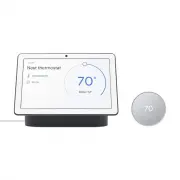
Google VBCC8FGCA8CC20 Thermostat – User Manual, read for free online in PDF format. We hope this helps you resolve any issues you may have. If you have further questions, please contact us through the contact form.

Make the most of your new
Nest Thermostat
Here are some quick tips to help get you started with your
Nest Thermostat. To learn more visit
g.co/nest/thermostatbasics
Fine-tune your comfort.
When you set up your Nest Thermostat, customizing your
schedule is fast and easy. And you can always make
adjustments from the Google Home app.
Every Nest product makes your
home even more helpful
Control your thermostat with your voice.
The Nest Thermostat works with the Google Assistant
on your phone, or Nest speakers and displays. Just say,
“Hey Google, turn up the heat.” The Nest Thermostat also
works with Alexa and other smart speakers and displays.
Nest products work even better together.
For example, if your Nest Protect senses CO, it can tell your
Nest Thermostat to stop the furnace from running.
Save energy when you’re away.
The Nest Thermostat can use a built-in sensor to know when
nobody’s home, then adjust the temperature to save energy.
The Google Home app can also use your phone’s location
to help your thermostat adjust even faster when you leave.
Get system alerts and reminders.
Your Nest Thermostat can send a reminder if your air
filters need to be replaced. Or an alert if it detects your
furnace is acting up.
Look for the Nest Leaf.
It appears when you change the Nest Thermostat
to an energy-saving temperature.
Welcome home
G953-01573-01-A
Control from anywhere
You can change the temperature, adjust your
schedule, and more from your phone or tablet.
Just download the free Google Home app from
Google Play or the App Store™.
We take your privacy seriously.
Go to
g.co/nest/privacy to find out more.
Welcome home
G953-01573-01-A
Control from anywhere
You can change the temperature, adjust your
schedule, and more from your phone or tablet.
Just download the free Google Home app from
Google Play or the App Store™.
We take your privacy seriously.
Go to
g.co/nest/privacy to find out more.
Tap the touch bar to bring up the menu.
Modes
Change modes, like
heating and cooling.
Hold
Keep a specific temp
for a certain amount
of time.
Fan
Getting stuffy? Use the
fan whenever you want.
Settings
Check your battery
and network status.
Touch bar
Swipe up or down to
change the temperature.
Tap to bring up the menu.
Status and alerts
Current heating or cooling
mode and system alerts.
Target temperature
The temperature you
want to reach.
Current temperature
The temperature
in your home.
Meet the Nest Thermostat
Cover
Back Cover
Page 2
Page 3
Page 6
Page 5
Page 7
Page 4
Cover
Page 2
Page 3
A
Production release (Rev.07)
AW
06/10/2020
ZIRCONIUM, WELCOME GUIDE, US, ARTWORK
G953-01573-01_RevA_AW_WelcomeGuide_Z1_US_MP.ai
G953-01573-01
ECO-A17500
LIT, WELCOME GUIDE, ZIRCONIUM, US
Scale 1:1
DIELINE
GREY
BLUE
Dimensions: 436mm x 110mm
Finished size: 110mm x 110mm
Materials: 130 GSM Glossy Art Paper + Matte AQ
FSC Certified paper
2-sided, double gate fold
CMYK
"Loading the manual" means you need to wait until the file loads and becomes available for online reading. Some manuals are very large, and the time they take to appear depends on your internet speed.


