Google GA03780 - User Manual
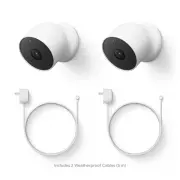
Google GA03780 Security Camera – User Manual, read for free online in PDF format. We hope this helps you resolve any issues you may have. If you have further questions, please contact us through the contact form.


Safety, Warranty & Regulatory Guide for Google Nest Cam
This booklet provides important safety, regulatory, and warranty information that you should read
before using your Nest Cam. You can find an online version of this document at g.co/nest/help
Basic safety
WARNING: HEALTH AND
SAFETY INFORMATION
To avoid damaging your device, accessories or any connected devices, and to reduce the risk of
personal injury, discomfort, property damage, or other potential hazards, follow the precautions
below and those found in the Nest Cam Safety Information at g.co/nest/camsafety:
• Handle your Nest Cam with care. You may damage the device if you disassemble, drop, bend,
burn, crush, or puncture your device. Do not use a Nest Cam with a cracked lens or damaged
enclosure. Be sure the power adapter and Nest Cam are well ventilated when in use. Using a
damaged Nest Cam, damaged cables, or power adapter, may cause overheating, fire, electric
shock, injury, or damage to your Nest Cam or other property. Do not expose your Nest Cam to
liquids, which can cause a short circuit and overheating. If the Nest Cam gets wet, do not
attempt to dry it using an external heat source. Do not use your device when wet or in direct
sunlight. Your Nest Cam is designed to work best in ambient temperatures between 32° and
104° F (0° and 40° C) and should be stored between ambient temperatures of -4° and 140° F
(-20° and 60° C). Do not expose the Nest Cam to temperatures above 140° F (60° C) as this
may damage the device or pose a risk of fire.
• This Nest Cam must be used with a certified AC adapter with Limited Power Source (LPS)
output per IEC 60950-1 and/or PS1 classified output per IEC 62368-1, rated: 5 Volts DC,
maximum 1.5 Amp. Only power this Nest Cam with the included power adapter or compatible
power adapters, which are available on the Google Store or at Google authorized resellers
(look for Google’s “made for” badge). Failure to use a compatible power adapter can cause
fire, electric shock, injury, or damage to the Nest Cam.
• Strangulation hazard. This device is not a toy. Children have strangled on cords.
Keep cords out of the reach of children (more than 3 feet / 0.9 meters away).
• Your Nest Cam can be wall-mounted. See g.co/nest/mountcam for additional
wall-mount instructions.
Disposal & Recycling
Dispose of and transport your device and accessories according to local environmental and
transportation regulations. Do not dispose of them in normal household waste. For more
information on recycling your device and accessories, visit g.co/HWRecyclingProgram
Child Safety
Your Nest Cam is not a toy. It contains (or comes with) small parts, plastic elements, cables,
and parts with sharp edges that may cause an injury or create a choking or strangulation
hazard. Keep your Nest Cam and its accessories out of the reach of small children. They could
hurt themselves or others, or could accidentally damage the Nest Cam. Consult a physician
immediately if small parts are swallowed.
Proper Handling and Usage
Care and Cleaning. Unplug your Nest Cam and power adapter before cleaning. Use a clean,
soft, and dry cloth to clean your Nest Cam and power adapter. Do not use any chemical
detergent, powder, or other chemical agents (such as alcohol or benzene) to clean your Nest
Cam and power adapter. For additional care and cleaning information, visit g.co/nest/help
Water Resistance. The device and power adapter are not water resistant and should not be
exposed to liquids.
"Loading the manual" means you need to wait until the file loads and becomes available for online reading. Some manuals are very large, and the time they take to appear depends on your internet speed.


