Google GA01317-US - User Manual
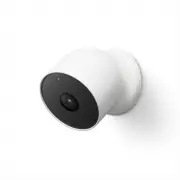
Google GA01317-US Security Camera – User Manual, read for free online in PDF format. We hope this helps you resolve any issues you may have. If you have further questions, please contact us through the contact form.


Table of Contents:
- Page 2 – Set up your Google Nest Cam
- Page 3 – What’s included
- Page 4 – We’re here for you
Let’s get started
"Loading the manual" means you need to wait until the file loads and becomes available for online reading. Some manuals are very large, and the time they take to appear depends on your internet speed.
Summary
A Nest Pro installer can helpConnect with an independent installer who’s trained to install Google Nest products at g.co/nest/install Get the Google Home app Tap + to add your camera Set up your Google Nest Cam Plug your Nest Cam into an outlet
What’s included * Nest Cam Magnetic plate Wall plate Wall screws Charge cable Wall anchors Power adapter You may need a screwdriver, drill, and step ladder To purchase and install with a weatherproof cable or indoor stand, visit g.co/nestcam/accessories * 1 charge cable and power adapter per box
We’re here for you For online help and support, visit g.co/nest/help For an installation video, visit g.co/nestcam/setup For help with accessibility, visit g.co/disabilitysupport Place and label QR codes here: G953-01623-01-A


