GermGuardian AP5800W - User Manual
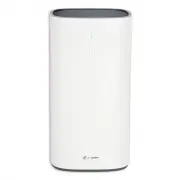
This user manual covers a Guardian Technologies 3-in-1 high-performance air purifier (Model AP5800), focusing primarily on its operational principles, maintenance requirements, and safety guidelines. The document highlights key functional areas such as air quality monitoring–including particulate matter detection and fan speed adjustments via auto mode or manual controls–and the importance of regular filter replacements to ensure optimal performance. Safety warnings emphasize electrical hazards, proper placement, and avoiding modifications that could compromise functionality, while specifications detail its ENERGY STAR certification and CADR ratings for evaluating efficiency. Additionally, it addresses warranty coverage, repair procedures, and troubleshooting common issues like malfunctions or odor emissions.


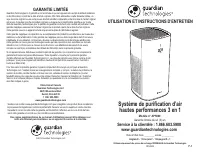
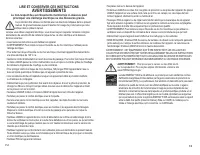
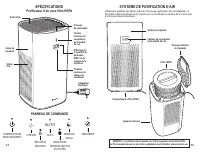
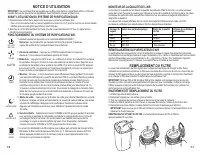
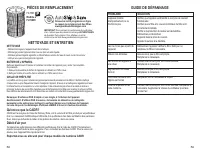


Table of Contents:
- Page 1 – Limited Warranty and Claim Procedures
- Page 2 – Electrical Safety and Usage Warnings
- Page 3 – Air Purifier Specifications and Control Panel
- Page 4 – Operating Instructions and Air Quality Monitoring
- Page 5 – Cleaning, Maintenance, and Troubleshooting
- Page 6 – Warranty and Maintenance Instructions
- Page 7 – General Safety Precautions and Placement
- Page 8 – System Specifications and Component Diagram
- Page 9 – Operation Modes and Air Quality Correlation
- Page 10 – Maintenance, Part Replacement, and Performance Metrics
- Page 11 – Warranty Eligibility and Claim Process
- Page 12 – Appliance Safety Certification
- Page 13 – Control Panel Functions and Filter System Details
- Page 14 – Operational Controls and Monitoring Table
- Page 15 – Comprehensive Maintenance and Troubleshooting Guide
E-1
3-in-1 High Performance
Air Purifying System
Model No. AP5800
3-Year Limited Warranty
English E - 1 French F - 1 Spanish S - 1
Date Purchased
month ________ year _________
USE & CARE INSTRUCTIONS
Customer Service 1.866.603.5900
www.guardiantechnologies.com
Use GENUINE Guardian Technologies replacement parts only.
REV0620
©2016 Guardian Technologies LLC
LIMITED WARRANTY
To the consumer, Guardian Technologies LLC warrants this product to be free of defects in materials or
workmanship commencing upon the date of the original purchase. In order to be eligible for this Limited
Warranty, an original sales receipt or comparable substitute proof of purchase bearing the date of
original purchase is required. Refer to the original product carton or specific product/model page on
the Guardian Technologies website for warranty length for your particular model. This warranty applies
only to the original purchaser of this product from the original date of purchase. This warranty covers
product purchased from authorized distributors only.
This warranty applies to repair or replacement of product found to be defective in materials or
workmanship. This warranty does not apply to damage resulting from unusual wear, commercial,
abusive, unreasonable use or supplemental damage. This warranty does not cover damage from
unauthorized repairs or from any use not in accordance with the instruction manual. Defects that are
the result of normal wear and tear will not be considered manufacturing defects under this warranty.
If this product should become defective within the warranty period, we will repair or replace any
defective parts free of charge. All warranty repairs must be completed by Guardian Technologies LLC.
This warranty gives you specific legal rights and you may also have other rights (other rights may
vary from state to state in the U.S.A.)
To submit product under warranty the complete machine must be delivered pre-paid to Guardian
Technologies LLC. Please include complete information including: the problem, the model number of
the product, the day of purchase, and a copy of the original sales receipt along with your name,
address, and telephone (email optional). Address returns to the attention of: Customer Service, at the
address below. Additional questions or comments can be made toll free to the number listed below.
Additional copies of the instruction manual can be obtained by accessing and
printing directly from our website or calling customer service.
USA and Canada
Guardian Technologies LLC
26251 Bluestone Blvd.
Euclid, Ohio 44132
1.866.603.5900
www.guardiantechnologies.com
Please go to www.guardiantechnologies.com to register your product. We consider the registration
process important to ensuring superior service to our customers, however submitting the warranty
registration is optional and does not affect your rights to utilize this warranty according to the conditions
stated above.
"Loading the manual" means you need to wait until the file loads and becomes available for online reading. Some manuals are very large, and the time they take to appear depends on your internet speed.
Was this manual helpful?
About this manual
- Brand
- GermGuardian
- Model
- AP5800W
- Document type
- User Manual
- Category
- Air Purifier
- Language(s)
- English, Spanish, French
- Pages
- 15
- File size
- 3.9 MB
- Format
Summary
Details regarding the limited warranty for the Guardian Technologies 3-in-1 High Performance Air Purifying System, including coverage, exclusions, repair procedures, claim submission requirements, and customer service contact information.
Safety precautions for electrical appliances, covering risks of electric shock, fire, injury, proper cord handling, avoiding water exposure, supervision of children, health warnings, and restrictions on modifying or repairing the unit.
Details on the air cleaning system specifications, component labels such as the control panel and HEPA filter, and a diagram illustrating the control panel buttons and filter handling notes.
Ask a question
Related manuals
More GermGuardian Air Purifiers models
 GermGuardian AC4100 User Manual
 GermGuardian AC4200W User Manual
 GermGuardian AC4300BPTCA User Manual
 GermGuardian AC4711W User Manual
 GermGuardian AC4825DLX User Manual
 GermGuardian AC4825E User Manual
 GermGuardian AC4825W User Manual
 GermGuardian AC5250PT User Manual
 GermGuardian AC5350B User Manual
 GermGuardian AC5600WDLX User Manual
 GermGuardian AC9200WCA User Manual
 GermGuardian AC9400W User Manual
 GermGuardian CDAP4500BCA User Manual
 GermGuardian GG1000 User Manual
 GermGuardian GG1100W User Manual
 GermGuardian GG3000BCA User Manual


