Frigidaire GRMG2272CF - User Manual
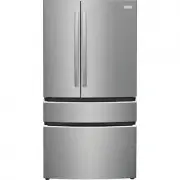
A user manual for Frigidaire Gallery multi-door refrigerators outlines essential setup procedures and operational features. The document covers initial preparation, recommended temperature configurations, and guidance on using internal and external control panels–including advanced functions like Freeze Boost and CrispSeal Fresh Crisper. It also addresses maintenance tasks such as filter replacements (water, air, and produce) alongside troubleshooting common issues like dispenser malfunctions or compressor behavior.


Before you start
Set up your refrigerator
Remove tape and glue residue from surfaces before turning on the refrigerator. Choose a place near a grounded electrical
outlet, allowing for clearances for ease of installation, proper circulation, and plumbing and electrical connections.
Before operating for the first time
After you remove all of the package materials, clean the inside of your refrigerator before using it.
See
CARE AND CLEANING
in your Use & Care Manual.
Your appliance control display*
We recommend you set your temperatures at 37˚F (3°C) for the refrigerator compartment and 0˚F (-18°C) for the freezer. After
24 hours, you can adjust the control as desired, allowing the temperature to stabilize.
*Control display varies by model. See the Use & Care Manual for more detailed information about your appliance.
1
Activate
Freeze Boost
prior to grocery shopping to lower the
temperature and freeze food faster. Freeze Boost remains active
for up to 24 hours.
2
Press
Cold Drink Timer
to start a timer for chilling drinks.
3
The ice maker makes ice until the ice bin is full. Press and hold
Ice Maker
for 3 seconds to turn it on/off.
4
Press and hold for 3 seconds to enable/disable the appliance
control display.
5
Press either
+
or
—
to adjust to desired temperature setting
inside the refrigerator or freezer compartment.
Adjusting Temp
illuminates until you reach the desired temperature(s).
6
Power Outage
illuminates and alert sounds after a power outage
ends until you reset it by pressing any button.
7
Door Open
illuminates and alert sounds if the door is open 5+
minutes until you close the door.
8
°F/°C
allows you to switch between Fahrenheit (°F)
and Celsius (°C).
9
Replace Water Filter
or
Replace Air Filters
illuminates when it’s
time to change the filters, generally every 6 months.
10
Prior to grocery shopping, we recommend you activate
Chill
Boost
to cool your food faster.
You’re in control
EXTERNAL DISPENSER CONTROL DISPLAY
INTERNAL DISPENSER CONTROL DISPLAY
1
2
3
4
5
6
7
9
9
8
1
Use to lock the display. Press and hold
for 3 seconds to enable/disable. The
indicator flashes and an alert sounds
when
CONTROL LOCK
is enabled. You
can’t make changes on the display while
the lock is engaged.
2
Select compartment for temperature
change (
FREEZER
or
REFRIGERATOR
).
Press either the
+
or
—
to adjust to
desired temperature setting.
Freezer temp
- Control temperatures
range from -6°F / -21°C to +6°F / -15°C.
Refrigerator temp
- Control
temperatures range from +34°F / +1°C
to +44°F / +7°C. This unit is designed
to operate at 37°F Refrigerator/0°F
Freezer. Temperatures should stabilize
within 24 hours of installation.
3
Clear Alerts
resets any alarms that are
active and illuminated on the display
(
Door Open
,
High Temp
,
Power Outage
).
4
Activate
Freeze Boost
prior to grocery
shopping to lower the temperature and
freeze food faster. Freeze Boost remains
active for up to 24 hours.
5
°F/°C
allows you to switch between
Fahrenheit (°F) and Celsius (°C).
6
Press and hold for 3 seconds to
enable/disable the water dispenser.
When enabled, the LEDs above
Water
Dispenser
illuminates.
7
Press and hold
Default Settings
for 3
seconds to reset to default settings.
8
Press and hold
Water Filter
or
Air
Filters
for 3 seconds to reset after
replacing the filter.
2
3
4
5
6
7
8
10
1
Getting started
with your
multi-door
refrigerator
A23751102 (2208)
"Loading the manual" means you need to wait until the file loads and becomes available for online reading. Some manuals are very large, and the time they take to appear depends on your internet speed.
Was this manual helpful?
Helpful for 3 of 3 readers
About this manual
- Brand
- Frigidaire
- Model
- GRMG2272CF
- Document type
- User Manual
- Category
- Refrigerator
- Language(s)
- English
- Pages
- 2
- File size
- 14.5 MB
- Format
Other Manuals for Frigidaire GRMG2272CF
Ask a question
Related manuals
Popular Frigidaire Refrigerators


More Frigidaire Refrigerators models
 Frigidaire GRFN2853AF User Manual
 Frigidaire GRFS2853AD User Manual
 Frigidaire GRFS2853AF User Manual
 Frigidaire GRMC2273CD User Manual
 Frigidaire GRMC2273CF User Manual
 Frigidaire GRMN2872AF User Manual
 Frigidaire GRMS2773AF User Manual
 Frigidaire GRQC2255BF User Manual
 Frigidaire GRSC2352AD User Manual
 Frigidaire GRSC2352AF User Manual
 Frigidaire GRSS2352AF User Manual
 Frigidaire GRSS2652AD User Manual