Page 2 - INTRODUCTION; Doors; Installation Checklist; Welcome to our; family
INTRODUCTION Doors Handles are secure and tight Door seals completely to cabinet on all sides Leveling Refrigerator is level side-to-side and slightly elevated in front to assist with door and drawer closing (front should be higher than back) Cabinet is setting solid on all corners Electrica...
Page 3 - IMPORTANT SAFETY INFORMATION
WARNING WARNING indicates a potentially hazardous situation which, if not avoided, could result in death or serious injury. IMPORTANT IMPORTANT indicates installation, oper- ation or maintenance information which is important but not hazard-related. DANGER DANGER indicates an imminently hazardous si...
Page 4 - Before disposing of an old
4 IMPORTANT SAFETY INFORMATION Safety Instructions • DO NOT store or use gasoline, or other flammable liquids in the vicinity of this or any other appliance. Read product labels for warnings regard- ing flammability and other hazards. • DO NOT operate the refrigerator in the presence of explosive fu...
Page 5 - or bypass the; Electrical information
5 IMPORTANT SAFETY INFORMATION Grounding type wall receptacle Power cord with 3-prong grounded plug Do not, under any circumstances, cut, remove, or bypass the grounding prong. Electrical information • The refrigerator must be plugged into its own dedicated 115 Volt, 60 Hz., 15 Amp, AC only electric...
Page 6 - IMPORTANT; FEATURES
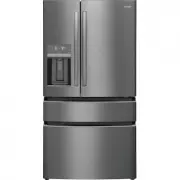
IMPORTANT Accessories are available for refrigerator and can be purchased at Frigidaire.com or by calling 1-800-374-4432. 6 FEATURES A Anti-tip Leg B Lower Freezer Basket C Upper Freezer Basket D Custom-Flex™ Temp Drawer E Ice/Water Dispenser F External Appliance Control Display G Adjustable Hinges ...
Page 7 - INSTALLATION; Before starting the refrigerator,
CAUTION Do Not install the refrigerator where the temperature will drop below 55°F (13°C) or rise above 110°F (43°C). The compressor will not be able to maintain proper temperatures inside the refrigerator. WARNING Installation Allow the following clearances for ease of installation, proper air circ...
Page 8 - Cabinet Leveling & Refrigerator; To raise unit; Flipper Mullion; To lower door
8 INSTALLATION Cabinet Leveling & Refrigerator Door Alignment (if necessary) Guidelines for final positioning of refrigerator: • Rest all 4 corners of the cabinet firmly on the floor. • Slightly elevate the front to ensure the doors close and seal properly. • Align and level the doors with each ...
Page 9 - CAUTION; DOOR REMOVAL; Getting through narrow spaces; To prepare for removing the doors:; NOTE
CAUTION Be sure doors are set aside in a secure position where they cannot fall and cause personal injury, or damage to the doors or handles. 9 DOOR REMOVAL Getting through narrow spaces If refrigerator will not fit through an entrance area, you can remove the doors. Check first by measuring the ent...
Page 10 - To remove the Custom-Flex
10 Lower Hinge Removal Once both doors are in place, ensure they are aligned with each other and level (Reference INSTALLATION for more de- tails), and replace the top hinge cover. 8. To reinstall the doors, reverse the procedure. 7. In certain circumstances, you may need to remove the lower hinges ...
Page 11 - Reinstalling the Custom-Flex
11 DOOR REMOVAL 4. Remove the screw and the retaining clip and disconnect the harness Reinstalling the Custom-Flex Temp Drawer 1. Place the drawer with the brackets and sliders inside the compartment and click the sliders into place on each side. 2. Reconnect the cabinet harness.3. Replace the retai...
Page 12 - Removing Freezer Drawer; STORAGE FEATURES
CAUTION Drawer is heavy. Use caution when lifting. 12 DOOR REMOVAL Removing Freezer Drawer 1. Open the drawer and fully extend it.2. Remove the upper freezer drawer.3. Remove the lower freezer basket.4. Inside the cabinet, press the 2 tabs on both sides to release the sliders. 5. Remove the drawer w...
Page 13 - DOOR HANDLE INSTALLATION
CAUTION Wear gloves and safety goggles. Use extreme CAUTION when installing these handles. 13 NOTE Tighten all set screws so the screw is below the surface of the handle. Draw the handles tight to the doors/drawer with no gaps. Open the opposite door while tightening the Allen screw to make instal...
Page 14 - WATER SUPPLY CONNECTION
CAUTION To Avoid Property Damage:• We recommend copper or stainless Steel braided tubing for the water supply line. We do not recommend using water supply tubing made of ¼ in. plastic. Plastic tubing greatly increases the potential for water leaks, and the manufacturer will not be responsible for an...
Page 15 - To Connect Water Tube to
15 WATER SUPPLY CONNECTION To Connect Water Tube to Household Water Supply 1. Disconnect refrigerator from electrical power source. 2. Place the end of the water supply line into a sink or bucket. Turn ON the water supply and flush the supply line until the water is clear. Turn OFF the water supply ...
Page 16 - Awake Mode Display; Awake Mode; Sleep Mode Display; Sleep Mode; CONTROLS AND SETTINGS
16 Awake Mode Display Awake Mode To change from sleep mode (on) to awake mode (off), simultaneously press and hold Crush and for 5 seconds. The display will show the current temperature/ice maker status. A tone will confirm. Sleep Mode Display Sleep Mode As a default, the display will go to sleep af...
Page 17 - WARNING
17 CONTROLS AND SETTINGS 1 Freeze Boost (on/off) Prior to grocery shopping, activate Freeze Boost so newly purchased food designated for the freezer will be preserved as quickly as possible. It automatically deactivates after 12 hours. 2 Cold Drink Timer Quickly chills a drink inside the freezer com...
Page 19 - Alarms
19 CONTROLS AND SETTINGS Alarms Power Outage In the event of a power failure, the power outage alert will illuminate once power has been restored and a tone will sound. The alert will only illuminate if the refrig- erator or freezer reached unsafe tempera- tures during the outage. Press any button t...
Page 20 - AUTOMATIC ICE AND WATER DISPENSER; Ice Maker
CAUTION For proper dispenser operation, recommended water supply pressure should fall between 30 psi and 100 psi. Excessive pressure may cause the system to malfunction. IMPORTANT The ice maker is turned on at the factory so it can work as soon as the refrigerator is installed. If it is not pos- sib...
Page 22 - Remove and empty the ice bin if:
CAUTION NEVER use an ice pick or similar sharp instrument to break up the ice. This could damage the ice bin.To loosen stuck ice, use warm water. Before replacing the ice bin, make sure it is completely dry. 22 AUTOMATIC ICE AND WATER DISPENSER Remove and empty the ice bin if: • An extended power fa...
Page 23 - To adjust the flip shelf:; Drawers; CrispSeal Fresh Crisper
CAUTION To avoid personal injury or property damage, handle tempered glass shelves carefully. Shelves may break suddenly if nicked, scratched, or exposed to sudden temperature change. Allow the glass shelves to stabilize to room temperature before cleaning. Do not wash in dishwasher. 23 STORAGE FEAT...
Page 24 - To remove the auto humidity control
24 Removing CrispSeal Fresh Drawer STORAGE FEATURES Removing Auto Humidity Control Membrane Opening SnackZone Recessed Snack Drawers 4. Remove the humidity membrane from the housing by lifting up sliding over. 5. Clean humidity membrane with hot soapy water. 6. Replace membrane in housing and unit b...
Page 26 - To remove upper freezer drawer:; Freezer Features; Dividers; To move door bin up or down:
26 To remove upper freezer drawer: 1. Open freezer compartment completely.2. Lift up and out to remove upper freezer drawer. 3. Reverse the steps to reinstall drawer. Freezer Drawer Freezer Features STORAGE FEATURES NOTE If basket is not resting on stabilizer bar retainer clips, the drawer will no...
Page 27 - STORING FOOD AND SAVING ENERGY; Ideas for storing foods; Ideas for saving energy
27 STORING FOOD AND SAVING ENERGY Ideas for storing foods Fresh food storage • Keep the fresh food compartment between 34°F and 44°F with an optimum temperature of 37°F. • Avoid overcrowding the refrigerator shelves, which reduces air circulation and causes uneven cooling. • Avoid placing food in fr...
Page 28 - NORMAL OPERATING SOUNDS; Understanding the sounds
28 NORMAL OPERATING SOUNDS Understanding the sounds coming from the refrigerator High-efficiency refrigerators may introduce unfamiliar sounds . These sounds normally indicate the refrigerator is operating correctly. Some surfaces on floors, walls, and kitchen cabinets may make these sounds more not...
Page 29 - FILTER REPLACEMENT; PureAir
29 FILTER REPLACEMENT Ordering Replacement Air Filters Order replacement filters online at Frigidaire.com, by calling 1-800-374- 4432 or through the dealer from which the refrigerator was purchased. Frigidaire recommends replacing filters at least once every 6 months.Here is the product number to re...
Page 31 - PureAir PK-2 Produce Keeper PlusTM
31 7. Press a drinking glass against the water dispenser while checking for any leaks at the filter housing. Any spurts and sputters that occur as the system purges air out of the dispenser system are normal. 8. Push the cover up toward the liner. Then push the filter cover toward the rear of the ca...
Page 32 - CARE AND CLEANING; Vacation and moving tips
IMPORTANT When storing or moving refrigerator in freezing temperatures, be sure to completely drain the water supply system. Failure to do so could result in water leaks when the refrigerator is put back into service. Contact a service representative to perform this operation. CAUTION • Pull the ref...
Page 33 - Part
33 CARE AND CLEANING Care & Cleaning Tips Part What To Use Tips and Precautions Interior & Door Liners • Soap and water• Baking soda and water Use two tablespoons of baking soda in one quart of warm water. Be sure to wring excess water out of sponge or cloth before cleaning around controls, ...
Page 34 - TROUBLESHOOTING; Concern Potential Cause
34 TROUBLESHOOTING 1-800-265-8352 (Canada) Frigidaire.ca 1-800-374-4432 (United States) Frigidaire.com Let us help you troubleshoot your concern! This section will help you with common issues. If you need us, visit our website, chat with an agent, or call us. We may be able to help you avoid a servi...
Page 36 - Ice maker is not making
36 TROUBLESHOOTING Concern Potential Cause Common Solution Dispenser Dispenser will not dispense ice. • There is no ice in the bin to be dispensed. • The refrigerator doors are not completely closed. • Dispenser paddle has been pressed too long and the dispenser motor has overheated. • See the Ice m...
Page 37 - Running of Refrigerator
37 TROUBLESHOOTING Concern Potential Cause Common Solution Opening/Closing Of Doors/Drawers Door(s) will not close. • Door was closed too hard, causing other door to open slightly. • Refrigerator is not level. It rocks on the floor when moved slightly. • Refrigerator is touching a wall or cabinet. •...
Page 38 - Flipper; Water/Moisture/Frost Outside Refrigerator
38 TROUBLESHOOTING Concern Potential Cause Common Solution Digital Temperature Setting Display Digital temperature displays an error. • Electronic control system has detected a performance problem. • For assistance with any errors or codes flashing in the appliance control display call 1-800-374-443...
Page 39 - LIMITED WARRANTY
39 LIMITED WARRANTY Your appliance is covered by a one year limited warranty. For one year from your original date of purchase, Electrolux will pay all costs for repairing or replacing any parts of this appliance that prove to be defective in materials or workmanship when such appliance is installed...
Page 40 - Our home is your home. Visit us if you; registration; (See your registration card; welcome; home
Frigidaire.com 1-800-374-4432 Frigidaire.ca 1-800-265-8352 owner support accessories service Our home is your home. Visit us if you need help with any of these things: registration (See your registration card for more information.) welcome home