Page 2 - Product Registration; Record model & serial numbers here; Purchase Date; Serial Plate Location; PRODUCT RECORD AND REGISTRATION; Visit the Frigidaire web site at www.frigidaire.com
2 2018 Electrolux Home Products, Inc. All rights reserved. Printed in the USA Product Registration . . . . . . . . . . . . . . . . . . . . . . . . . .2 Product Record and Registration . . . . . . . . . . . . . . . . . 2 Need Help? . . . . . . . . . . . . . . . . . . . . . . . . . . . . . . . . .2 Im...
Page 3 - DEFINITIONS; WARNING; Save these instructions for future reference.; IMPORTANT; IMPORTANT SAFETY INSTRUCTIONS
3 Read all instructions before using this appliance.This manual contains important safety symbols and instructions. Please pay attention to these symbols and follow all instructions given.Do not attempt to install or operate your appliance until you have read the safety precautions in this manual. S...
Page 4 - Save these instructions for future reference; Tip Over Hazard; Range
4 IMPORTANT SAFETY INSTRUCTIONS Save these instructions for future reference IMPORTANT INSTRUCTIONS FOR UNPACKING AND INSTALLATION IMPORTANT - Read and follow the below instruc-tions and precautions for unpacking, installing, and servicing your appliance:Remove all tape and packaging before using th...
Page 5 - GROUNDING INSTRUCTIONS
5 IMPORTANT SAFETY INSTRUCTIONS Save these instructions for future reference GROUNDING INSTRUCTIONS Proper Installation—Be sure your appliance is properly installed and grounded by a qualified technician. In the United States, install in accor-dance with the National Fuel Gas Code ANSI Z223.1/NPFA N...
Page 6 - Storage In or On Appliance; —Flammable; Do not leave children alone
6 IMPORTANT SAFETY INSTRUCTIONS Save these instructions for future reference IMPORTANT INSTRUCTIONS FOR USING THE APPLIANCE Storage In or On Appliance —Flammable materials should not be stored in an oven or microwave, near surface burners or elements, or in the storage or warmer drawer (if equipped)...
Page 7 - CAUTION
7 IMPORTANT SAFETY INSTRUCTIONS Save these instructions for future reference IIMPORTANT INSTRUCTIONS FOR USING YOUR GAS COOKTOP Know which knob or key controls each surface heating area. Place cookware with food on the cooking area before turning it on. Turn the cooking area off before removing the ...
Page 10 - Bakeware; Material; COOKING RECOMMENDATIONS
10 Bakeware The material of bakeware affects how evenly and quickly it transfers heat from the pan to the food. Material Attributes Recommendation Shiny metal bakeware Shiny, aluminum, and non-coated bakeware is the best for even heating. It is suitable for all baked goods. Recommended cooking tempe...
Page 11 - Cooking Conditions; “Oven Control Features”
11 COOKING RECOMMENDATIONS Cooking Conditions Conditions in your kitchen can affect the performance of your appliance when cooking food. Condition Attributes Recommendation Aging cookware As pans age and become discolored, cooking times may need to be reduced slightly. If food is too dark or overcoo...
Page 12 - Convection Cooking
12 COOKING RECOMMENDATIONS Broiling / Roasting Broiling pan For best results when broiling, use a broil pan with a broil pan insert designed to drain the fat from the food, help avoid spatter, and reduce smoking. The broiler pan will catch grease spills, and the insert helps prevent grease splatters...
Page 13 - Assembly of the burner caps; Figure 1; Proper burner cap placement; Figure 3; Gently move cap for proper placement; BEFORE SETTING SURFACE CONTROLS
13 Assembly of the burner caps Make sure that all of the surface burner caps and surface burner grates are installed correctly and at the correct loca-tions. 1. Remove all packing material from the cooktop area. 2. Make sure burner head and caps are properly placed on the surface burners. Important:...
Page 14 - Install burner grates; Proper grate installation; Using Proper Cookware; SCC message in display; Figure 5; Figure 5: Testing cookware
14 BEFORE SETTING SURFACE CONTROLS Install burner grates To install burner grates, place the grates flat-side down and align them into the cooktop recess. Figure 4: Proper grate installation Using Proper Cookware Check for flatness by rotating a ruler across the bottom of the cookware (See Figure 5 ...
Page 15 - Cookware Material Types
15 BEFORE SETTING SURFACE CONTROLS Cookware Material Types The cookware material determines how evenly and quickly heat is transferred from the surface burner to the pan bottom. The most popular materials available are: • Aluminum - Excellent heat conductor. Some types of food will cause it to darke...
Page 16 - Setting surface controls; Setting a surface burner:; Figure 7; Do not; SETTING SURFACE CONTROLS
16 Setting surface controls The ability to heat food quickly and in large volumes increases as the burner size increases. Your gas appliance may be equipped with many different sized surface burners. It is important to select cookware that is suitable for the amount and type of food being prepared. ...
Page 17 - Set proper burner flame size; Figure 9; For deep fat frying:; Cooking with a griddle; Flame settings; Figure 8
17 SETTING SURFACE CONTROLS Set proper burner flame size The color of the flame is the key to proper burner adjust-ment. A good flame is clear, blue and hardly visible in a well-lighted room. Each cone of flame should be steady and sharp. Adjust or clean the burner if flame is yellow-orange. For mos...
Page 18 - Home Canning; It is best to can small amounts and light loads.
18 SETTING SURFACE CONTROLS Home Canning Be sure to read and observe all the following points when home canning with your appliance. Check with the USDA (United States Department of Agriculture) Web site and be sure to read all the information they have available as well as follow their recommendati...
Page 19 - Flat oven racks; Removing, replacing, and arranging flat oven; To remove; Figure 12: Oven rack types; BEFORE SETTING OVEN CONTROLS
19 Oven Vent Location The oven is vented as shown below. When the oven is on, warm air is released through the vent. This venting is necessary for proper air circulation in the oven and good baking results. Do not block oven vent. Never close off the openings with aluminium foil or any other materia...
Page 20 - Oven Control Features; Bake; SETTING OVEN CONTROLS
20 Oven Control Features 1. Bake - Use to enter normal baking temperatures for recipes that call for regular baking. 2. Broil - Selects normal broil function for direct heat cooking. 3. Conv Bake - Circulates the oven heat evenly and continuously for faster cooking of some foods. 4. Conv Roast - Use...
Page 22 - “Replacing the oven
22 SETTING OVEN CONTROLS Changing temperature display from Fahrenheit to Celsius The electronic oven control is set to display °F when shipped from the factory. The display may be changed to show either °F or ºC oven temperatures. To change temperature display mode from °F to °C or from °C to °F:1. ...
Page 24 - Setting Bake; “Changing
24 SETTING OVEN CONTROLS Setting Bake Bake cooks with heat that rises from the oven bottom. The heat and air circulate naturally in the oven. A reminder tone will sound indicating when the set bake temperature is reached and to place the food in the oven. The convection fans will turn on in preheat ...
Page 25 - Convection Bake
25 SETTING OVEN CONTROLS Convection Bake Convection Bake uses a fan to circulate the oven's heat uniformly around the oven. This improved heat distribution allows for even cooking and browning results. Heated air flows around the food from all sides. Convection bake may be set for any oven temperatu...
Page 26 - “Setting 12 Hour or 24 Hour display
26 SETTING OVEN CONTROLS Setting Convection Convert Pressing the Convect Convert key automatically converts the cooking temperature entered for any standard baking recipe to the lower temperature required for convection baking. To set the oven for convection bake with a standard baking recipe temper...
Page 27 - Setting Broil; Broil
27 SETTING OVEN CONTROLS Setting Broil Use the broil function to cook foods that require direct exposure to radiant heat for optimum browning results. Broiling is direct heat cooking and may produce smoke. If smoke is excessive, place food further away from the flames. Broil is preset to 550°F and m...
Page 29 - Convection Roast; Benefits of Convection Roasting; Figure 25: Convection roasting on lower oven racks
29 SETTING OVEN CONTROLS Convection Roast Convection roast combines a cook cycle with the convec-tion fan and element to rapidly roast meats and poultry. Heated air circulates around the meat from all sides, seal-ing in juices and flavors. Meats cooked with this feature are crispy and brown on the o...
Page 30 - Convection Roasting tips:; Convection roasting temperature and time recommendations
30 SETTING OVEN CONTROLS Convection Roasting tips: • Preheating for convection roast is not necessary for most meats and poultry. • Arrange oven racks so large cuts of meat and poultry are on the lowest rack of the oven. • Smaller roasts and poultry should be cooked using rack position 2 or 3. • Sin...
Page 31 - Air Fry; To set the Air Fry function:
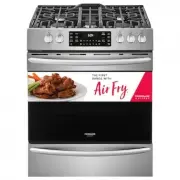
31 SETTING OVEN CONTROLS Air Fry The Air Fry feature works best for single rack baking with packaged and convenience foods and can be programmed for temperatures between 170°F and 550°F. Follow the recipe or package directions for food preparation quantity, time, and temperature. Important: • Air Fr...
Page 32 - Hour display mode”
32 SETTING OVEN CONTROLS Setting the Sabbath Feature (for use on the Jewish Sabbath and Holidays) For further assistance, guidelines for proper usage, and a complete list of models with the Sabbath feature, please visit the web at www.star-k.org.This appliance provides special settings for use when ...
Page 33 - Keep Warm; arm
33 SETTING OVEN CONTROLS To turn the oven off and keep the Sabbath feature active: 1. Press OFF . To turn off the Sabbath feature: Press and hold both Self Clean and Steam Clean simulta- neously for at least 3 seconds to turn the Sabbath feature off. The control will provide an acceptance tone, and ...
Page 34 - Self Clean; Before starting self clean read all following; Areas to clean and areas to avoid (gasket)
34 SETTING OVEN CONTROLS Self Clean A self cleaning oven cleans itself with high temperatures (well above normal cooking temperatures), which eliminate soils completely or reduces them to a fine powdered ash you can wipe away afterwards with a damp cloth. This func-tion can be programmed for clean t...
Page 35 - Setting Self Clean
35 SETTING OVEN CONTROLS Setting Self Clean To set self clean:1. Be sure the oven is empty and all oven racks are removed. Remove all items from the oven. Be sure oven door is completely closed. 2. Press Self Clean. The default 3 hour clean time will appear in the display. You may accept the 3 hour ...
Page 36 - Steam Clean; To set a Steam Clean cycle:; “Self Clean”
36 SETTING OVEN CONTROLS Steam Clean The Steam Clean feature offers a chemical free and time saving method to assist in the routine cleaning of small and light soils. For heavier baked on soils use the Self Clean feature. Be sure the oven is level and cool before starting Steam Clean. If the oven te...
Page 37 - Restoring Factory Default Settings; Adjusting Oven Temperatures
37 SETTING OVEN CONTROLS Restoring Factory Default Settings Your appliance was set with predetermined (default) oven control settings. Over time, users may have made changes to these settings. The following options may have been modified since the appliance was new: • 12 or 24 hr display mode • Cont...
Page 38 - Figure 32: Use cleaners with caution; CARE AND CLEANING
38 Remove spills and any heavy soiling as soon as possible. Regular cleaning will reduce the difficulty of major cleaning later. • Before cleaning any part of the appliance, be sure all controls are turned off and the appliance is cool. • If ammonia or appliance cleaners are used, they must be remov...
Page 40 - Aluminum Foil and Utensils; Cleaning the burners; To clean burner heads:; Figure 33: Removable burner components; Burner Cap
40 CARE AND CLEANING Aluminum Foil and Utensils Cleaning the burners To avoid possible burns, do not attempt cleaning before turning off all surface burners and allowing them to cool. Any additions, changes, or conversions required in order for this appliance to satisfactorily meet the application n...
Page 41 - Remove and replace storage drawer; To remove the drawer:; Replacing the oven interior light bulb; Left Glide
41 CARE AND CLEANING Remove and replace storage drawer Use the storage drawer for storing cooking utensils. The drawer can be removed to facilitate cleaning under the range. Use care when handling the drawer. To remove the drawer: 1. Open the drawer to the fully opened position. 2. Locate the latche...
Page 42 - Removing and Replacing the Oven Door; To remove the oven door:; Open oven door completely, horizontal with floor.; To Replace Oven Door:; Figure 35: Door hinge location
42 CARE AND CLEANING Removing and Replacing the Oven Door To remove the oven door: 1. Open oven door completely, horizontal with floor. 2. Pull up the lock located on each hinge support toward front of the oven until the lock stops. You may have to apply a little upward pressure on the lock to pull ...
Page 43 - Oven Baking; Baking Problems and Solutions; BEFORE YOU CALL
43 Oven Baking For best cooking results, preheat the oven before baking cookies, breads, cakes, pies, pastries, etc. There is no need to preheat the oven for roasting meat or baking casseroles. The cooking times and temperatures needed to bake a product may vary slightly from your previously owned a...
Page 44 - Solutions to Common Problems:; Problem
44 BEFORE YOU CALL Solutions to Common Problems: Before you call for service, review the following list. It may save you time and expense. Possible solutions are provided with the problem listed. Problem Cause / Solution Entire appliance does not operate. Appliance not connected. Make sure power cor...
Page 45 - Cooktop Problems
45 BEFORE YOU CALL Cooktop Problems Surface burners do not ignite. Surface control knob was not completely turned to LITE ( ). Push in and turn the surface control knob to LITE until the burner ignites and then turn the control knob to the desired flame size. Burner ports are clogged. See “Cleaning ...
Page 46 - Other Problems; Appliance is not level.
46 BEFORE YOU CALL The oven control display shows "SCC” and self-clean is not working. If the cooktop is used during a self-clean cycle, the oven may turn off. The oven control display will show “SCC" for 5 seconds. The oven door will remain locked until the oven has cooled down below cleani...
Page 48 - WARRANTY
WARRANTY Yo u r a p p l i a n c e i s c o ve re d b y a o n e y e a r l i m i t e d wa r ra n ty. Fo r o n e ye a r f ro m y o u r o r i g i n a l d a t e o fpurchase, Electrolux will pay all costs for repairing or replacing any parts of this appliance that proveto be defective in materials or workm...


 Frigidaire FFEF3054TW User Manual
 Frigidaire FFEH2422US Manual
 Frigidaire FFEH2422UW Manual
 Frigidaire FFGF3054TB User Manual
 Frigidaire FFGH2422US Manual
 Frigidaire FGEH3047VF Manual
 Frigidaire GCFD3661AF Manual
 Frigidaire GCFE3060BD Manual
 Frigidaire GCFG3060BD Manual
 Frigidaire GCFG3060BF Manual
 Frigidaire GCFG3661AF Manual
 Frigidaire GCFI3060BF Manual