Fifine H8 - User Manual
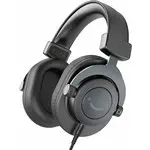
The FIFINE H8 professional stereo headphones are designed for studio and audio applications, covering everything from their over-ear circumaural design and detachable coiled cable to technical specifications like low-frequency tuning and studio-grade build quality. This manual emphasizes setup–adjusting the headband, connecting via 3.5mm jack or computer USB–alongside safety guidelines, maintenance tips, and troubleshooting for audio/microphone compatibility across platforms. The document also includes regulatory compliance details under EU standards.
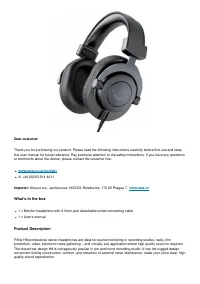
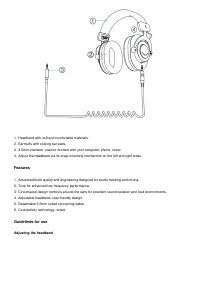
Table of Contents:
- Page 1 – Product Identification and Manual Contents
- Page 2 – Introduction to Professional Audio Headphones
- Page 3 – Headphone Components and Design Features
- Page 4 – Headset Setup Procedures
- Page 5 – Technical Specifications and Troubleshooting
- Page 6 – Safety Guidelines and Maintenance
- Page 7 – EU Declaration of Conformity and Disposal
- Page 8 – Related Product Manuals and Resources
»
» FIFINE H8 3.5mm Headphone User Manual
Contents
[
hide
1 FIFINE H8 3.5mm
Headphone
2 What’s in the box
3 Product Description
4 Features
5 Guidelines for use
6 Specification
7 PRECAUTIONS
8 Warranty Conditions
9 EU Declaration of
Conformity
FIFINE H8 3.5mm Headphone
FIFINE H8 3.5mm Headphone User Manual
— User Manuals Simplified.
"Loading the manual" means you need to wait until the file loads and becomes available for online reading. Some manuals are very large, and the time they take to appear depends on your internet speed.
Was this manual helpful?
About this manual
- Brand
- Fifine
- Model
- H8
- Document type
- User Manual
- Category
- Headphones
- Language(s)
- English
- Pages
- 8
- File size
- 432.3 KB
- Format
Summary
Table of contents detailing product description, features, guidelines, specifications, warranty information, and declaration of conformity.
Welcome message, customer support contact details, contents list, and application overview for professional audio recording environments.
Diagrams and descriptions of over-ear headphone components, including headband, earcups, 3.5mm jack, studio-grade build quality, low-frequency tuning, and cable design.
