Everdure DU295-DZ-GRY - User Manual
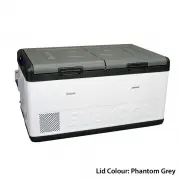
Everdure DU295-DZ-GRY Refrigerator – User Manual, read for free online in PDF format. We hope this helps you resolve any issues you may have. If you have further questions, please contact us through the contact form.


Table of Contents:
- Page 3 – Key Product Features; DOWN UNDER; Contents
- Page 5 – 2V Max Cable Length; AWG
- Page 6 – Display Panel Definitions; small bin is represented by an L shape/stepped bin shape.
- Page 7 – This indicates the ambient temperature inside the motor; Display Panel Settings; Setting the temperature:; temperature. Temperature recommendations can be found on page 9.
- Page 8 – will automatically set.; Setting the Battery Protection Mode:; recommendations on page 10.
- Page 9 – Refrigerator Setting Recommendations; Temperature Settings; Single Zone operation:; Max or Eco Mode Settings
- Page 10 – Battery Protection Mode Settings; Battery Protection Mode; Helpful Hints
- Page 11 – simultaneously to release the lid.
- Page 12 – Code; lowering the voltage cut out setting to LOW (refer to page 8).
- Page 13 – The appliance is not turning on; breaker button has popped out, press it back in.; The food inside is frozen; • The set temperature is too low.; Bad performance in refrigeration; • This is normal, due to the flow of the refrigerant.; Unusual noise when refrigerator is working; required replacement part is a 15 Amp glass fuse.
- Page 14 – Replacing the light
- Page 15 – Moulded Products; Cabinet Care; Do not use; plastic and can cause damage to painted surfaces.; Defrosting; Do not; warranty of the unit will become void.; Refrigerator Maintenance
- Page 16 – downloaded, enter the app by clicking its icon on the home screen.; searching, you will stay on the ‘Searching’ page.
- Page 17 – you are ready to proceed click ‘Okay’.
- Page 18 – the desired settings press ‘Save Settings’.
- Page 19 – on a different device.
- Page 20 – SPECIFICATIONS
- Page 21 – Down Under Series II Accessories; Choose your lid colour:
INSTRUCTION
MANUAL
FOR MODELS
DU265-DZ
DU280-DZ
DU295-DZ
DOWN UNDER
SERIES II
"Loading the manual" means you need to wait until the file loads and becomes available for online reading. Some manuals are very large, and the time they take to appear depends on your internet speed.
Summary
3 What’s in the Box: • 1 x Fridge• 1 x 1.8m Anderson to Anderson style 12V plug• 1 x 12V to 240V adaptor• 3 x Baskets Key Product Features • Made in Australia• World renowned Secop compressor• Superior roll bond evaporator design• True dual zone technology - set 2 temperatures• Turn zones on/off ind...
5 3. Operation • Power: The refrigerator can be powered by a multi-voltage system utilising either 12/24 Volts or with the included 240V adaptor. The electronic module controls the compressor and has the added function of a three stage battery protection. When the input voltage drops below the minim...
6 LED Control Panel Display DOWN UNDER SERIES II 4.1 Display Panel Definitions Large & Small Bins: Wondering which display indicates the temperature for each bin? The outline of the display indicates this, the large bin is represented by a full square, and the small bin is represented by an L sh...