Page 3 - Key Product Features; DOWN UNDER; Contents
3 What’s in the Box: • 1 x Fridge• 1 x 1.8m Anderson to Anderson style 12V plug• 1 x 12V to 240V adaptor• 3 x Baskets Key Product Features • Made in Australia• World renowned Secop compressor• Superior roll bond evaporator design• True dual zone technology - set 2 temperatures• Turn zones on/off ind...
Page 5 - 2V Max Cable Length; AWG
5 3. Operation • Power: The refrigerator can be powered by a multi-voltage system utilising either 12/24 Volts or with the included 240V adaptor. The electronic module controls the compressor and has the added function of a three stage battery protection. When the input voltage drops below the minim...
Page 6 - Display Panel Definitions; small bin is represented by an L shape/stepped bin shape.
6 LED Control Panel Display DOWN UNDER SERIES II 4.1 Display Panel Definitions Large & Small Bins: Wondering which display indicates the temperature for each bin? The outline of the display indicates this, the large bin is represented by a full square, and the small bin is represented by an L sh...
Page 7 - This indicates the ambient temperature inside the motor; Display Panel Settings; Setting the temperature:; temperature. Temperature recommendations can be found on page 9.
7 DOWN UNDER SERIES II AMB/Ambient Temperature: This indicates the ambient temperature inside the motor compartment of the fridge. Bluetooth: The bluetooth symbol will turn on and make an audible beep when you have successfully connected to the app. This symbol will not be illuminated unless you hav...
Page 8 - will automatically set.; Setting the Battery Protection Mode:; recommendations on page 10.
8 DOWN UNDER SERIES II Setting the Max & Eco Mode: • Press the button three times.• Use the or buttons to select the desired mode. You can find recommendations on page 9. • Once the desired setting is selected, it will flash several times, and after a few seconds it will automatically set. Setti...
Page 9 - Refrigerator Setting Recommendations; Temperature Settings; Single Zone operation:; Max or Eco Mode Settings
9 5. Refrigerator Setting Recommendations To ensure maximum performance from your Down Under Series II Fridge/Freezer please follow these recommendations. Temperature Settings This fridge can be run as a fridge/fridge, fridge/freezer or freezer/freezer, meaning either compartment can be run as a fri...
Page 10 - Battery Protection Mode Settings; Battery Protection Mode; Helpful Hints
10 DOWN UNDER SERIES II Battery Protection Mode Settings The fridge is equipped with a multi-level battery monitor that protects your vehicle battery against excessive discharging when the fridge is connected to the on-board 12V/24V supply. If the refrigerator is operated when the vehicle’s ignition...
Page 11 - simultaneously to release the lid.
11 DOWN UNDER SERIES II 6. Lid Configuration This series features a bi-directional and completely removable lid for ease of access. Please follow these steps to change the lid configuration.1. To open left or right, press the latch inwards to release the lid.2. To completely remove the lid, press bo...
Page 12 - Code; lowering the voltage cut out setting to LOW (refer to page 8).
12 DOWN UNDER SERIES II 7. Error Codes Code Reason / Solution E1 Low Voltage • Please check the source voltage to ensure it is above the cut out. Try lowering the voltage cut out setting to LOW (refer to page 8). • The vehicle cabling may be inadequate/unsuitable, please refer to cable specification...
Page 13 - The appliance is not turning on; breaker button has popped out, press it back in.; The food inside is frozen; • The set temperature is too low.; Bad performance in refrigeration; • This is normal, due to the flow of the refrigerant.; Unusual noise when refrigerator is working; required replacement part is a 15 Amp glass fuse.
13 DOWN UNDER SERIES II 8. Troubleshooting The appliance is not turning on • Check the power supply. • Check whether the plug and the socket have a good connection. • If you have purchased an additional 12V adaptor with a cigarette end, check whether the fuse requires replacing. This is located insi...
Page 14 - Replacing the light
• Unscrew the screw from the upper half of the housing.• Carefully raise the upper half of the housing from the lower half.• Take out the contact pin.• Replace the defective fuse with a new one that has the same rating (15A, 250V).• Re-assemble the plug in the reverse order. Replacing the light • If...
Page 15 - Moulded Products; Cabinet Care; Do not use; plastic and can cause damage to painted surfaces.; Defrosting; Do not; warranty of the unit will become void.; Refrigerator Maintenance
9. Preventative Maintenance & Care: Metal & Injection Moulded Products To ensure a long life and reliable operation of your metal and injection moulded fridge/ freezer we recommend following our preventative maintenance and care guide. Cabinet Care • The cabinet should be cleaned after every...
Page 16 - downloaded, enter the app by clicking its icon on the home screen.; searching, you will stay on the ‘Searching’ page.
10. App Instructions The following instructions will assist you with downloading and using the EvaKool Down Under Series II App. This app is suitable for Down Under Series II 95L, 80L & 65L only. Please note that the app is a bonus feature and is not needed for the fridge to function. Step 1: Do...
Page 17 - you are ready to proceed click ‘Okay’.
DOWN UNDER SERIES II Step 3: Once the app has found the fridge, click ‘Connect’ to connect to the fridge. Once you have successfully connected, you will hear an audible beep from the fridge, the bluetooth light on the fridge will turn on, and the app will say ‘Pairing Successful’. When you are ready...
Page 18 - the desired settings press ‘Save Settings’.
DOWN UNDER SERIES II Step 5: To edit the fridge settings press ‘Edit Settings’. There are three fridge settings that you can changed; On/Off, Temperature & Battery Protection Mode. Once you have chosen the desired settings press ‘Save Settings’. Step 6: If you experience a fault code, simply pre...
Page 19 - on a different device.
DOWN UNDER SERIES II Step 7: If you are using more than one Down Under Series II fridge and you are currently in the settings for Fridge 1 but want to change the settings of Fridge 2, simply exit and restart the app. This will take you back to the home screen, where you can select which fridge you w...
Page 20 - SPECIFICATIONS
20 DOWN UNDER SERIES II SPECIFICATIONS Model No. DU265-DZ DU280-DZ DU295-DZ Basic Data Ambient Temperature Rating 43°C Temperature Range +10°C to -18°C Gross Capacity 65 80 95 Power Supply DC 12/24V Insulation Thickness 50mm Refrigerating System Compressor SECOP PCB 2.5 Refrigerant Type R134a Refrig...
Page 21 - Down Under Series II Accessories; Choose your lid colour:
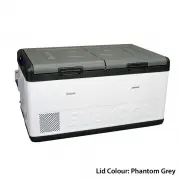
21 DOWN UNDER SERIES II 12. Down Under Series II Accessories Shop via our website by scanning the QR code or by visiting www.evakool.com.au Down Under Series II Insulated Protective Cover Large Heavy Duty Fridge Slide to suit 80L & 95L Small Heavy Duty Fridge Slide to suit 65L EvaPower Watt Mete...