Eufy T88101D1 - User Manual
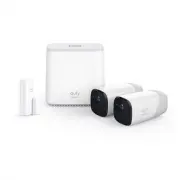
Eufy T88101D1 Security Camera – User Manual, read for free online in PDF format. We hope this helps you resolve any issues you may have. If you have further questions, please contact us through the contact form.


Table of Contents:
- Page 2 – Table of Contents
- Page 3 – Connect the HomeBase to the Internet; For HomeBase Installation:
- Page 4 – Find a Good Mounting Spot; Signal Strength; Get the App and Setup the System
- Page 5 – Mounting the Camera Outdoors; Height and Location
- Page 6 – Charging eufyCam; For troubleshooting, check Help on the eufy Security app.; Mounting the Camera Indoors
- Page 7 – Safety
- Page 8 – Customer Service; • Warranty; • Call Us
Anker Innovations Limited. All rights reserved.
eufy Security and eufy Security
Logo
are trademarks of Anker Innovations Limited, registered in the United
States and other countries. All other trademarks are the property of their
respective owners.
51005001158 V01
Quick Start Guide
eufyCam Wire-Free HD Security Camera Set
"Loading the manual" means you need to wait until the file loads and becomes available for online reading. Some manuals are very large, and the time they take to appear depends on your internet speed.
Summary
Table of Contents Connect the HomeBase to the Internet 02 Get the App and Setup the System 03 Find a Good Mounting Spot 04 Mounting the Camera Outdoors 06 Mounting the Camera Indoors 07 Charging eufyCam 08 Safety 09 Customer Service 11
01 02 Connect the HomeBase to the Internet 1. Power on the HomeBase, then use the ethernet cable provided to connect the HomeBase. 2. The LED indicator turns to white (this may take up to 1min) when HomeBase is ready for setup. HomeBase (T8001) eufyCam (T8111) Indoor Mount Outdoor Mount HomeBase Pow...
03 04 Find a Good Mounting Spot Signal Strength Use the “Mounting Guide” function, found at the end of the setup process or under Camera Settings > Mounting Guide , to test the wireless signal strength of eufyCam at the location you wish to mount the camera. Move the camera as close to the HomeBa...