Elenberg MS-6140 - User Manual
The Elenberg MS-6140 digital electronic keyboard serves as a comprehensive user manual covering its full functionality, from basic operation to advanced features like rhythm accompaniment, chord modes, effects, and recording capabilities. This guide emphasizes safety precautions–such as proper power handling, avoiding moisture, and correct battery installation–to ensure safe use. It also details the instrument’s front-panel controls (power, volume, tempo adjustments) and rear-panel audio/output connections, including headphone jacks and microphone inputs. The manual organizes its content into key sections: device overview, setup procedures, rhythm/auto-metronome functions, chord-playing modes (single-finger auto-bass or full-fingered chords), effect controls (transpose, sustain, vibrato), recording/playback systems, and educational features like demo song playback and teaching functions. While the manual includes specifications such as 61 keys, 100 timbres, and 8 percussion instruments, its focus remains on practical operation rather than exhaustive technical details.
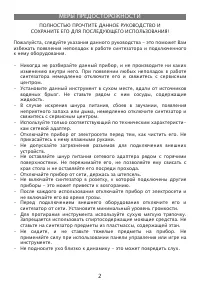
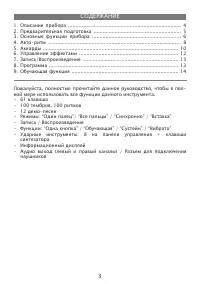
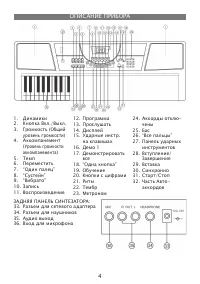
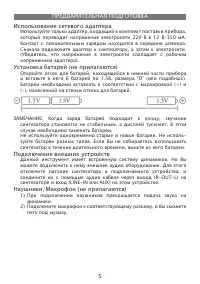
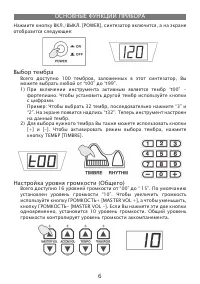
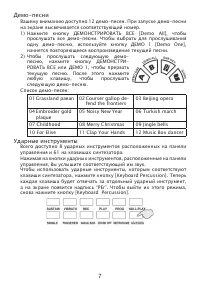
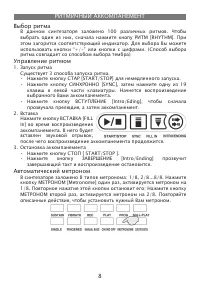
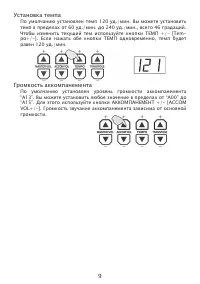
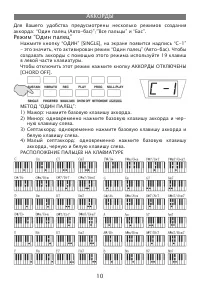
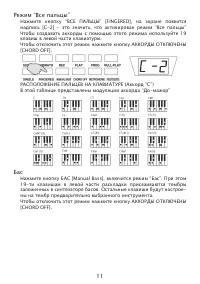
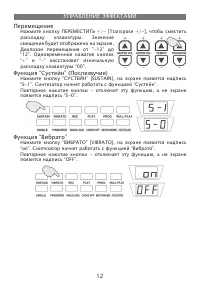
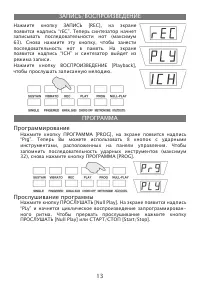
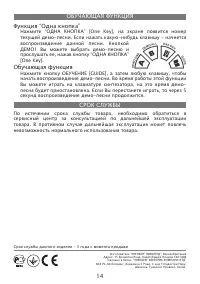
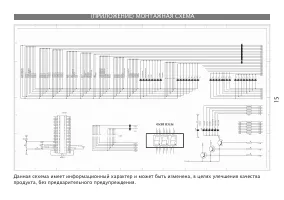
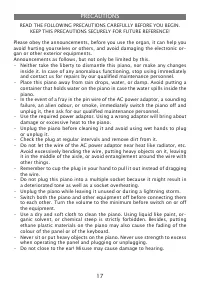
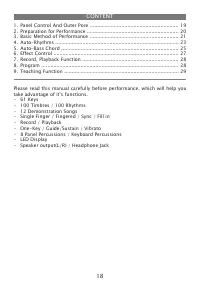
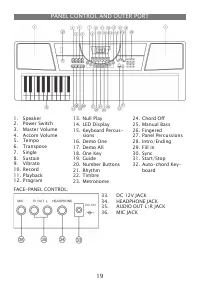
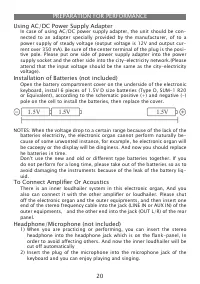
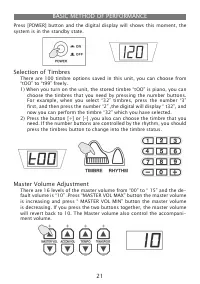
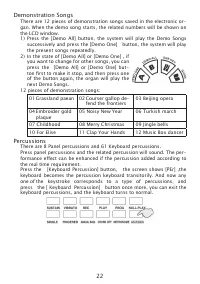
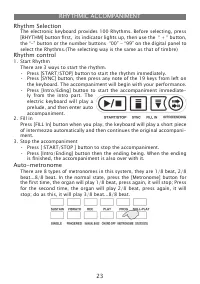
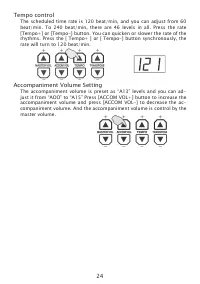
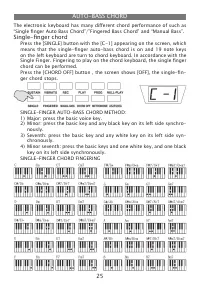
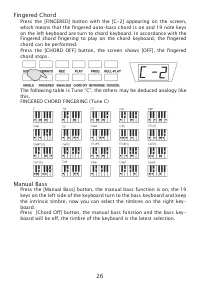
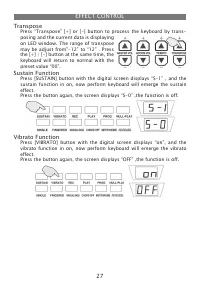
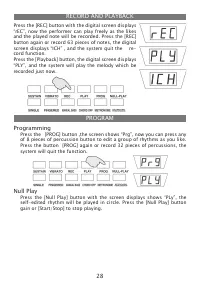
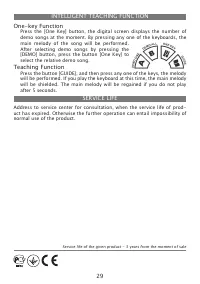
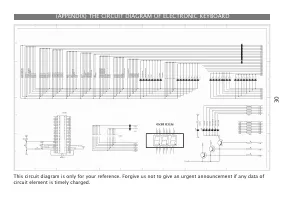
Table of Contents:
- Page 1 – User Manual Title Page
- Page 2 – Safety Precautions for Synthesizer Operation
- Page 3 – Instrument Specifications and Table of Contents
- Page 4 – Front and Rear Panel Controls Diagram
- Page 5 – Preliminary Setup and Power Connection
- Page 6 – Basic Instrument Functions
- Page 7 – Demo Songs and Percussion Features
- Page 8 – Rhythm Accompaniment Control
- Page 9 – Tempo and Accompaniment Volume Adjustment
- Page 10 – Chord Playing Modes and Finger Placement
- Page 11 – Keyboard Playing Modes and Chord Charts
- Page 12 – Effect Control Functions
- Page 13 – Recording and Programming Functions
- Page 14 – Demo Playback and Warranty Information
- Page 15 – Product Mounting Schematic
- Page 16 – Model Title Page
- Page 17 – Safety Precautions for Electronic Organ Use
- Page 18 – Musical Instrument Feature Overview
- Page 19 – Panel Controls and Outer Ports Diagram
- Page 20 – Performance Setup and Connections
- Page 21 – Basic Operation Controls
- Page 22 – Demo Songs and Percussion Modes
- Page 23 – Rhythm and Auto-Metronome Features
- Page 24 – Tempo and Accompaniment Volume Controls
- Page 25 – Single-finger Auto-Bass Chord Feature
- Page 26 – Fingered Chord and Manual Bass Functions
- Page 27 – Pitch and Vibrato Control
- Page 28 – Recording, Playback, and Programming
- Page 29 – Intelligent Teaching and Service Life
- Page 30 – Internal Circuit Diagram Appendix
СИНТЕЗАТОР MS-6140
РУКОВОДСТВО ПОЛЬЗОВАТЕЛЯ
"Loading the manual" means you need to wait until the file loads and becomes available for online reading. Some manuals are very large, and the time they take to appear depends on your internet speed.
Was this manual helpful?
Helpful for 3 of 3 readers
About this manual
- Brand
- Elenberg
- Model
- MS-6140
- Document type
- User Manual
- Category
- Synthesizer
- Language(s)
- English, Russian
- Pages
- 30
- File size
- 1.3 MB
- Format
Summary
Identification of the user manual for the Elenberg MS-6140 synthesizer.
Warnings regarding disassembly, proper placement, electrical safety, cable handling, environmental protection against moisture and heat, and care for instrument surfaces.
Overview of the manual contents, including device description, setup, auto-rhythm, chords, effects, recording, programs, and educational functions. Specifications include 61 keys, 100 tones, 100 rhythms, and 12 demo songs.
Ask a question
Related manuals
Other Elenberg appliances
 Elenberg AG-1200 User Manual
 Elenberg DVDP-2445 User Manual
 Elenberg FT-8721 User Manual
 Elenberg H-160715 User Manual
 Elenberg HT-125 User Manual
 Elenberg HT-410 User Manual
 Elenberg KM-6500 User Manual
 Elenberg LVD-3203 User Manual
 Elenberg MC-3010D User Manual
 Elenberg SPT-7060 User Manual
 Elenberg VC-2020 User Manual