Page 2 - Electrical Safety; t’s power on and off.
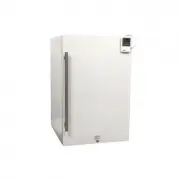
i Important Safety Information Improper handling can cause serious damage to the EdgeStar medical refrigerator and / or injury to the user. Please review the ratings label located on the rear panel of the unit for electrical and other technical data related to this unit. The unit must be used in a p...
Page 4 - iii; Table of Contents
iii Table of Contents IMPORTANT SAFETY INFORMATION ……………………………………………………………………………………... I TABLE OF CONTENTS ……………………………………………………………………………………………………….. III F IRST T IME O PERATING I NSTRUCTIONS …………………………………………………………………………………………. 1 INTRODUCTION ……………………………………………………………………………………………………………….. 1 PARTS IDENT...
Page 6 - First Time Operating Instructions; Introduction; Visit us on the web at
1 First Time Operating Instructions Before use, make sure all packaging labels and materials are removed from the unit. Be sure to keep track of all included parts and pieces before discarding the packaging materials. It is advised that you keep the original box and packaging materials in case you e...
Page 7 - Parts Identification; Front View
Page 8 - precision refrigerator.; Installing the Refrigerator; Unpacking the Medical Refrigerator
3 Warning: Use two or more people to move and install the precision refrigerator. Failure to do so can result in back or other injury. Carefully remove the packaging materials. Remove any shipping tape and glue from your precision refrigerator before use. Do not use sharp instruments, rubbing alcoho...
Page 9 - Installation Clearance Requirements; Recommended Grounding Method
4 ELECTRIC SHOCK HAZARD! • Plug into a grounded 3-prong outlet. • Never remove the grounding prong from the plug. • Never use an adapter to bypass the grounding prong. • DO NOT use an extension cord. • Failure to follow these instructions can result in fire, electrical shock, or death. Installation ...
Page 10 - Leveling the Medical Refrigerator; Adjust the height of the feet as follows:; Installing the Door Handle
5 Leveling the Medical Refrigerator It is important for the medical refrigerator to be level in order to work properly. It can be raised or lowered by rotating the plastic sheaths around each of the feet on the bottom of the machine. If you find that the surface is not level, rotate the feet until t...
Page 11 - Installing and Removing the Shelves; Installing the Shelves; Operation; Installation Check List Before Operation
6 Installing and Removing the Shelves Installing the Shelves 1. Open the door completely. 2. Ensure that the plastic posts are installed on the left and right sides of the shelf track onto which you are attempting to install the shelf. 3. Lifting the rear of the shelf upwards above the shelf track, ...
Page 12 - Using the Temperature Control Panel
7 Using the Temperature Control Panel Use the up and down buttons to adjust the temperature. The temperature displayed can be in Fahrenheit or Celsius. This medical refrigerator has a temperature range from 32° F to 50° F. The Temperature Display will show the unit’s set temperature. Press the butto...
Page 13 - Using the Refrigerator Thermometer and Alarm; Operation Modes; the HI and LO temperature settings.; Thermostat Alarm
8 Using the Refrigerator Thermometer and Alarm (BACK VIEW) Sampling Rate: Fast: 10 seconds Normal: 60 seconds Temperature Range: -58° F to 158° F -50° F to 70° F Operation Modes This unit has two operating modes: NORMAL DISPLAY MODE and ALARM DISPLAY MODE. To change from one mode to another press th...
Page 14 - Resetting Min / Max Memories; of unit; Other; Normal Sounds; Temperature Alar
9 Resetting Min / Max Memories 1. To reset both minimum and maximum memories press the MEMORY CLEAR button. 2. To reset individual memories press either the MIN or MAX button on the back of unit once. The other memory will remain unaffected. Other Slide the switch to change from °F or °C. Slide the ...
Page 15 - Cleaning and Maintenance; Exterior Cleaning; The medical
10 Warning: Never attempt to remove frost with a sharp object! Defrosting Note that under most refrigerating settings, the unit will automatically defrost under most ambient conditions. However, on colder settings, some frost may build up. Additionally, the more humid the ambient conditions, the mor...
Page 16 - Troubleshooting; “Operation” section of this manual; Symptoms; There is a power failure.
11 Troubleshooting Before Calling for Help If the unit appears to be malfunctioning, read through the “Operation” section of this manual first. If the problem persists, check the Troubleshooting Guide below and on the following page. The problem may be something that can easily be solved or explaine...
Page 17 - The environment is humid.
12 Symptoms Possible Causes Solutions The body of the refrigerator is electrified. The unit is not grounded properly. Contact your local electrician to test your electrical grounding system. Frost is forming in the refrigerator. The environment is humid. Though the unit uses an “auto-defrost” system...
Page 18 - Specifications
13 Specifications Description of product Medical Refrigerator Model RP401MED Voltage / Frequency AC 115V~60Hz Amperage 1.5A Input Power 120 W Color White Refrigerant R600a Temperature Range 32° F - 50° F Dimensions (Height x Width x Depth ) 33 3/8” x 19 7/16 x 23 7/16 Net Weight 73 lbs. ** Depth ind...
Page 19 - Edgestar Limited Warranty; Full One-Year Parts and Labor; United States of America.; Exceptions: Commercial or Rental Use; OBTAINING WARRANTY SERVICE:
14 Edgestar Limited Warranty Full One-Year Parts and Labor This product is warranted by EdgeStar and is subject to any conditions set forth as follows: WHAT IS COVERED: For a period of ONE (1) YEAR from the date of original retail purchase, EdgeStar will repair or replace any part free of charge inc...