Dyson 473814-01 - User Manual
Dyson 473814-01 Vacuum – User Manual, read for free online in PDF format. We hope this helps you resolve any issues you may have. If you have further questions, please contact us through the contact form.


Table of Contents:
- Page 2 – In the box; clik
- Page 3 – Getting started; Eco; Eco; Auto; Boost; Auto
- Page 4 – The LCD screen
- Page 6 – Caring for your floors
- Page 9 – Charging your machine; Changing your click-in battery
- Page 11 – Clearing blockages
- Page 12 – Clearing obstructions from your
- Page 13 – Clearing blockages from your
- Page 14 – Washing your filter
- Page 15 – Washing your Illuminated
- Page 16 – Cleaning your tools
- Page 17 – Looking after your machine
User manual
0
0-
00
-0
00
00
0.
NP
00
00
0.
NJ
21
VS
00
.0
0.
00
VE
RS
IO
N
N
O
.0
1
Cleaning your bin
Clearing blockages
Clearing obstructions from your
Digital Motorbar™ cleaner head
Clearing blockages from your
Hair screw tool
Washing your filter
Washing your Illuminated
cleaner head brush bar
Cleaning your tools
Looking after your machine
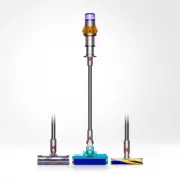
Top view of the Dyson V15s detect
machine, showing cleaner head,
wand, bin and main body.
Dyson V15s detect submarine
Contents
In the box
Getting started
The LCD screen
Caring for your floors
How to clean your Dyson Submarine
wet roller head
How to use your Dyson Submarine
wet roller head
Charging your machine
Changing your click-in battery
Emptying your bin
"Loading the manual" means you need to wait until the file loads and becomes available for online reading. Some manuals are very large, and the time they take to appear depends on your internet speed.
Summary
In the box Some tools may not be included. You can buy additional tools at www.dyson.com. Combination tool Soft dusting brush Extension hose Up-top adapter Low-reach adaptor Vacuum cleaner with click-in battery Additional click-in battery Wand Crevice tool Stubborn dirt brush Hair screw tool Light p...
9,927,641 1.1M 450K 1.6K 10 m 60 180 500 45 :37 Getting started Auto Boost Eco Auto Med 100% 5% English Ελληνικά Espanol Čeština 中文 한국어 English English English Eco Auto Boost Med 5% 中文 English English Eco Boost Eco Auto Med 100% English Espanol English English selected 4 : 50 Auto Low run time Exit ...
The LCD screen Settings menu Change language Change alert settings The LCD screen shows your particle count information and performance, including the cleaning mode selected, remaining run time, filter maintenance and blockage information. To change the language on your screen, press the button and ...


