Ducky DMFE20O - User Manual

Ducky DMFE20O Computer Mouse – User Manual, read for free online in PDF format. We hope this helps you resolve any issues you may have. If you have further questions, please contact us through the contact form.
1
2

3

4

5
6
7
8

9

10
11

12
13
14
15
16

17

18

19
20
21
22

23
24
25
26
27
28
29
30

Table of Contents:
- Page 3 – 右手模式
- Page 4 – 左手模式
- Page 6 – 在功能模式下; 右手模式為例
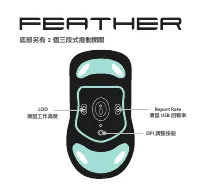
- Page 7 – LOD; 滑鼠工作高度; Report Rate; 滑鼠; USB; 回報率; 底部另有 2 個三段式撥動開關; DPI; 調整按鈕
- Page 9 – 底部開關功能介紹
- Page 10 – 調整工作高度
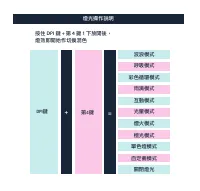
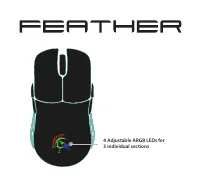
- Page 11 – 調整 4 顆 ARGB LED 燈
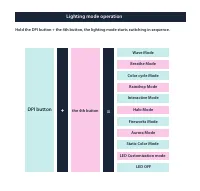
- Page 12 – 燈光操作說明
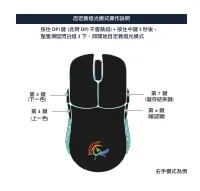
- Page 14 – 自定義燈光模式操作說明
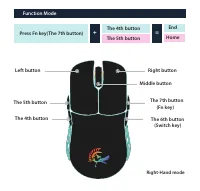
- Page 20 – Function Mode
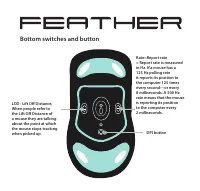
- Page 21 – Bottom switches and button
- Page 22 – Exclusive/ Ascended cable SR structure
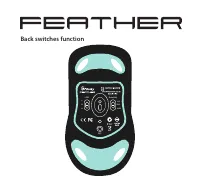
- Page 23 – Back switches function
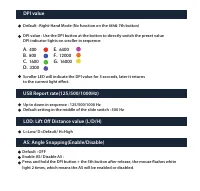
- Page 24 – DPI value
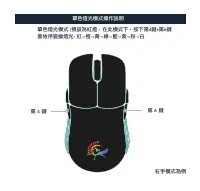
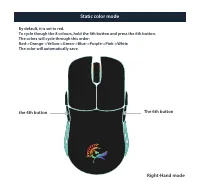
- Page 27 – Static color mode; the 4th button
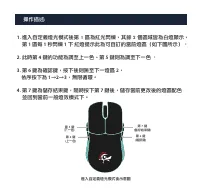
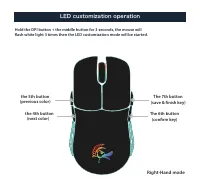
- Page 28 – LED customization operation; the 5th button
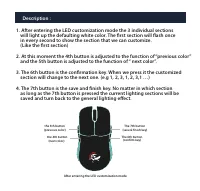
- Page 29 – in every second to show the section that we can customize.
Loading the manual
"Loading the manual" means you need to wait until the file loads and becomes available for online reading. Some manuals are very large, and the time they take to appear depends on your internet speed.
Summary
Page 3 - 右手模式
第 5 鍵 第 4 鍵 右鍵 左鍵 滾輪 ( 中鍵 ) 第 7 鍵 ( Fn 鍵 ) 第 6 鍵 ( 左右手模式切換鍵 ) 右手模式 ( 下一頁 ) ( 上一頁 )
Page 4 - 左手模式
第 7 鍵 ( Fn 鍵 ) 第 6 鍵(左右手模式切換鍵) 左鍵 右鍵 滾輪(中鍵) 左手模式 第 5 鍵 第 4 鍵 (下一頁) (上一頁)
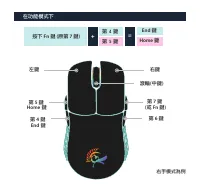
Page 6 - 在功能模式下; 右手模式為例
在功能模式下 + 第 4 鍵 = 按下 Fn 鍵 ( 原第 7 鍵 ) 第 5 鍵 End 鍵 Home 鍵 第 5 鍵 第 4 鍵 右鍵 左鍵 滾輪 ( 中鍵 ) 第 7 鍵 ( 或 Fn 鍵 ) 第 6 鍵 Home 鍵 End 鍵 右手模式為例