Denon HEOS 5 HS2 - User Manual
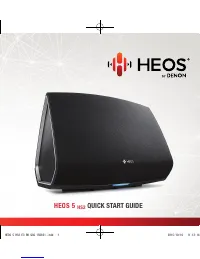
Denon HEOS 5 HS2 – User Manual, read for free online in PDF format. We hope this helps you resolve any issues you may have. If you have further questions, please contact us through the contact form.


Table of Contents:
- Page 2 – BEFORE YOU BEGIN
- Page 3 – QUICK START GUIDE; Carefully unpack your new Denon HEOS speaker.
- Page 4 – Place the new speaker at a convenient location in your home.
- Page 5 – Connect the power cord to the speaker and wall outlet.; OPTIONAL
- Page 6 – Launch the HEOS App
- Page 8 – BASIC TROUBLESHOOTING
- Page 10 – CONTACT Denon
HEOS 5
HS2
QUICK START GUIDE
HEOS 5 HS2 E3 BK QSG 150831.indd 1
2015/10/16 11:13:14
"Loading the manual" means you need to wait until the file loads and becomes available for online reading. Some manuals are very large, and the time they take to appear depends on your internet speed.
Was this manual helpful?
About this manual
- Brand
- Denon
- Model
- HEOS 5 HS2
- Document type
- User Manual
- Language(s)
- English
- Pages
- 11
- File size
- 3.3 MB
- Format
Summary
1 Make sure you have the following items in working order: Apple iOS or Android mobile device connected to your network Internet Connection Wi-Fi Router BEFORE YOU BEGIN HEOS 5 HS2 E3 BK QSG 150831.indd 1 2015/10/16 11:13:14
HEOS 5 QUICK START GUIDE 2 English Français Español Carefully unpack your new Denon HEOS speaker. Verify that the following items are included in the box. STEP 1: UNPACK HEOS 5 HS2 E3 BK QSG 150831.indd 2 2015/10/16 11:13:15
3 Place the new speaker at a convenient location in your home. STEP 2: PLACE ROUTER NEW SPEAKER SPEAKER INTERNET SPEAKER SPEAKER NEW SPEAKER SPEAKER ROUTER INTERNET HEOS 5 HS2 E3 BK QSG 150831.indd 3 2015/10/16 11:13:16


