Dell E1913 - User Manual

Dell E1913 – User Manual, read for free online in PDF format. We hope this helps you resolve any issues you may have. If you have further questions, please contact us through the contact form.


Table of Contents:
- Page 2 – Information in this document is subject to change without notice.; November
- Page 3 – About Your Monitor; Package Contents
- Page 4 – Product Features
- Page 5 – Identifying Parts and Controls; Front View; Back View
- Page 6 – Side View; Bottom View; Monitor Specifications
- Page 7 – Power Management Modes
- Page 8 – Pin Assignments
- Page 9 – DVI Connector
- Page 10 – Resolution Specifications; Electrical Specifications
- Page 11 – Preset Display Modes
- Page 12 – Physical Characteristics; Environmental Characteristics
- Page 13 – Caring for Your Monitor
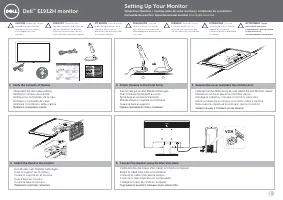
- Page 14 – Setting Up the Monitor; Attaching the Stand
- Page 15 – Removing the Monitor Stand for VESA Wall Mount
- Page 16 – Connecting Your Monitor; Connecting the Blue VGA Cable
- Page 17 – Attaching Dell Soundbar AX510PA (optional)
- Page 19 – Power On the Monitor; Using the Front Panel Controls
- Page 20 – Front panel button
- Page 21 – Accessing the Menu System
- Page 43 – OSD Messages
- Page 46 – Setting the Maximum Resolution
- Page 47 – Tilt
- Page 49 – Troubleshooting
- Page 50 – if left at this state.
- Page 51 – Common Problems; Input Source Select
- Page 52 – safe mode
- Page 53 – Product Specific Problems
- Page 55 – Appendix; Safety Instructions; WARNING: Safety Instructions; Product Information Guide; Contacting Dell; Choose A Country/Region
- Page 56 – Click; Contact Us; on the left side of the page.
- Page 57 – Setting Up Your Monitor; Right-click on the desktop and click; OK; If you do not see; If you have a non Dell TMdesktop, portable computer, or graphics card.
- Page 58 – If you are unable to set the resolution to
- Page 59 – If you have a non DellTM desktop, portable computer, or graphics card; Personalization; OR
Dell™ E1913S/E1913/E2213 Monitor
Information in this document is subject to change without notice.
© 2012 Dell Inc. All rights reserved
.
Reproduction of these materials in any manner whatsoever without the written permission of Dell Inc. is strictly forbidden.
Trademarks used in this text: Dell and the DELL logo are trademarks of Dell Inc.; Microsoft and Windows are either registered trademarks or trademarks of Microsoft Corporation in
the United States and/or other countries.ENERGY STAR is a registered trademark of the U.S. Environmental Protection Agency. As an ENERGY STAR partner, Dell Inc. has determined
that this product meets the ENERGY STAR guidelines for energy efficiency.
Other trademarks and trade names may be used in this document to refer to either the entities claiming the marks and names or their products. Dell Inc. disclaims any proprietary
interest in trademarks and trade names other than its own.
Model E1913Sf/E1913Sc/E1913c/E2213c
November 2012 Rev. A02
"Loading the manual" means you need to wait until the file loads and becomes available for online reading. Some manuals are very large, and the time they take to appear depends on your internet speed.
Was this manual helpful?
About this manual
- Brand
- Dell
- Model
- E1913
- Document type
- User Manual
- Language(s)
- English
- Pages
- 59
- File size
- 1.6 MB
- Format
Other Manuals for Dell E1913
Summary
Dell™ E1913S/E1913/E2213 Monitor User's Guide About Your Monitor Setting Up the Monitor Operating the Monitor Troubleshooting Appendix Notes, Cautions, Warnings NOTE: A NOTE indicates important information that helps you make better use of your computer. CAUTION: A CAUTION indicates potential damage...
Back to Contents Page About Your Monitor Dell™ E1913S/E1913/E2213 Monitor User's Guide Package Contents Product Features Identifying Parts and Controls Monitor Specifications Plug and Play Capability LCD Monitor Quality & Pixel Policy Maintenance Guidelines Package Contents Your monitor ships wi...
VGA Cable (attached to the monitor) DVI Cable (Packing for E1913 and E2213 only) Drivers and Documentation media Quick Setup Guide Product Information Guide Product Features The Dell ™ E1913S/E1913/E2213 flat panel display has an active matrix, Thin-Film Transistor, Liquid Crystal Display. The monit...