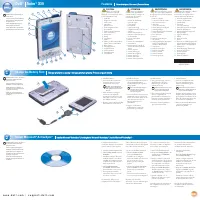
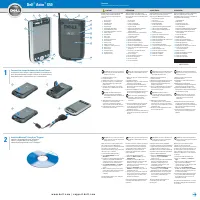
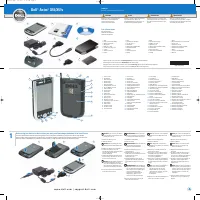
Dell Axim X50v - User Manual

Dell Axim X50v – User Manual, read for free online in PDF format. We hope this helps you resolve any issues you may have. If you have further questions, please contact us through the contact form.


Table of Contents:
- Page 2 – Windows; Install; Presentation Bundle
- Page 3 – Vérifiez que ActiveSync 4.0 est correctement installé afin
- Page 5 – Wichtige Upgrade-Anweisungen; Installieren Sie; Überprüfen Sie, dass ActiveSync 4.0 richtig installiert ist,
- Page 6 – ClearVueTM Suite
- Page 7 – Installare; da assicurarsi che il palmare sia connesso dopo l'aggiornamento.
- Page 8 – palmare a; Cavo per presentazioni Video-Out
- Page 9 – Instale
- Page 11 – para asegurarse de que el dispositivo se ha conectado después
- Page 12 – deberá hacer una copia de seguridad de todos los datos antes de
Important Upgrade Instructions
Dell™ Axim™ X50/X50v System Upgrade Utility
Study the next section carefully before deploying your
Microsoft
®
Windows
®
Mobile
®
Version 5.0 for Pocket PC Premium Edition
for Upgrading the
Pre-Installed Software on your Dell Axim X50/X50v, to avoid loss of files or data.
You must read and understand the following instructions about migrating
your data from
Windows Mobile
™
2003 Second Edition
to
Windows Mobile 5.0.
Before you begin, you need the following hardware, software, and documentation:
•
Axim X50/X50v
•
Computer
•
Cradle or sync cable
•
The
Windows Mobile Version 5.0 Getting Started
CD, which includes
ActiveSync
®
4.0
•
The upgrade CD,
Microsoft Windows Mobile Version 5.0 for Pocket PC
Premium Edition for Upgrading the Pre-Installed Software
•
The
Owner's Manual
that came with your Axim and is also available on
support.dell.com
To upgrade from
Windows Mobile 2003 Second Edition
to
Windows Mobile 5.0
:
1
Install
ActiveSync 4.0. from the
Getting Started
CD. (see your
Getting
Started Guide
that is available on your upgrade CD)
NOTE:
Check that ActiveSync 4.0 is correctly installed to ensure that the
device gets connected after the upgrade.
2
Back up
the data on your Axim to your computer. (see your
Getting
Started Guide
that is available on your upgrade CD)
"Loading the manual" means you need to wait until the file loads and becomes available for online reading. Some manuals are very large, and the time they take to appear depends on your internet speed.
Was this manual helpful?
About this manual
- Brand
- Dell
- Model
- Axim X50v
- Document type
- User Manual
- Language(s)
- German, English, Spanish, French, Italian
- Pages
- 12
- File size
- 165.9 KB
- Format
Summary
NOTICE: You must back up all data before you upgrade to Windows Mobile 5.0 . The Axim loses any data that you do not back up. Any files in the Built-In Storage directory are deleted. You must back them up manually by dragging them to a designated folder on your computer. 3 Install Windows Mobile Ver...
Consignes importantes concernant la mise à niveau Utilitaire de mise à niveau du système Dell™ Axim™ X50/X50v Lisez attentivement la section suivante avant d'utiliser votre Microsoft ® Windows ® Mobile ® Version 5.0 pour Pocket PC Premium Edition pour mettre à niveau le logiciel pré-installé sur vot...
Wichtige Upgrade-Anweisungen Dell™ Axim™ X50/X50v System-Upgrade-Dienstprogramm Um Daten- oder Dateienverlust zu vermeiden, lesen Sie den nächsten Abschnitt sorgfältig, bevor Sie Ihren Microsoft ® Windows ® Mobile ® Version 5.0 für Pocket PC Premium Edition dafür einsetzen, die Vorinstallierte Softw...