Defiant HSGC6X9D01AJ - User Manual
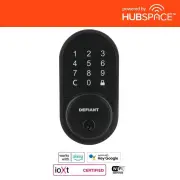
Defiant HSGC6X9D01AJ Electronic Deadbolt – User Manual, read for free online in PDF format. We hope this helps you resolve any issues you may have. If you have further questions, please contact us through the contact form.


NOTE:
Before beginning installation of product, make sure all parts are present. If any part is missing or damaged,
do not attempt to assemble, install or operate the product. Call the Customer Service Team or visit
www.homedepot.com.
WARNING:
If the door needs to be drilled, please be familiar with how to use a drill safely and understand all of the
door preparation steps before proceeding.
Optional
Optional
Optional
Optional
Optional
Optional
G32-KPDAJ12-XQ Rev. 22/04-00
Hardware Contents (Actual Size)
Package Contents List
Safety Information
Before Proceeding
Step 1: Drill Door For New Installation
Step 2: Install the latch and strike
Tools Required
AA 1-13/16" (46 mm) Mounting Bolt
BB 13/16" (20 mm) Screw
CC 3/4" (19 mm) Wood Screw
2
2
Part Description
Quantity
4
Cut out TEMPLATE and use to mark the door,
drill holes, and chisel out the mortise.
Drill from both sides of the door to prevent wood splitting.
1"
(25 mm)
2-1/8"
(54 mm)
1-1/2"
(38 mm)
or
2-1/8"
(54 mm)
1-1/2"
(38 mm)
or
Backset
Centerline
1”
(25 mm)
Outline
Chisel
5/32” (4 mm)
deep
Faceplate
c
b
f
e
a
d
Prepare the door jamb – use the strike plate as a template to drill the latch and screw holes and chisel out the
mortise. The strike plate must fit flush with the surface of the door jamb.
Door jamb hole dimensions Strike dimensions
b. 1-9/64"(29 mm)
d. 5/32"(4 mm)
e. 2-1/4"(57 mm)
f. 1"(25 mm)
a. 1-3/16"(30 mm)
c. 7/8"(22 mm)
For 2-3/8” (60 mm) backset: 3-7/16” (87 mm)
or
For 2-3/4” (70 mm) backset: 3-13/16” (97 mm)
Depth of latch hole
Check Dimensions
1-3/8” - 2”
(35 mm - 51 mm)
2-3/8” (60 mm)
OR
2-3/4” (70 mm)
1-1/2” (38 mm)
OR
2-1/8” (54 mm)
1” (25 mm)
NOTE:
If your door already has holes, skip to
Step 2
For installation into 1-1/2”(38 mm) bore hole,
simply pry the adapter collar off with a screwdriver.
Choose faceplate
Set the latch backset
Edge of door
Flat head screwdriver
Edge of door
Drive-in collar
Your latch is set for 2-3/8” backset. It can be adjusted if needed to 2-3/4” (skip this if your door has a 2-3/8” backset).
Proceed to next step.
Proceed to next step.
2 8
3
2
8
3
2-3
/8”
(60
mm
)
180º
2
8
3
2
4
3
2
8
3
2
4
3
2-3
/4”
(70
mm
)
2-3/4’’ (70 mm)
2-3/8’’ (60 mm)
CARE and MAINTENANCE:
The following instructions should be followed to properly protect and maintain
your lockset:
Read the precautions and instructions in this manual before installing and using this lock.
Save this manual for future reference.
A. Remove locks, or do not install locks, prior to painting your door.
B. Periodically clean with mild soap and a soft cloth only.
C. Do not use any abrasives or chemical products containing alcohol, benzene, acids, and
avoid using sharp or abrasive objects to clean this lockset.
D. Do not allow any water or liquids into the lockset during installation.
A. Do not attempt to disassemble any internal components of the lockset. Doing so will
void the limited warranty.
B. Do not drop or hit the lockset. Too much shock may result in permanent damage.
C. Do not use pins or sharp objects to press the keypad.
D. Always create a backup of information you wish to keep (Admin PIN, User PIN ,etc.).
E. Restrict access to your lock’s interior assembly and routinely check your settings to
ensure they have not been altered without your knowledge.
Do not use electric
drill or electric
screwdriver to
tighten screws.
01
02
03
04
05
OR
OR
Questions, problems, missing parts?
Before returning to the store, call Hubspace Customer Service
TOLL FREE HELP LINE 1-877-592-5233
HOMEDEPOT.COM/HUBSPACE
8 a.m. - 7 p.m., EST, Monday-Friday, 9 a.m. - 6 p.m., EST, Saturday
INSTALLATION AND USER GUIDE
WARRANTY
LIMITED LIFETIME MECHANICAL AND 1 YEAR ELECTRONIC WARRANTY
The retailer of this product, hereby warrants, subject to the conditions set forth below, that it will either repair or replace, at its option, this product if it proves to be defective by reason of
improper workmanship or materials within the original purchaser's limited time. In order to obtain repairs or replacement under this limited warranty you must bring this product to the
retailer's store in which you bought it.
Original purchaser: This limited warranty is limited to the original purchaser at retail of this product from retailer.
Except to the extent prohibited by applicable law, no other warranties, whether express or implied, including the warranties of merchantability and fitness for a particular purpose, shall
apply to this product. Under no circumstances shall retailer be liable for consequential or incidental damages in connection with this product. To the extent retailer is prohibited by
applicable law from excluding implied warranties, the duration of such implied warranties which are not excludable shall be the original purchaser's lifetime. Some states do not allow the
limitation on how long an implied warranty lasts, so the above limitation on the duration of implied warranties which are not excludable, if any, may not apply to you. Some states do not
allow the exclusion or limitation of incidental or consequential damages, so the above limitation or exclusion of incidental or consequential damages may not apply to you.
Retailer neither assumes not authorizes any representative or other person to assume for it any obligation or liability other than such as is expressly set forth herein. This limited warranty
gives you specific legal rights, and you may also have other rights which vary from state to state.
IMPORTANT NOTICE
Please Read This Notice Before Installing, Using, and Servicing the Product
Please contact your local service provider prior to the installation as your door preparation may be different from
the standard the product conforms to.
Any removal or replacement of parts in installation is NOT recommended and may invalidate the warranty of the
product.
Not to be used on an Emergency Exit.
The product is designed and manufactured for providing security. Please read carefully and follow the
instructions given below. Lack of proper working knowledge or improper use could cause unexpected
damage or loss to personal or commercial belongings.
ALWAYS use authentic alkaline batteries.
It is the user’s responsibility for damage caused by using
unauthentic batteries.
The product is made of mechanical and electronic components, which may be sensitive towards water, physical
impact, and electric shock. Using the product with care prevents unexpected malfunction and optimizes the
product life span.
DO NOT disassemble the product without advice from qualified service provider. Unauthorized disassembly will
void the product warranty.
Please refer to TROUBLESHOOTING page if any problem occurs, or contact your local service provider for
professional instructions.
Remove all batteries from the lock at the same time and replace them with new batteries of the same size and type.
Preserve battery and lock life by removing the batteries when the lock is not being used for more than 3 months.
ALWAYS
seek advice from your local service provider on cleaning, moving, or maintaining the product.
The information in this notice is subject to change without notice.
Installation
Product Use
Service and Maintenance
BB
AA
CC
https://reurl.cc/oeoVkv
SCAN FOR
LOCK INSTALLATION VIDEO
Adapter collar
Make sure to use this product together with 10A circuit breaker in the upstream.
For indoor use only. Do not use in wet locations. The total current limit of the device is 10 Amps. To avoid
damage, do not exceed the 10 Amp limit. If a direct short is created on the output, the Smart Plug will be
damaged and no longer function. Do not disassemble the product or make repairs yourself. You run the risk of
electric shock and voiding the limited warranty. If you need service, please contact Customer Support.
Smart Plug
5003280
F
E
I
H
K
J
A
C
L
D
G
B
OR
CC
AA
BB
M
Dust Box
J Key
K
Drive-in Collar (Optional)
L
Exterior Gasket
E
Interior Assembly
1
F
Battery Cover
1
G Latch
1
H
Strike Plate
1
2
1
1
1
M Smart Plug
1
A
Exterior Assembly
B
Power Cable
C
Torque Blade
D
Mounting Plate
1
1
Part Description
Quantity
1
1
I
1 YEAR LIMITED WARRANTY
SMART PLUG WARRANTY
WIRELESS PROTOCOL
FEDERAL COMMUNICATIONS COMMISSION STATEMENT
IC REGULATIONS
This device complies with Industry Canada licence-exempt RSS standard. Operation is subject to the following two conditions:
(1) this device may not cause interference, and
(2) this device must accept any interference, including interference that may cause undesired operation of the device.
ISED Statement
Supplier's Declaration of Conformity
47 CFR § 2.1077 Compliance Information
Responsible Party
Fu Hsing Americas, Inc
1424 Buford Business Blvd NE Ste 100 Buford, GA 30518 1-770-441-2830
This device complies with Part 15 of the FCC Rules. Operation is subject to the following two conditions:
(1) this device may not cause harmful interference, and (2) this device must accept any interference received, including interference that may cause
undesired operation.
Changes or modifications not expressly approved by the party responsible for compliance could void the user's authority to operate the equipment.
NOTE: This equipment has been tested and found to comply with the limits for a Class B digital device, pursuant to part 15 of the FCC Rules. These
limits are designed to provide reasonable protection against harmful interference in a residential installation. This equipment generates, uses and
can radiate radio frequency energy and, if not installed and used in accordance with the instructions, may cause harmful interference to radio
communications. However, there is no guarantee that interference will not occur in a particular installation. If this equipment does cause harmful
interference to radio or television reception, which can be determined by turning the equipment off and on, the user is encouraged to try to correct
the interference by one or more of the following measures:
- Reorient or relocate the receiving antenna.
- Increase the separation between the equipment and receiver.
- Connect the equipment into an outlet on a circuit different from that to which the receiver is connected.
- Consult the dealer or an experienced radio/TV technician for help.
BLUETOOTH
®
The Bluetooth® word mark and logos are registered trademarks owned by Bluetooth SIG,Inc. and any use of such marks by The Home Depot, Inc., is
under license. Other trademarksand trade names are those of their respective owners.
Smart Plug QDID 153778 and 141499
Lockset QDID 175971
This product is guaranteed to be free of defects in materials and workmanship for 1 year from the date of purchase. Guarantee
does not include normal wear and tear.
The Wi-Fi CERTIFIED™ Logo is a certification mark of Wi-Fi Alliance®. Apple and the Apple logos are trademarks of Apple, Inc., registered in the
U.S., and other countries. App Store is a service mark of Apple Inc. Google, Google Play and the Google Play logo are trademarks of Google LLC.
This equipment complies with IC RSS-102 radiation exposure limits set forth for an uncontrolled environment. This equipment should be installed
and operated with a minimum distance of 20cm between the radiator and any part of your body.
CAN ICES-003(B)/NMB-003(B)
IC ID:10256A-LA02303B
HVIN: LA02303B
"Loading the manual" means you need to wait until the file loads and becomes available for online reading. Some manuals are very large, and the time they take to appear depends on your internet speed.


