Specifications, Contents, and Troubleshooting - Deerma DX118C - User Manual - Page 4

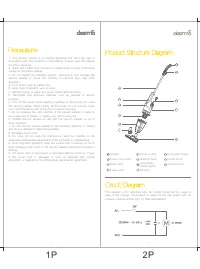
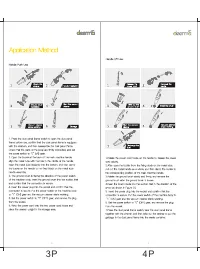
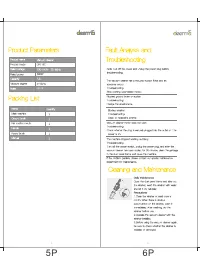
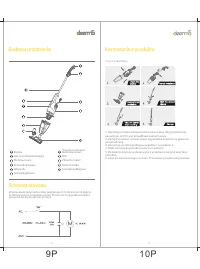
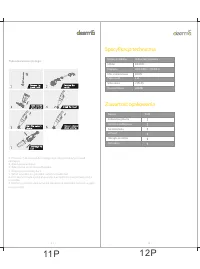
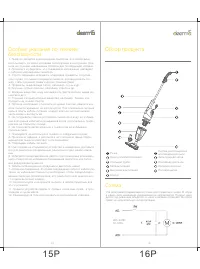
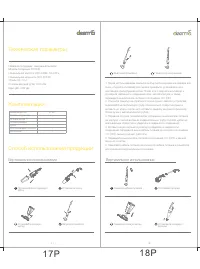
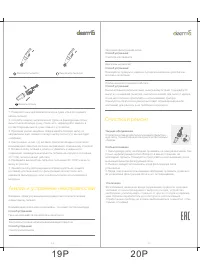
Table of Contents:
- Page 2 – Safety Guidelines and Product Overview
- Page 3 – Operation Modes: Standard and Handheld
- Page 4 – Specifications, Contents, and Troubleshooting
- Page 5 – Safety Precautions (Polish Section)
- Page 6 – Product Structure and Standard Operation
- Page 7 – Handheld Mode, Technical Specs, and Package Contents
- Page 8 – Troubleshooting, Maintenance, and Russian Introduction
- Page 9 – Safety Rules and Parts Diagram (Russian)
- Page 10 – Specifications, Contents, and Upright Use (Russian)
- Page 11 – Handheld Mode, Troubleshooting, and Maintenance (Russian)
Product Parameters
Product name: Vacuum cleaner
Product model: DX118C
Rated voltage: 220-240V~ 50-60Hz
Rated power: 600W
Capacity: 1.2L
Vacuum degree: ≥15kPa
Noise: ≤82dB
Packing List
Name Quantity
--- ---
Main machine 1
Ground brush 1
Flat suction mouth 1
Handle 1
Round brush 1
Manual 1
Fault Analysis and Troubleshooting
Note: Cut off the power and unplug the power plug before troubleshooting.
The vacuum cleaner has a reduced suction force and an abnormal sound
Troubleshooting:
Stop working (overheated motor).
Blocked ground brush or suction
Troubleshooting:
Dredge the attachments.
Blocked strainer
Troubleshooting:
Clean or replace the strainer.
Vacuum cleaner motor does not work
Troubleshooting:
Check whether the plug is securely plugged into the outlet or t he power is on.
The machine stopped working suddenly
Troubleshooting:
Turn off the power switch, unplug the power plug, and after the vacuum cleaner has been cooled for 30 minutes, clean the garbage in the dust panel frame and reuse the machine.
If the problem persists, please contact our special maintenance department for maintenance.
Cleaning and Maintenance
Daily Maintenance
Open the dust panel frame and take out the strainer, wash the strainer with water and let it dry naturally.
Precautions:
1.Clean the strainer at least once a month. When there is obvious accumulation on the strainer, clean it immediately. After washing, dry the strainer before use.
2.Operate the vacuum cleaner with the strainer installed.
3.Before using the vacuum cleaner again, be sure to check whether the strainer is installed or damaged.
"Loading the manual" means you need to wait until the file loads and becomes available for online reading. Some manuals are very large, and the time they take to appear depends on your internet speed.
Summary
This page covers important safety warnings regarding handling, power cord, and children, along with a labeled diagram of the vacuum cleaner's parts and a circuit diagram.
Step-by-step instructions for using the vacuum in standard push mode and handheld lift mode, including assembly, starting, stopping, and storage.
Technical specifications, packing list items, common issues like reduced suction and motor problems with solutions, and cleaning instructions for the strainer.
Tips
- Regularly clean the filter at least once a month.
- Do not use the vacuum cleaner without the filter installed.
- Avoid vacuuming hot objects, sharp fragments, liquids, or flammable materials.
- If the motor overheats, turn off and let cool for 30 minutes before using again.
- Ensure the power cord is not damaged; if damaged, have it replaced by a professional.
- Store the vacuum cleaner in a cool, dry place away from direct sunlight.

