Craftsman CMXZDCG453 - User Manual
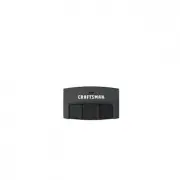
A Remote Control Manual for Craftsman garage door openers covers essential operations, including programming a three-button remote (model CMXZDCG453) to match the opener’s Learn button sequence or replacing its 3V CR2032 battery safely. The guide emphasizes pairing procedures–such as pressing buttons in specific patterns–and basic maintenance like part replacements and battery safety precautions.


Table of Contents:
- Page 1 – Remote Control Pairing Procedure for Garage Door Opener
- Page 2 – Remote Control Battery Replacement and Parts
- Page 3 – Programming Remote Control with Opener
- Page 4 – Battery Replacement Safety and Ordering Information
3-BUTTON REMOTE CONTROL
MODEL CMXZDCG453
To prevent possible SERIOUS INJURY or DEATH from
a moving gate or garage door:
• ALWAYS keep remote controls out of reach of
children. NEVER permit children to operate or
play with remote controls.
• Activate gate or door ONLY when it can be seen
clearly, is properly adjusted and there are no
obstructions to door travel.
• ALWAYS keep gate or garage door in sight until
completely closed. NEVER permit anyone to
cross path of moving gate or door.
For use with CRAFTSMAN
®
garage door openers manufactured after January 1, 1993. The garage door opener
activates when the programmed button on the remote control is pressed. The remote control can activate up to
three garage door openers.
Make sure the garage door opener has a working light bulb because it is a programming indicator.
Locate the Learn
button on the garage
door opener.
NOTE:
Your garage door
opener may look different.
OR
OR
Learn
LED
Learn
LED
Learn
LED
Green
or
Red/Orange
Purple
Yellow
Locate the Program button on the
remote control.
Program Button
4
Press and release the Learn
button on the garage door
opener.
3
Now, press any remote-control
button
except
the button that
was selected in Step 2.
Install the visor clip.
7
Press the remote control button
programmed in step 2 until the
garage door opener lights flash
or two clicks are heard.
To test, press the programmed
button on the remote control...
1
Within 30 seconds...
The Learn LED will light.
5
6
Press and hold the program button
by using the visor clip until the LED
on the front of the remote control turns
on.
Learn
Button
Click
Click
The garage door
opener will activate.
2
Press and release the remote control button you wish to use the
number of times that corresponds with the garage door opener type:
# of Presses
Garage Door Opener Type
1
2
3
4
Security+ 2.0
®
(Yellow Learn Button)
Security+
®
(Purple Learn Button)
Security+
®
(Red/Orange Learn Button)
Billion Code (Green Learn Button)
LED
MODEL CMXZDCG453
PREPARE
PROGRAM THE REMOTE CONTROL
®
WARNING:
This product can expose you to chemicals including lead, which are known to the State
of California to cause cancer or birth defects or other reproductive harm. For more information go to
www.P65Warnings.ca.gov
.
"Loading the manual" means you need to wait until the file loads and becomes available for online reading. Some manuals are very large, and the time they take to appear depends on your internet speed.
Was this manual helpful?
About this manual
- Brand
- Craftsman
- Model
- CMXZDCG453
- Document type
- User Manual
- Category
- Remote Control
- Language(s)
- English, Spanish
- Pages
- 4
- File size
- 4.9 MB
- Format
Summary
Procedure for programming a 3-button remote control to operate a Craftsman garage door opener, including locating buttons, selecting opener types, testing programmed functions, and installing the visor clip.
Instructions for replacing the battery in the remote control, including accessing the case, inserting 3V CR2032 coin cell batteries, and listing replacement part numbers for the battery and visor clip.
Safety warnings, locating the 'Learn' button on the opener and 'Program' button on the remote, and step-by-step guidance for programming the remote using the 'Learn' function and testing the programmed button.
Ask a question
Related manuals
Other Craftsman appliances
 Craftsman 2,7 MAX GPM User Manual
 Craftsman 5 22 Manual
 Craftsman 9-99030 User Manual
 Craftsman 10" Portable Table Saw User Manual
 Craftsman 12 Cu Ft Steel Dump Cart User Manual
 Craftsman 12A-469Q799 User Manual
 Craftsman 12v User Manual
 Craftsman 32" Wide Floor Cabinet - Red/Black User Manual
 Craftsman 41DDZ23C799 User Manual
 Craftsman 71.74290 Manual
 Craftsman 107.27768 Manual
 Craftsman 113 User Manual
 Craftsman 113.17965 Manual
 Craftsman 113.24350 User Manual
 Craftsman 113.29501 User Manual
 Craftsman 113.29931 Manual
 Craftsman 113.176110 User Manual
 Craftsman 113.177825 User Manual
 Craftsman 113.177865 User Manual
 Craftsman 113.177980 Manual