Page 3 - THANK YOU FOR YOUR PURCHASE
1 THANK YOU FOR YOUR PURCHASE Thank you for your purchase. We know that you have many brands and products to choose from and we are honored to know that you have decided to take one of our products into your home and hope that you enjoy it. COSMO Appliances are designed according to the strictest sa...
Page 4 - TABLE OF CONTENTS
2 TABLE OF CONTENTS RANGE SAFETY.................................................................................................... 3 Anti-tip Device ........................................................................................................... 4 Important Safety Instructions ............
Page 6 - WARNING
4 WARNING Tip Over Hazard Making sure the anti-tip bracket is installed: Anti-Tip Bracket Range Foot • A child or adult can tip the range and be killed. • Install anti-tip bracket to floor or wall per installation instructions. • Slide range back so rear range foot is engaged in the slow of the anti...
Page 7 - DANGER
5 Your safety and the safety of others are very important. We have provided many important safety messages in this manual and on your appliance. Always read and obey all safety messages. This is the safety alert symbol. This symbol alerts you to potential hazards that can kill or hurt you and others...
Page 8 - READ AND SAVE THESE INSTRUCTIONS
6 IMPORTANT SAFETY INSTRUCTIONS WARNING: To reduce the risk of fire, electrical shock, injury to persons, or damage when using the range, follow basic precautions, including the following: • WARNING: TO REDUCE THE RISK OF TIPPING OF THE RANGE, THERANGE MUST BE SECURED BYPROPERLY INSTALLED ANTI-TIPDE...
Page 11 - IMPORTANT SAFETY
9 READ AND SAVE THESE INSTRUCTIONS IMPORTANT SAFETY INSTRUCTIONS • Proper Disposal of YourAppliance – Dispose of or recycleyour appliance in accordancewith Federal and LocalRegulations. Contact your localauthorities for theenvironmentally safe disposal orrecycling of your appliance. For units with v...
Page 12 - OVERVIEW; RANGE LAYOUT
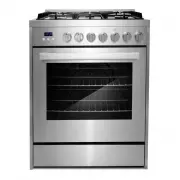
10 e b a c d f g h i j k d abc ef k gh ij OVERVIEW Backsplash Semi-rapid burner Semi-rapid burner Triple ring burner Auxiliary burner Rapid Burner Surface burner grate Control panel Oven rack positions Oven door window Anti-tip bracket RANGE LAYOUT This illustration covers several different models. ...
Page 13 - BURNER LAYOUT
11 WHAT'S INCLUDED Surface burner grates (3) Surface burners and caps (5) Wok grate Oven racks (2) BURNER LAYOUT Burner cap Burner head Electrode Flame failure safety device (on older models) ab cd a bcd
Page 14 - CONTROL PANEL; SETTING THE CLOCK AND TIMER; TO SET THE TIME OF DAY
12 Surface Burner Controls Oven Controls Clock/Timer Controls + Increase Function - Decrease CONTROL PANEL CLOCK & TIMER SETTING THE CLOCK AND TIMER IMPORTANT: Clock must be set in order for the timed oven functions to work. Your model has a digital display clock with 3 control buttons. NOTE: In...
Page 15 - TO SET THE TIMER
13 TO SET THE TIMER The digital countdown timer can be set up to 11 hours and 59 minutes maximum. - Decrease Function + Increase 1. If the clock was previously set, press the function button repeatedly untilthe indicator bar blinks above "Set Clock". 2. Press or hold the + or - button to adj...
Page 16 - TIMED COOKINGS
14 TIMED COOKINGS WARNING Food Poisoning Hazard Do not let food sit in oven more than one hour before or after cooking. Doing so can result in food poisoning or sickness. Foods that can easily spoil such as milk, eggs, fish, meat or poultry, should be chilled in the refrigerator first. Even when chi...
Page 18 - COOKTOP USE; IGNITION AND OPERATION OF THE BURNERS; POWER FAILURE
16 COOKTOP USE Read the instructions before installing or using this appliance. IGNITION AND OPERATION OF THE BURNERS To ignite a burner, push down on the burner knob and rotate it counterclockwise until the knob indicator is aligned with the ignite icon. Release the knob and adjust the flame intens...
Page 19 - CONTAINER TABLE; COOKWARE
17 CONTAINER TABLE Burner Min Saucepan Max Saucepan Auxiliary 3.5" (9.0 cm) 6.3" (16 cm) Semi-rapid 5.1" (13 cm) 7.1" (18 cm) Rapid 5.9" (15 cm) 10.2" (26 cm) Triple ring 8.3" (21 cm) 10.2" (26 cm) BALANCED PAN UNBALANCED PAN CONVEX (ROUNDED) CONCAVE (HOLLOW) FLAME TO...
Page 20 - OVEN CONTROLS
18 OVEN USE WARNING NEVER cover any slots, holes or passages in the oven bottom or cover an entire rack with materials such as aluminum foil. Doing so blocks airflow through the oven and may cause carbon monoxide poisoning. Aluminum foil linings may also trap heat, causing a fire hazard. Reset all c...
Page 22 - TIPS AND TECHNIQUES
20 TIPS AND TECHNIQUES Bake Baking is cooking with heated air. Both upper and lower elements in the oven are used to heat the air but no fan is used to circulate the heat. Follow the recipe or convenience food directions for baking temperature, time and rack position. Baking time will vary with the ...
Page 24 - RANGE CARE; CLEANING
22 RANGE CARE CLEANING IMPORTANT: Before cleaning, make sure all controls are off and the oven and cooktop are cool. Always follow label instructions on cleaning products. Soap, water and a soft cloth or sponge are suggested first unless otherwise noted. Do not use abrasive cleaning products. EXTERI...
Page 27 - TROUBLESHOOTING; BAKING PROBLEMS
25 TROUBLESHOOTING First try the solutions suggested here to possibly avoid the cost of a service call. BAKING PROBLEMS With any oven setting poor results can occur for many reasons other than a malfunction of the oven. Check the chart below for causes of the most common problems. Since the size, sh...
Page 28 - COOKTOP PROBLEMS
26 PROBLEM CAUSE Pie crusts do not brown on bottom or crust is soggy • Baking time not long enough • Using shiny steel pans • Incorrect rack position • Oven temperature is too low Cakes pale, flat and may not be done inside • Oven temperature too low • Incorrect baking time • Cake tested too soon • ...
Page 30 - OVEN PROBLEMS
28 OVEN PROBLEMS PROBLEM POSSIBLE CAUSE SOLUTION Oven is not heating No power to the range. Check the circuit breaker or fuse box to your house. Make sure there is proper electrical power to the oven. Oven control not turned on. Make sure the oven temperature has been selected. Oven is not cooking e...
Page 32 - LIMITED WARRANTY; WARRANTY AND SERVICE; CUSTOMER SUPPORT
30 LIMITED WARRANTY WARRANTY AND SERVICE TO RECEIVE WARRANTY SERVICE, YOUR PRODUCT MUST BE REGISTERED. TO REGISTER AND REVIEW FULL WARRANTY DETAILS, VISIT: WWW.COSMOAPPLIANCES.COM/WARRANTY SCAN TO REGISTER CUSTOMER SUPPORT TO CHAT WITH US LIVE FOR ASSISTANCE, VISIT: WWW.COSMOAPPLIANCES.COM/CHAT SCAN...
Page 33 - Do Not Return This Product To The Store; IMPORTANT; Ne pas Réexpédier ce Produit au Magasin; IMPORTANTE; No regrese este producto a la tienda
31 IMPORTANT Do Not Return This Product To The Store If you have a problem with this product, please contact COSMO Customer Support at +1 (888) 784-3108 DATED PROOF OF PURCHASE, MODEL #, AND SERIAL # REQUIRED FOR WARRANTY SERVICE. IMPORTANT Ne pas Réexpédier ce Produit au Magasin Pour tout problème ...
Page 34 - MEMO
Page 36 - A P P L I A N C E S
Cosmo is constantly making efforts to improve the quality and performance of our products, so we may make changes to our appliances without updating this manual. Electronic version of this manual is available at: www. cosmoappliances .com A P P L I A N C E S