Canon IXUS 310 HS - User Manual

Canon IXUS 310 HS – User Manual, read for free online in PDF format. We hope this helps you resolve any issues you may have. If you have further questions, please contact us through the contact form.

IXUS 310 HS
Digital Compact Camera
canon.com.au
Subject to change without notice
*The iFrame logo and the iFrame symbol are trademarks of Apple Inc.
A stylish designed compact camera with an
intuitive touch LCD screen and 24mm wide-angle
f/2.0 lens
The IXUS 310 HS is a beautifully designed compact camera
featuring an intuitive 3.2 inch Touch LCD screen promising fun
and easy shooting. It is perfect for low light situations
encompassing a 12.1 Megapixel High Sensitivity CMOS Sensor.
It
also features a 24mm wide angle lens, 4.4x Optical Zoom and
FULL HD movie recording giving you the flexibility to capture wide
and close up shots or amazing video.
Key Features
3.2 inch Touch LCD Screen
A large intuitive 3.2” LCD screen makes shooting
and recording your memories easy
Get Creative
With an f/2.0 aperture lens, capture amazing
photographs with shallow depth of field
High Sensitivity CMOS Sensor
12.1 Megapixel High Sensitivity CMOS Sensor
allows you to capture amazing photos even in low
light situations
Full High Definition Movies with Dynamic IS
Shoot quality FULL HD movies with Dynamic Image
Stabilisation and view easily on TV with a HDMI
terminal
Optical Zoom and Wide-angle lens
4.4x Optical Zoom and 24mm wide-angle lens
allows you to get closer whilst shoot beautiful
landscapes or capture great group shots
iFrame video format*
The new iFrame video format can dramatically
simplify and speed up the process of importing,
editing and sharing your videos
Creative Filters
Shoot with creative filters for an added effect : Fish
Eye, Miniature, Toy Camera, Monochrome, Super
Vivid, Poster, Colour Accent and Colour Swap
effects are available
Touch Auto Focus with Subject Tracking
Simply focus on your subject with a touch of the
screen and they will be the focus of the shot even if
they move
Precision image quality
12.1 Megapixel High Sensitivity CMOS
F/2.0 genuine Canon lens
24mm wide-angle lens
Genuine Canon 4.4x Optical Zoom
Optical Image Stabilizer
DiG!C 4 Processor
Intelligent Auto (32 scenes detected)
Intelligent Flash Exposure
Intelligent Contrast Correction
Servo AF
ISO 3200
Perfect portraits of family & friends
Smart Shutter (Face Detection Self-timer,
Smile Shutter, Wink Self Timer)
Face Detection and Selector
Face Detection Self-timer
Red-eye Correction
Blink Detection
Digital photography and video made easy
3.2” Touch LCD screen
Full High Definition Video recording
(1920x1080)
Movie Digest
Creative Filters
Touch Auto Focus
Subject Tracking
Active Display
Super Slow Motion movie
High-speed Burst Mode approx. 8.0
shots/sec.
Intelligent Auto (32 scenes)
Improved Auto mode in both photo and video mode
makes it even easier to get the perfect shot
"Loading the manual" means you need to wait until the file loads and becomes available for online reading. Some manuals are very large, and the time they take to appear depends on your internet speed.
Was this manual helpful?
About this manual
- Brand
- Canon
- Model
- IXUS 310 HS
- Document type
- User Manual
- Language(s)
- English
- Pages
- 2
- File size
- 217.1 KB
- Format
Ask a question
Related manuals
Popular Canon Other


More Canon Other models
 Canon IXUS 240 HS User Manual
 Canon IXUS 240 HS, 510 HS Manual
 Canon IXUS 255 HS User Manual
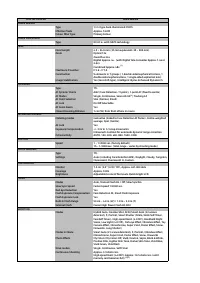 Canon IXUS 265 HS User Manual
 Canon IXUS 275 HS User Manual
 Canon IXUS 285 HS User Manual
 Canon IXUS 400 Manual
 Canon IXUS 500 HS User Manual
 Canon IXUS 510 HS User Manual
 Canon IXUS 860 IS User Manual
 Canon IXUS 900TI User Manual
 Canon IXUS 950IS User Manual