Canon i-SENSYS LBP6230dw - User Manual

Canon i-SENSYS LBP6230dw – User Manual, read for free online in PDF format. We hope this helps you resolve any issues you may have. If you have further questions, please contact us through the contact form.


Table of Contents:
- Page 2 – Installing the Printer; Installation Requirements
- Page 4 – Keep the paper stack within the load limit
- Page 5 – Follow the instructions on the screen.; Top Page
- Page 6 – ماظن يمدختسمل
- Page 7 – Power switch; Indicators
- Page 9 – Reset button
- Page 10 – Loading Paper; Keep the paper stack within
- Page 11 – Loading Envelopes; Manual Feed Slot
- Page 12 – Paper Jams; Inside of the Rear Cover; to
- Page 14 – Replacing the Toner Cartridge
- Page 15 – Cleaning the Inside of the Printer; Select; or
- Page 16 – Troubleshooting; ؟ليغشتلا ديق زاهجلا له
- Page 17 – ؟ءابرهكلا كلس ليصوت مت له
- Page 18 – Important Safety Instructions; Power Supply; Do not install in a location that may result in a
- Page 19 – ةعباطلا مادختسا لبق
- Page 20 – For some languages not listed above, documentation is provided; ليغشتلا ءدب
FT6-0791 (000)
For some languages not listed above, documentation is provided
in PDF format on the CD-ROM/DVD-ROM.
Mise en route
Fr
Getting Started
En
Introduzione
Erste Schritte
Sådan kommer du i gang
Introducción
Komme i gang
Aan de slag
Aloittaminen
Komma igång
Pierwsze kroki
Начало работы
Başlangıç
De
Ar
Pl
Tr
Fi
Ru
No
Sv
Da
Nl
It
Es
ﻝﻳﻐﺷﺗﻟﺍ ءﺩﺑ
FT6-0791 (000) XXXXXXXXXX Copyright CANON INC. 2014 PRINTED IN VIETNAM
"Loading the manual" means you need to wait until the file loads and becomes available for online reading. Some manuals are very large, and the time they take to appear depends on your internet speed.
Was this manual helpful?
About this manual
- Brand
- Canon
- Model
- i-SENSYS LBP6230dw
- Document type
- User Manual
- Language(s)
- German, English, Spanish, French, Italian, Dutch, Polish, Russian, Swedish
- Pages
- 20
- File size
- 7.2 MB
- Format
Other Manuals for Canon i-SENSYS LBP6230dw
Summary
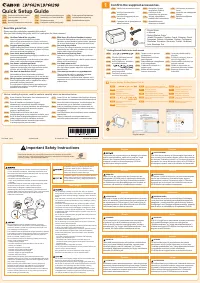
2 Installing the Printer Installation Requirements Remove all the tape. Do not remove the packing material yet. Rear Cover Auxiliary Tray 578 mm 161 mm Top Cover Multi-purpose Tray 379 mm 440 mm 243 mm 293 mm 139 mm 100 mm
4 Installing the Printer Keep the paper stack within the load limit guides.
5 Click! Follow the instructions on the screen. Installing the Printer » Next, see the e-Manual and the Feature Highlights. Top Page Topic Page Double Click!
Ask a question
Related manuals
Popular Canon Other


More Canon Other models
 Canon i-SENSYS LBP712Cx User Manual
- Canon i-SENSYS LBP2900 User Manual
- Canon i-SENSYS LBP2900B User Manual
 Canon i-SENSYS LBP6020B User Manual
 Canon i-SENSYS LBP6030 User Manual
- Canon i-SENSYS LBP6200d User Manual
 Canon i-SENSYS LBP6310dn User Manual
 Canon i-SENSYS LBP6670dn User Manual
- Canon i-SENSYS LBP6680x Manual
 Canon i-SENSYS LBP6780x User Manual
 Canon i-SENSYS LBP7100Cn User Manual
 Canon i-SENSYS LBP7110Cw User Manual