Canon EOS M100 - Installation Manual
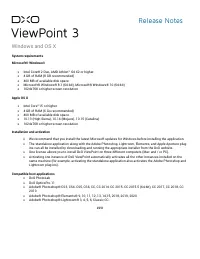
The software system known as DxO ViewPoint is a specialized image-processing application designed for photographers to enhance and analyze video footage and still images. This platform covers essential areas like system requirements, ensuring compatibility with modern operating systems (Windows 8.1 and macOS 10.13+) before installation, while also emphasizing its role as an extension for professional photo editing workflows–such as Adobe Photoshop, Lightroom, or DxO PhotoLab. The documentation highlights its focus on camera support, iterative updates across versions (from 3.1 to the latest releases), and troubleshooting compatibility issues with hardware and software integrations.


Table of Contents:
- Page 1 – System Requirements and Compatibility
- Page 2 – Software Updates and Minimum System Requirements
- Page 3 – Camera Support and Features in Version Updates
- Page 4 – Release Notes and Bug Fixes
- Page 5 – Supported Camera Models and Software Compatibility
Release Notes
Windows and OS X
System requirements
Microsoft® Windows®
•
Intel C
ore® 2 Duo, AMD Athlon™ 64 X2 or
higher.
•
4 GB of RAM (8 GB recommended)
•
400 MB of available disk space
•
Microsoft® Windows® 8.1 (64-bit), Microsoft® Windows® 10 (64-bit)
•
1024x768 or higher screen resolution
Apple OS X
•
Intel Core™ i5
or higher
•
4 GB of RAM (6 Go recommended)
•
400 MB of available disk space
•
10.13 (High Sierra), 10.14 (Mojave), 10.15 (Catalina)
•
1024x768 or higher screen resolution
Installation and activation
•
We recommend that you install the latest Microsoft updates for Windows before installing the application.
•
The standalone application along with the Adobe Photoshop, Lightroom, Elements, and Apple Aperture plug-
ins can all be installed by downloading and running the appropriate installer from the DxO website.
•
One license allows you to install DxO ViewPoint on three different computers (Mac and / or PC).
•
Activating one instance of DxO ViewPoint automatically activates all the other instances installed on the
same machine (for example, activating the standalone application also activates the Adobe Photoshop and
Lightroom plug-ins).
Compatible host applications
•
DxO PhotoLab
•
DxO OpticsPro 11
•
Adobe® Photoshop® CS3, CS4, CS5, CS6, CC, CC 2014, CC 2015, CC 2015.5 (64-bit), CC 2017, CC 2018, CC
2019
•
Adobe® Photoshop® Elements® 9, 10, 11, 12, 13, 14,15, 2018, 2019, 2020
•
Adobe® Photoshop® Lightroom® 3, 4, 5, 6, Classic CC
###
"Loading the manual" means you need to wait until the file loads and becomes available for online reading. Some manuals are very large, and the time they take to appear depends on your internet speed.
Was this manual helpful?
About this manual
- Brand
- Canon
- Model
- EOS M100
- Document type
- Installation Manual
- Language(s)
- English
- Pages
- 5
- File size
- 171.9 KB
- Format
Other Manuals for Canon EOS M100
Summary
Requirements for Windows and macOS, installation/activation instructions, and a list of compatible host applications including Adobe Photoshop, Lightroom, and DxO PhotoLab.
Details on new features, updates, minimum system requirements (Windows 8.1, macOS 10.13), support for new camera models across releases, and bug fixes.
New features and camera support added in DxO ViewPoint software versions ranging from 3.1.6 to 3.1.10, including lists of newly supported cameras and minor bug fixes for each update.