Page 2 - Introduction
Introduction Thank you for selecting a Canon autofocus SLR camera. EOS 10OON/1 OOOFNLLdeveloped as Canon’s new standard model autotocus SLR camera, is a compact EOS SLR ottering quiet film transport and motor operation. Features such as simple dial operation and super-fast autotocus make it easier...
Page 3 - Attention; IMPORTANT INFORMATION
• The instructions in this book assume use ot the EF 35-80 mm f/4-5.6 USM zoom lens; however, operations with a different lens are basically the same. Please read this instruction book carefully for a thorough understanding before using your EOS 1000N /1000FN. Attention IMPORTANT INFORMATION The Can...
Page 4 - Nomenclature; PROGRAMMED IMAGE
Nomenclature Red-eye Reduction Lamp AF Auxiliary Light LCD Panel Electronic Input Dia Shutter Button ,Built-in Flash Accessory Shoe Flash Tab ^Command Dial -Strap Fixture Focus Mode Switch Manual Focusing Ring EF 35-80 mm f/4-5.6 USM Lens Back Cover Latch Lens Release Button Zoom Ring PROGRAMMED IMA...
Page 7 - Table of Contents
Table of Contents I. BASIC OPERATION [1] Preparations 1. Battery Load and Check................................... 7 2. Lens Attachment................................................93. Focusing.......................................................... 10 - Difficult Subjects for Autofocus [Manual ...
Page 9 - Precautions
Precautions 1) This camera is not resistant to water and should not be used outdoors in snow or rain. If accidentally dropped in water, contact an authorized Canon service facility. Keep the camera out of salt spray, and protect it from exces sive humidity. If used at the beach, clean it thoroughly...
Page 12 - Battery Load and Check
Page 15 - cm
Battery Check Symbois in the Panel Battery power sufficient. Have a new battery handy. Replace the battery. cm crz] :c^-(blinking): See p. 56. ^ 1 When not using the camera, always be sure to set the command dial to “L” to prevent battery drain due to accidental pressing of the shutter button. Alway...
Page 16 - Lens Attachment
Page 19 - halfway
Before practicing, set the command dial to “ a ” (Green Zone). 1) Look through the viewfinder and cover the subject with the focus mark (c^). 2) Press the shutter button halfway to start focus. When the subject is in focus, the green AF symbol ‘‘ • ’’ lights up in the viewfinder. 3) Without letting ...
Page 20 - Difficult Subjects for Autofocus [Manual Focusing]; Subjects
Difficult Subjects for Autofocus [Manual Focusing] ■ ■■■ ^ r- ? : c 3 1 J Pi 1 Subjects • Low-contrast subjects;^—misty scenes, light-colored or white objects. • Subjects in extremely low-light situa tions—a dark room, night scenes. • Subjects having generally horizontal patterns (window blinds). •...
Page 21 - Film Loading
Page 22 - Never touch the shutter curtain.
[2] Taking Pictures 'Always load film out of direct sunlight. Never touch the shutter curtain. Its precision design makes it sensitive to pressure. When loading film, be care ful that the film tip does not touch the shutter curtain. This camera uses a prewind system. When film is loaded, the camera...
Page 27 - Blinking shutter speed; In Green Zone and Programmed Image
Blinking shutter speed (cam era shake warning) In Green Zone and Programmed Image Control modes, the shutter speed will blink on the LCD panel and in the viewfinder if the shutter speed is too slow to hand-hold. In this case,, we recommend switching to flash photography or using a tripod. 15
Page 31 - Film Rewind
Film Rewind When the last picture is taken, the remain ing film automatically rewinds into the car tridge. When completed, rewinding stops and the film cartridge symbol blinks in the LCD panel. If you want to develop the film before the end of the roll, remove the lens and turn the command dial to...
Page 32 - O Portrait
3. Programmed Image Control (P.I.C.) With P.I.C., focus and filnn wind settings as well as shutter speed and aperture value set tings are made automatically for four types of pictures; portraits, landscapes, close-ups, and sports. This allows you to take pictures easily and concentrate on compositi...
Page 34 - Landscape
Landscape Settings: One-shot AF/Sin- gle frame wind/Evaluative metering Deep depth of field is usually the primary concern in landscape photography. This setting automatically sets small aper tures (large numbers) for deep depth of field. Use a wide-angle lens or the wide-angle setting on your zoom...
Page 36 - Sports
Sports Settings: Al focus AF/Continuous wind/Evaluative nnetering Faster shutter speeds are emphasized to help you keep up with all the action while Al servo tracks the subject’s movement. Keep the focus mark on the subject. • Continuous shooting is possible by hold ing the shutter button down.
Page 37 - I Z; тшиэйо ú30NVAav
Page 38 - Creative Zone; exposure compensa; Checking the Exposyre
T. Creative Zone The command dial’s ‘‘Creative Zone” provides six shooting modes, enabling you to select the mode and values which best match your subject and photographic objectives. Also, with ‘‘Creative Zone” modes, you can use functions such as exposure compensa tion and multiple exposure (expl...
Page 39 - In the Creative Zone, an; exposure lev; ap
In the Creative Zone, an exposure lev el scale and exposure level mark ap pear in the viewfinder and LCD panel in addition to the exposure data (shutter speed and aperture value). The ex posure level mark indicates the amount of exposure compensation in the four AE modes.
Page 40 - Program Shift
Program Shift In Program AE mode, the automatically set shutter speed and aperture combination (program) can be changed while maintain ing the same exposure. To shift the program, press the shutter but ton halfway to display the exposure data and turn the electronic input dial to select the desire...
Page 42 - Checking the Exposure
Tv : Shutter-priority AE Settings: A1 focus AF/Continuous wind/Evaluative metering In this mode the user selects the shutter speed and the camera sets the aperture value for the lighting conditions. This mode is best for taking pictures of moving sub jects by controlling the shutter speed. Faster s...
Page 46 - : M anual Exposure
: M anual Exposure Settings Ai to cus AF/Continuous wind/Center-weighted average metering. This creative mode allov\/s you to complete ly control exposure by setting both the shutter speed and aperture value. The initial setting is always 1/125 sec. at f/5.6. 1) Set the command dial to "M” and ...
Page 48 - Metered standard exposure:
Adjust the exposure according to the ex posure indicator Metered standard exposure: The current settings will result in a correct exposure. Overexposure: Close the aperture or set a faster shutter speed until correct exposure is obtained. Underexposure: Open the aperture or set a slower shutter sp...
Page 50 - This mode cannot be used with flash.
DEP: Depth-of-Field AE Settings One-shot AF/Single frame wind/Evaluative metering Depth-of-Field AE mode places everything between user set points in the foreground and background in focus. The points are set using the focus mark in the viewfinder. The camera sets the necessary aperture value and sh...
Page 53 - Checking; the Exposure
Checking the Exposure • If the minimum aperture value of the lens in use blinks, clear the focus points by turning the command dial to another position and returning it to DEP. Move back from the subject or switch to a wide-angle lens or zoom lens’ wide- angle setting and repeat steps #2 through 4. ...
Page 54 - Additional; Information
Additional Information To cancel Depth-of-Field AE in mid operation, set the command dial to another position.When using a zoom lens, do not change the focal length after setting the first point. Always set the focal length first. Wide-angle lenses are best used in this mode for maximum depth-of-fi...
Page 57 - second; Exposure confirm ation
2) Press the shutter button halfway, con firm the shutter speed and soft focus value, then press completely to take the picture. • The shutter speed for the second ex posure of the double exposure and the soft focus valve are displayed in the LCD panel and viewfinder. • When the shutter button is ...
Page 62 - Sound Setting
Setting the Sound M ode (••»;>) This function lets you select one of four sound settings (including three musical tunes) to play during self-timer operation. 1) Set the command dial to • “•«»” is displayed in the LCD panel. 2) Turn the electronic input dial to set the desired sound number. • You ...
Page 63 - Flash Shooting Distance Range; Notes; gently
3. Flash Photography with the Built-in Flash (1000FN only) When the“ ^ "mark blinks in the viewfinder, pull the built-in flash up manually for flash photography. When pulled up, the flash fires automatically in low-light and backlit conditions in P.I.C. modes and green zone mode. Flash Shooting ...
Page 69 - Viewfinder Information When Using Flash
Viewfinder Information When Using Flash Shooting mode Warning display Condition Note (P) Program AE During daylight fill-in flash photography, the lens’ minimum aperture value blinks. The background is overexposed. The subject is correctly exposed. (Tv) Shutter-priority AE The lens’ minimum aperture...
Page 70 - Shutter; Speed and Aperture Value
X-sync Shutter Speed and Aperture Value Shooting mode X-sync shutter speed Aperture value Program AE Automatically set to 1/90 sec. Flash aperture value automatically set according to existing lighting and TTL program. Shutter-priority AE Manually set to any desired shutter speed of 1/90 sec. or slo...
Page 71 - The
III. APPLICATIONS With these functions you can expand your creativity by taiioring the operation of your camera to match shooting conditions or your photographic objectives. The functions described in the Applications section cannot be set in Green Zone or any of the P.i.C. modes. 41
Page 76 - Exposure Com pensation
Page 78 - M ultiple Exposures
Page 80 - Shooting; Hint; For best results, we recommend setting
Shooting Hint For best results, we recommend setting exposure compensation depending on the number of exposures. Number of exposures Exposure compensation amount Two -1.0 Three -1.5 Four -2.0 46
Page 84 - M anual Film Speed Setting
Page 86 - Comparisons Between AF Mode and Film Wind Mode; The shutter
IV. REFERENCE 1. Comparisons Between AF Mode and Film Wind Mode Film wind mode One-shot Al Servo • Single AF lock and AE lock in the evaiuative metering mode take place simultaneously on AF completion. The shutter releases only after AF completion. AF follows the subject and the exposure is determi...
Page 87 - Film Shooting Capacity; of the environment. Refer to the table below.
2. Film Shooting Capacity The battery’s shooting capacity varies depending on flash use and on the temperature of the environment. Refer to the table below. Temperature Without Flash With 50% Flash (1000FN only) With 100% Flash (lOOOFNonly) Normal (20°C) 75 rolls 30 rolls 12 rolls Low (-10“C) 45 rol...
Page 88 - ACCESSORIES; The accessories described in this section are sold separately.; Dedicated Canon Speedlites
V. ACCESSORIES The accessories described in this section are sold separately. 430EZ 200E 1. Dedicated Canon Speedlites If you need a flash with a little higher output than that of the built-in flash, attach the extra-compact and simple Speedlite 200E (guide number: 66 -ft/20-m at ISO 100) to the cam...
Page 89 - ter value obtained; when the dioptric; This number does; not; indicate
The numerical value printed on a dioptric adjustment lens indicates the diop ter value obtained when the dioptric adjustment lens is attached to the camera. This number does not indicate the diopter value of the dioptric adjust ment lens itself. 52
Page 90 - Series E Dioptric Adjustment; For eyeglass wearers, there are 10 correc
2. Grip Extension GR-70 The grip extension increases the size of the grip to provide a nnore comfortable and secure hold for large hands. An adjustable padded strap is included for easier han dling. Fastens into the tripod socket with a lock nut screw. 3. Series E Dioptric Adjustment Lenses For ey...
Page 93 - VL CAM ERA CARE; Cleaning the lens surface—
VL CAM ERA CARE Keep your camera in top condition by following these suggestions for periodic cleaning. See the precautions on p. 5 for other important information. 1. Cleaning the lens surface— Blow off dust with a blower brush and gently wipe the lens surface with a piece of lens cleaning paper m...
Page 94 - Cleaning the film chamber—; Use a blower brush to remove accumu; Cleaning the film pressure plate and; Lightly wipe the surface with a piece of
3. Cleaning the film chamber— Use a blower brush to remove accumu lated film dust particles that might scratch the film. Be careful NOT TO TOUCH the shutter curtain. 4. Cleaning the film pressure plate and film guide rails— Lightly wipe the surface with a piece of lens cleaning paper moistened with...
Page 96 - Battery Information; Lithium Battery Check
Battery Information Lithium Battery Check Always check the battery at the following times: 1. When loading a new battery 2. After lengthy storage3. Before an important shooting as signment 4. In cold weather5. If the shutter will not release Battery Use Information 1. Wipe the battery terminals wit...
Page 100 - Attaching the Strap; Thread the ends of the neckstrap through
Attaching the Strap Thread the ends of the neckstrap through the fixtures as shown. 57
Page 101 - V I L S P E C I F I C A T I O N S; TYPE AND MAJOR COMPONENTS
V I L S P E C I F I C A T I O N S TYPE AND MAJOR COMPONENTS Type: 35 mm focal plane shutter SLR (single-lens reflex) autofocus/auto expo sure camera, with built-in motor drive and flash. Lens Mount: Canon EF mount (electronic signal transfer system) Usable Lenses: Canon EF lenses Viewfinder: Fixed ...
Page 103 - EXPOSURE CONTROL; TTL full-aperture meter; Three metering patterns available:; evaluative
EXPOSURE CONTROL Light Metering: TTL full-aperture meter ing using an SPC (Silicon Photocell). Three metering patterns available: 3-zone evaluative metering, partial metering which covers approx. 9.5% of the central picture area and center- weighted average metering (only when selecting the manual ...
Page 106 - LENSES
15.5 oz (450 g) with battery LENSES EF 35-80 m m f/4-5.6 USM EF 35-105 m m f/4.5-5.6 USM Angle of View Diagonal 63° - 30° 63° - 23°.30' Vertical 30° - 17° 38° - 13° Horizontal 54° - 25° 54° - 19°20’ Optical Construction 8 elem ents in 8 groups 13 elem ents in 12 groups M inim um Aperture 22-32 22-27...


 Canon EOS 760D User Manual
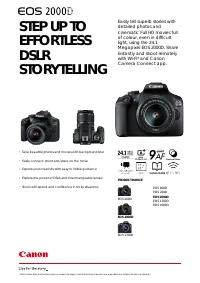 Canon EOS 800D User Manual
 Canon EOS 850 User Manual
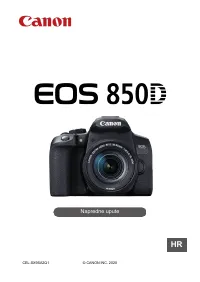 Canon EOS 850D User Manual
 Canon EOS 1000 D User Manual
 Canon EOS 1000 F User Manual
 Canon EOS 1100 D User Manual
 Canon EOS 1100D User Manual
 Canon EOS 1200D User Manual
 Canon EOS1200D User Manual
 Canon EOS 2000D User Manual
 Canon EOS 3000 N User Manual