Brother CP60X - User Manual
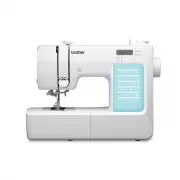
This is a user manual detailing sewing machine stitch patterns, configurations, and applications. The document provides comprehensive reference charts covering stitch types–including their symbols, model-specific numbers (60, 50, or 40 stitches), presser foot compatibility, and technical settings like width/length in millimeters and inches. It also explains functional differences between auto and manual modes, such as reverse/reinforcement stitches, walking foot usage, and twin-needle techniques for specialized sewing tasks. The focus remains on matching stitch choices to fabric requirements and machine capabilities rather than procedural instructions.


Table of Contents:
- Page 1 – Stitch Chart and Function Reference
- Page 2 – Stitch Guide by Model and Foot Type
- Page 3 – Sewing Machine Stitch Reference Chart
- Page 4 – Visual Stitch Application Settings
- Page 5 – Specific Stitch Setting Reference
1
Memo
• When any of the following stitches (reverse stitch patterns) are selected, pressing
(Reverse/
Reinforcement stitch button) will sew reverse stitches.
When any other stitch is selected, pressing
(Reverse/Reinforcement stitch button) will sew
reinforcement stitches.
• The stitch pattern symbols indicate the following.
Note
• The walking foot can only be used with straight or zigzag stitch patterns. Do not sew reverse stitches with
the walking foot.
• When using the twin needle, set the machine to the twin needle mode. For details, refer to the Operation
Manual.
*1
Twin needle can be used by attaching zigzag foot “J”.
For details on using the twin needle, refer to the Operation Manual.
Stitch Chart
Stitch
No.
Presser
foot
Stitch name/Applications
Stitch width
(mm (inch))
Auto.
Manual
Stitch length
(mm (inch))
Auto.
Manual
00
*1
00
*1
00
*1
J
Straight stitch (Left)
General sewing, gather, pintuck, etc.
0.0 (0)
0.0 - 7.0
(0 - 1/4)
2.5 (3/32)
0.2 - 5.0
(1/64 - 3/16)
01
*1
01
*1
01
*1
J
Straight stitch (Middle)
General sewing, gather, pintuck, etc.
3.5 (1/8)
0.0 - 7.0
(0 - 1/4)
2.5 (3/32)
0.2 - 5.0
(1/64 - 3/16)
02
*1
02
*1
02
*1
J
Triple stretch stitch
General sewing for reinforcement and
decorative topstitching
0.0 (0)
0.0 - 7.0
(0 - 1/4)
2.5 (3/32)
1.5 - 4.0
(1/16 - 3/16)
03
*1
03
*1
03
*1
J
Stem stitch
Reinforced stitching, sewing and
decorative applications
1.0 (1/16)
1.0 - 3.0
(1/16 - 1/8)
2.5 (3/32)
1.0 - 4.0
(1/16 - 3/16)
04
*1
04
*1
04
*1
J
Zigzag stitch
For overcasting, mending.
3.5 (1/8)
0.0 - 7.0
(0 - 1/4)
1.4 (1/16)
0.0 - 4.0
(0 - 3/16)
Stitch
No.
60 stitches
00
01
04
50 stitches
00
01
04
40 stitches
00
01
04
1
Left needle position
2
Middle (center) needle position
3
Right needle position
4
Reverse stitch pattern
5
Reinforcement stitch pattern
a
b
c
d
e
d
e
60 stitches
model
50 stitches
model
40 stitches
model
"Loading the manual" means you need to wait until the file loads and becomes available for online reading. Some manuals are very large, and the time they take to appear depends on your internet speed.
Was this manual helpful?
Helpful for 4 of 4 readers
About this manual
- Brand
- Brother
- Model
- CP60X
- Document type
- User Manual
- Category
- Sewing Machine
- Language(s)
- English
- Pages
- 5
- File size
- 479.8 KB
- Format
Summary
Stitch chart detailing patterns, numbers for models 60, 50, and 40, presser foot types, names, applications, and width/length settings in auto and manual modes. Includes functions for reverse/reinforcement stitches and walking foot use.
Guide listing various stitches with names, applications, and specific settings for stitch width and length in both auto and manual modes across different presser foot types and stitch models (60, 50, 40).
Reference chart detailing stitch numbers, symbols, presser foot types, names, applications, and width/length specifications for various machine models in automatic and manual modes.
Ask a question
Related manuals
Popular Brother Sewing Machines


More Brother Sewing Machines models
 Brother XL-5700 Manual
 Brother XR9550 User Manual
 Brother 1034D User Manual
 Brother 2340CV Manual
 Brother 3034D Manual
 Brother CS-8060 Manual
 Brother CS5055 User Manual
 Brother DB2-B755 Manual
 Brother Innov-is 30 Manual
 Brother Innov-is 200 User Manual
 Brother Innov-is 900 User Manual
 Brother JS-23 User Manual
- Brother LS-1520 User Manual
- Brother LS-2125 User Manual
 Brother LS-3125 User Manual
 Brother LS 2150 User Manual
- Brother SL-7 User Manual