Page 2 - Device Panels
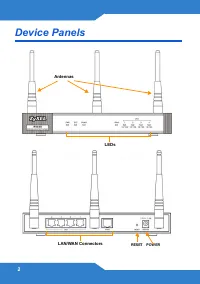
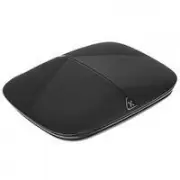
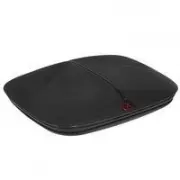
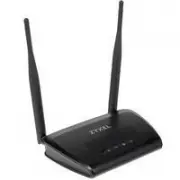
2 Device Panels RESET POW ER LEDs LAN/WAN Connectors Antennas
Page 3 - Introduction
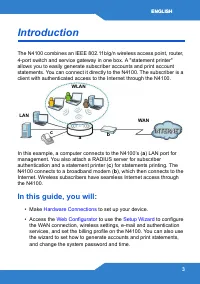
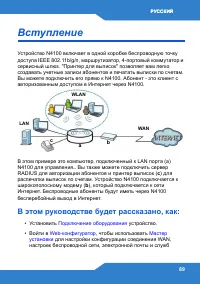
ENGLISH 3 Introduction The N4100 combines an IEEE 802.11b/g/n wireless access point, router, 4-port switch and service gateway in one box. A "statement printer" allows you to easily generate subscriber accounts and print account statements. You can connect it directly to the N4100. The subsc...
Page 5 - PWR
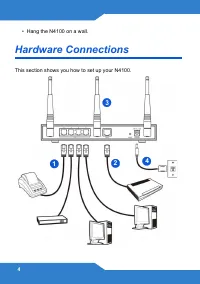
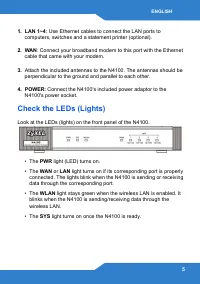
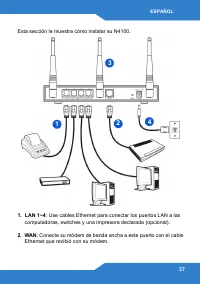
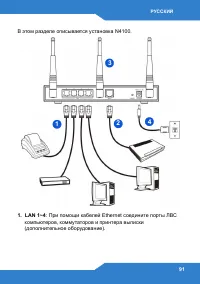
ENGLISH 5 1. LAN 1~4 : Use Ethernet cables to connect the LAN ports to computers, switches and a statement printer (optional). 2. WAN : Connect your broadband modem to this port with the Ethernet cable that came with your modem. 3. Attach the included antennas to the N4100. The antennas should be pe...
Page 6 - Web Configurator; admin; Login
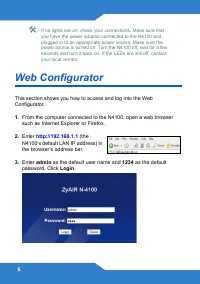
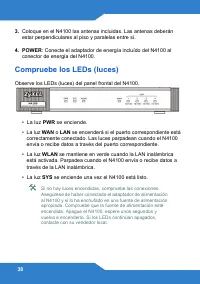
6 If no lights are on, check your connections. Make sure that you have the power adaptor connected to the N4100 and plugged in to an appropriate power source. Make sure the power source is turned on. Turn the N4100 off, wait for a few seconds and turn it back on. If the LEDs are still off, contact y...
Page 7 - Setup Wizard; DHCP Client
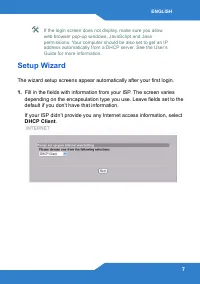
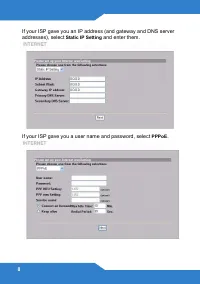
ENGLISH 7 If the login screen does not display, make sure you allow web browser pop-up windows, JavaScript and Java permissions. Your computer should be also set to get an IP address automatically from a DHCP server. See the User’s Guide for more information. Setup Wizard The wizard setup screens ap...
Page 9 - ESSID; Security; Disabled
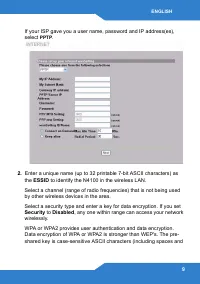
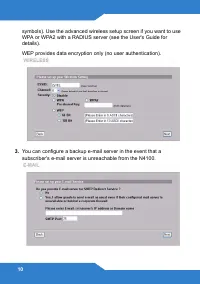
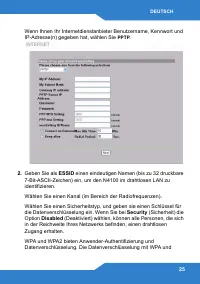
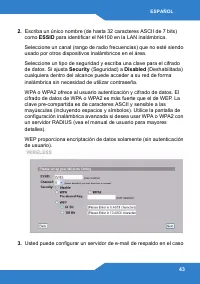
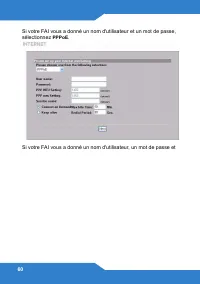
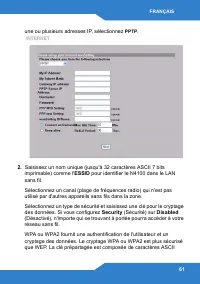
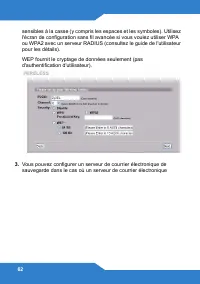
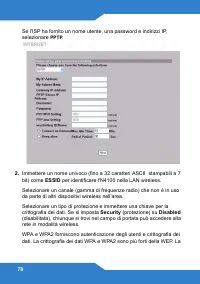
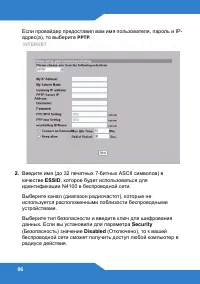
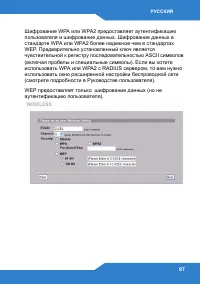
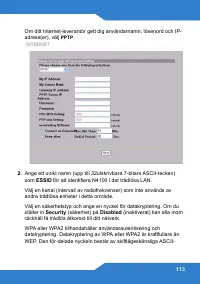
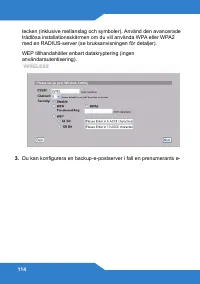
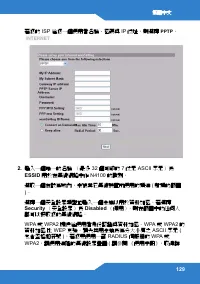
ENGLISH 9 If your ISP gave you a user name, password and IP address(es), select PPTP . 2. Enter a unique name (up to 32 printable 7-bit ASCII characters) as the ESSID to identify the N4100 in the wireless LAN. Select a channel (range of radio frequencies) that is not being used by other wireless dev...
Page 11 - Yes
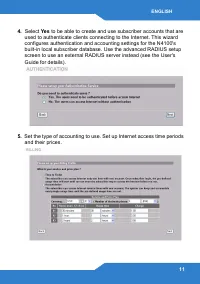
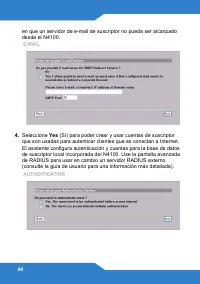
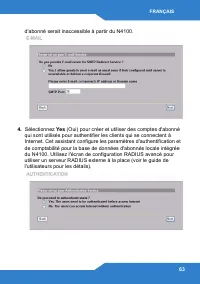
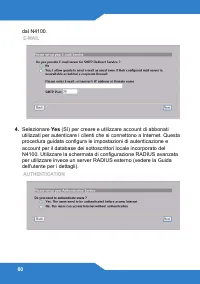
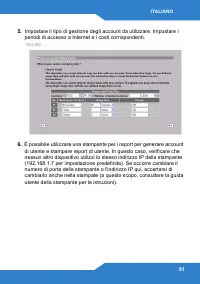
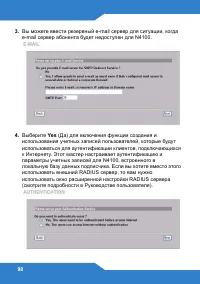
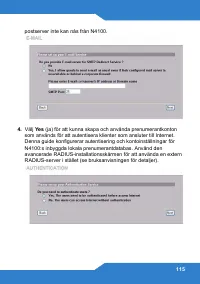
ENGLISH 11 4. Select Yes to be able to create and use subscriber accounts that are used to authenticate clients connecting to the Internet. This wizard configures authentication and accounting settings for the N4100's built-in local subscriber database. Use the advanced RADIUS setup screen to use an...
Page 12 - Customize; CUSTOMIZATION > Account Printout
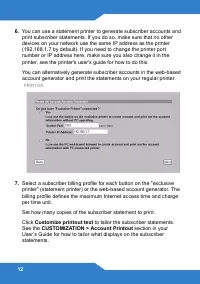
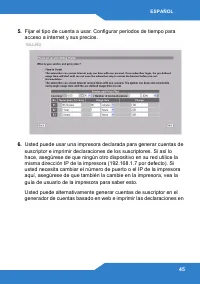
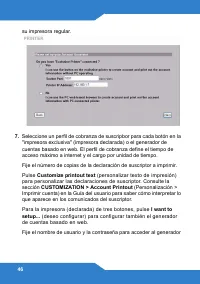
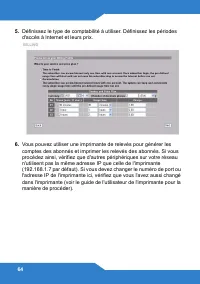
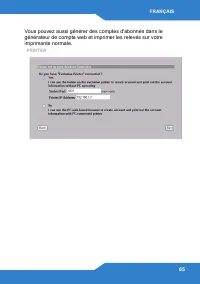
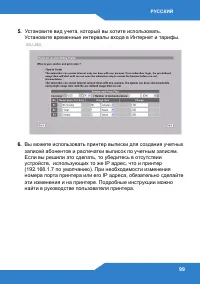
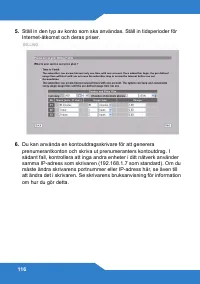
12 6. You can use a statement printer to generate subscriber accounts and print subscriber statements. If you do so, make sure that no other devices on your network use the same IP address as the printer (192.168.1.7 by default). If you need to change the printer port number or IP address here, make...
Page 14 - View Account List; Finish; System Quick View
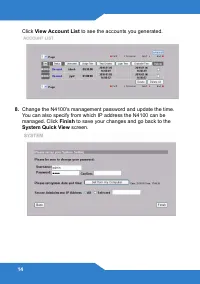
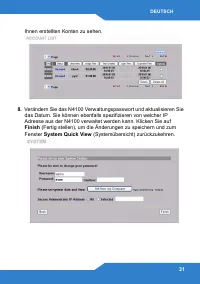
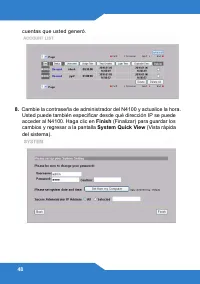
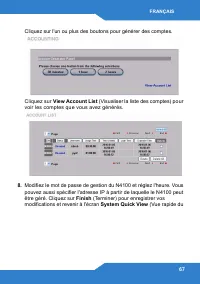
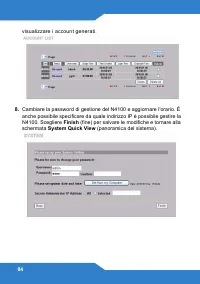
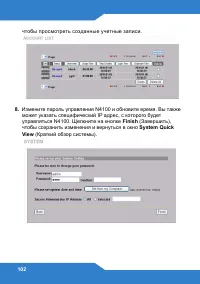
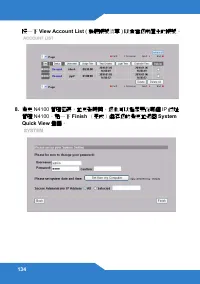
14 Click View Account List to see the accounts you generated. 8. Change the N4100's management password and update the time. You can also specify from which IP address the N4100 can be managed. Click Finish to save your changes and go back to the System Quick View screen.
Page 15 - Print; Hardware Installation
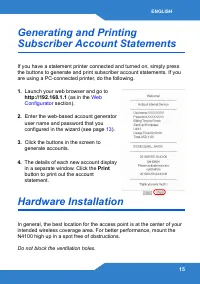
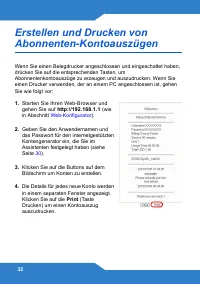
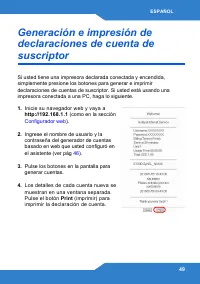
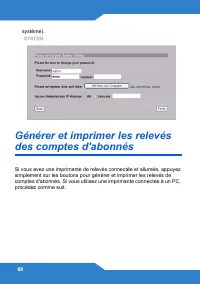
ENGLISH 15 Generating and Printing Subscriber Account Statements If you have a statement printer connected and turned on, simply press the buttons to generate and print subscriber account statements. If you are using a PC-connected printer, do the following. 1. Launch your web browser and go to http...
Page 16 - Wall-mounted Installation
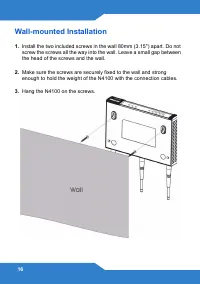
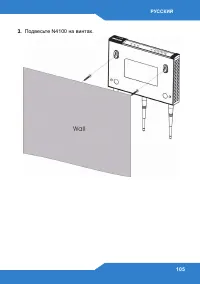
16 Wall-mounted Installation 1. Install the two included screws in the wall 80mm (3.15") apart. Do not screw the screws all the way into the wall. Leave a small gap between the head of the screws and the wall. 2. Make sure the screws are securely fixed to the wall and strong enough to hold the w...
Page 17 - Einführung
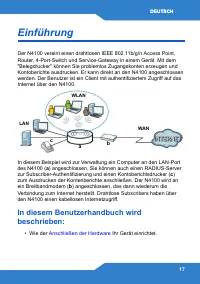
DEUTSCH 17 Einführung Der N4100 vereint einen drahtlosen IEEE 802.11b/g/n Access Point, Router, 4-Port-Switch und Service-Gateway in einem Gerät. Mit dem "Belegdrucker" können Sie problemlos Zugangskonten erzeugen und Kontoberichte ausdrucken. Er kann direkt an den N4100 angeschlossen werden...
Page 18 - Anschließen der Hardware
18 • Wie Sie auf den Web-Konfigurator zugreifen können, um mit dem Einrichtungsassistenten die WAN-Verbindung, die Drahtloseinstellungen, den E-Mail- und Authentifizierungs-Dienst und das Abrechnungsprofil auf dem N4100 zu konfigurieren. Sie können mit dem Assistenten auch festlegen, wie die Konten ...
Page 20 - Die Bedeutung der LED-Anzeigen
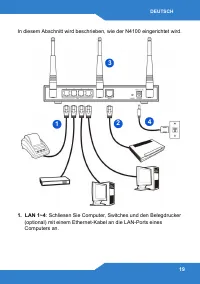
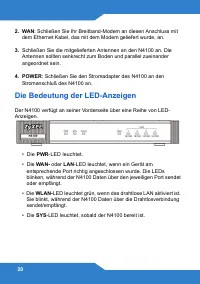
20 2. WAN : Schließen Sie Ihr Breitband-Modem an diesen Anschluss mit dem Ethernet Kabel, das mit dem Modem geliefert wurde, an. 3. Schließen Sie die mitgelieferten Antennen an den N4100 an. Die Antennen sollten senkrecht zum Boden und parallel zueinander angeordnet sein. 4. POWER : Schließen Sie de...
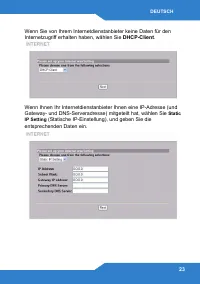
Page 22 - Einrichtungsassistenten
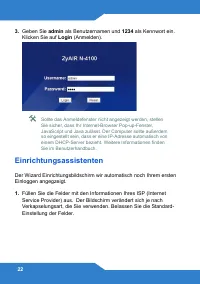
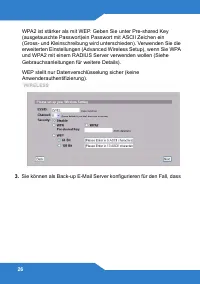
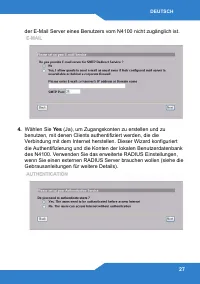
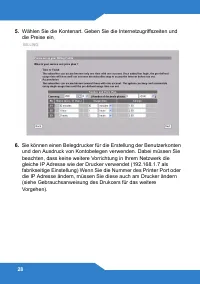
22 3. Geben Sie admin als Benutzernamen und 1234 als Kennwort ein. Klicken Sie auf Login (Anmelden). Sollte das Anmeldefenster nicht angezeigt werden, stellen Sie sicher, dass Ihr Internet-Browser Pop-up-Fenster, JavaScript und Java zulässt. Der Computer sollte außerdem so eingestellt sein, dass er ...
Page 29 - Customize printout text; Account Printout
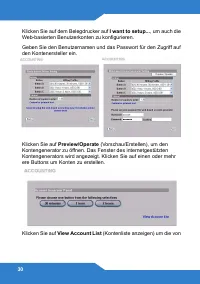
DEUTSCH 29 Sie können die Benutzerkonten auch auf dem Web-basierten Kontenersteller erstellen und die Kontoauszüge auf dem normalen Drucker ausdrucken. 7. Wählen Sie ein Abonnentenrechnungsstellungsprofil für jede Taste des “speziellen Druckers” (Belegdrucker) oder im internetgestützten Kontengenera...
Page 33 - Installation der Hardware; Wandmontage
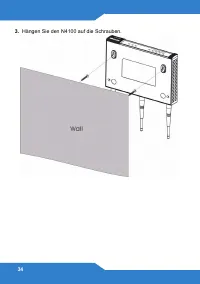
DEUTSCH 33 Installation der Hardware Im Allgemeinen ist der beste Aufstellungsort in der Mitte des vorgesehenen Funkversorgungsbereichs. Um die Leistung zu erhöhen, montieren Sie den N4100 an einem hoch gelegenen und störungsfreien Ort. Die Lüftungsöffnungen dürfen nicht blockiert werden. Wandmontag...
Page 35 - Introducción
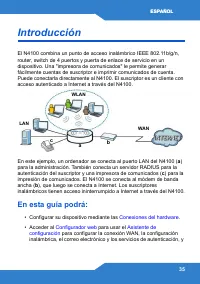
ESPAÑOL 35 Introducción El N4100 combina un punto de acceso inalámbrico IEEE 802.11b/g/n, router, switch de 4 puertos y puerta de enlace de servicio en un dispositivo. Una "impresora de comunicados" le permite generar fácilmente cuentas de suscriptor e imprimir comunicados de cuenta. Puede c...
Page 36 - Conexiones del hardware
36 ajustar el perfil de facturación en el N4100. También puede usar el asistente para ajustar cómo generar cuentas e imprimir comunicados, y cambiar la contraseña y la hora del sistema. • Colgar el N4100 en la pared. Conexiones del hardware
Page 39 - Configurador web
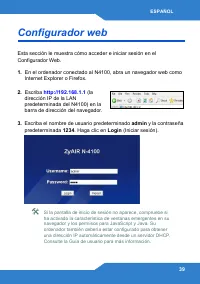
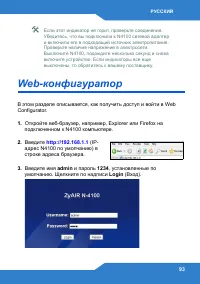
ESPAÑOL 39 Configurador web Esta sección le muestra cómo acceder e iniciar sesión en el Configurador Web. 1. En el ordenador conectado al N4100, abra un navegador web como Internet Explorer o Firefox. 2. Escriba http://192.168.1.1 (la dirección IP de la LAN predeterminada del N4100) en la barra de d...
Page 40 - Asistente de configuración
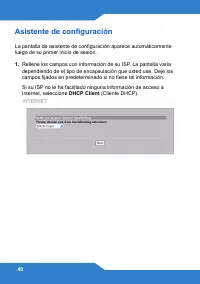
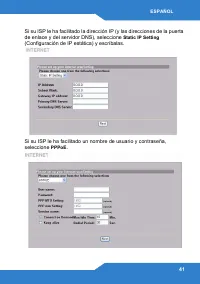
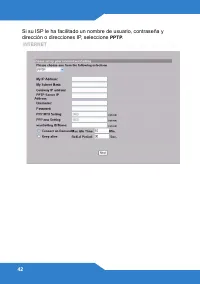
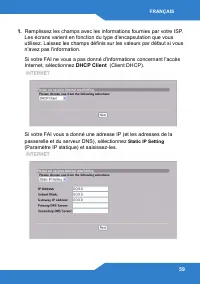
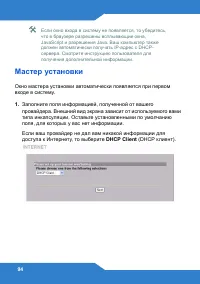
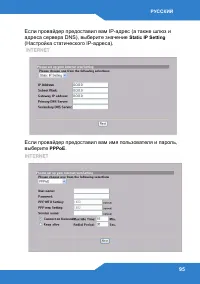
40 Asistente de configuración La pantalla de asistente de configuración aparece automáticamente luego de su primer inicio de sesión. 1. Rellene los campos con información de su ISP. La pantalla varía dependiendo de el tipo de encapsulación que usted use. Deje los campos fijados en predeterminado si ...
Page 50 - Instalación del hardware; Instalación en Mural.
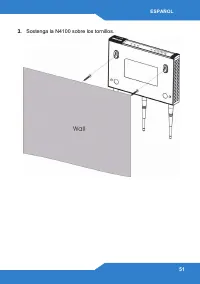
50 Instalación del hardware En general, la mejor ubicación para el punto de acceso es en el centro de su área de cobertura inalámbrica deseada. Para mejor rendimiento, monte el N4100 en lo alto en un lugar libre de obstrucciones. No bloquee los agujeros de ventilación. Instalación en Mural. 1. Insta...
Page 54 - Connexions matérielles
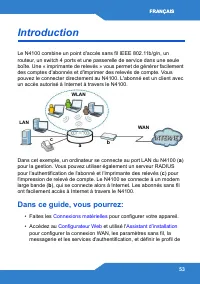
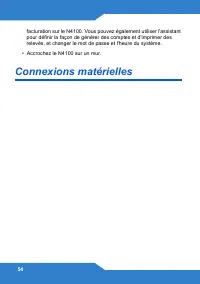
54 facturation sur le N4100. Vous pouvez également utiliser l'assistant pour définir la façon de générer des comptes et d'imprimer des relevés, et changer le mot de passe et l'heure du système. • Accrochez le N4100 sur un mur. Connexions matérielles
Page 57 - Configurateur Web
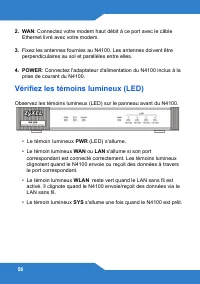
FRANÇAIS 57 Si aucun témoin lumineux n'est allumé, vérifiez vos connexions. Vérifiez que votre adaptateur d'alimentation est connecté au N4100 et branché à une prise de courant appropriée. Vérifiez que l'alimentation est sous tension. Eteignez le N4100, patientez quelques secondes et rallumez-le. Si...
Page 58 - Assistant d’installation
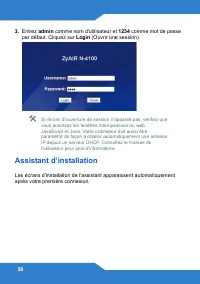
58 3. Entrez admin comme nom d'utilisateur et 1234 comme mot de passe par défaut. Cliquez sur Login (Ouvrir une session). Si l'écran d'ouverture de session n'apparaît pas, vérifiez que vous autorisez les fenêtres intempestives du web, JavaScript et Java. Votre ordinateur doit aussi être paramétré de...
Page 69 - Imprimer; Installation matérielle
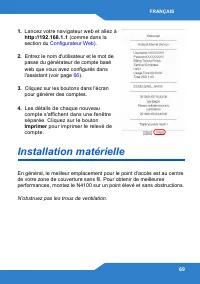
FRANÇAIS 69 1. Lancez votre navigateur web et allez à http://192.168.1.1 (comme dans la section du Configurateur Web ). 2. Entrez le nom d'utilisateur et le mot de passe du générateur de compte basé web que vous avez configurés dans l'assistant (voir page 66 ). 3. Cliquez sur les boutons dans l'écra...
Page 70 - Installation avec fixation murale
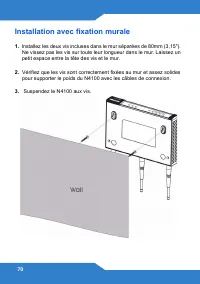
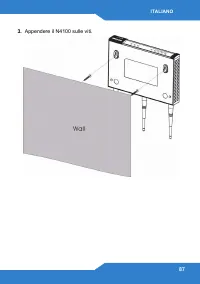
70 Installation avec fixation murale 1. Installez les deux vis incluses dans le mur séparées de 80mm (3,15"). Ne vissez pas les vis sur toute leur longueur dans le mur. Laissez un petit espace entre la tête des vis et le mur. 2. Vérifiez que les vis sont correctement fixées au mur et assez solid...
Page 71 - Introduzione
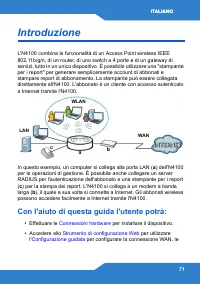
ITALIANO 71 Introduzione L'N4100 combina le funzionalità di un Access Point wireless IEEE 802,11b/g/n, di un router, di uno switch a 4 porte e di un gateway di servizi, tutto in un unico dispositivo. È possibile utilizzare una "stampante per i report" per generare semplicemente account di ab...
Page 75 - Strumento di configurazione Web
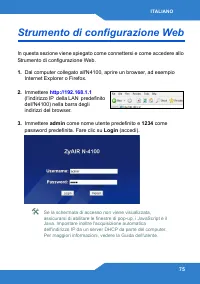
ITALIANO 75 Strumento di configurazione Web In questa sezione viene spiegato come connettersi e come accedere allo Strumento di configurazione Web. 1. Dal computer collegato all'N4100, aprire un browser, ad esempio Internet Explorer o Firefox. 2. Immettere http://192.168.1.1 (l'indirizzo IP della LA...
Page 76 - Configurazione guidata
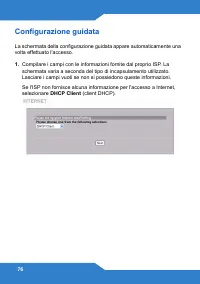
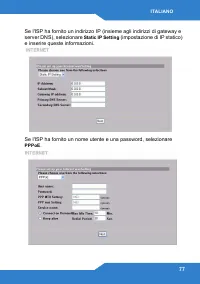
76 Configurazione guidata La schermata della configurazione guidata appare automaticamente una volta effettuato l'accesso. 1. Compilare i campi con le informazioni fornite dal proprio ISP. La schermata varia a seconda del tipo di incapsulamento utilizzato. Lasciare i campi vuoti se non si possiedono...
Page 82 - CUSTOMIZATION > Account Printout
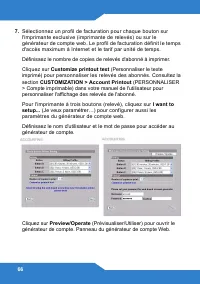
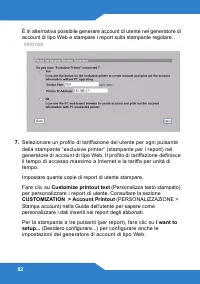
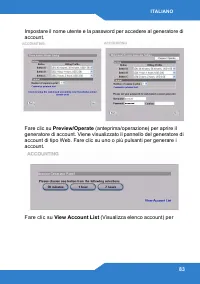
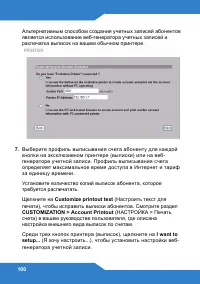
82 È in alternativa possibile generare account di utente nel generatore di account di tipo Web e stampare i report sulla stampante regolare. 7. Selezionare un profilo di tariffazione del utente per ogni pulsante della stampante “exclusive printer” (stampante per i report) nel generatore di account d...
Page 86 - Installazione hardware; Installazione a muro
86 Installazione hardware In generale, la posizione migliore per il punto di accesso è al centro dell’area di copertura wireless. Per prestazioni ottimali, montare il dispositivo in posizione soprelevata, senza ostacoli. Per prestazioni ottimali, montare il dispositivo N4100 in posizione soprelevata...
Page 92 - SYS
92 2. WAN : Ethernet, . 3. N4100 . . 4. POWER : N4100 N4100 . ( ч ). ( ) N4100. • PWR ( ). • WAN LAN . , N4100 . • WLAN , LAN . , N4100 / . • SYS N4100.
Page 107 - Introduktion; I denna bruksanvisning kommer du att:
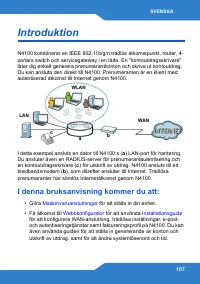
107 Introduktion N4100 kombinerar en IEEE 802.11b/g/n trådlös åtkomstpunkt, router, 4-portars switch och servicegateway i en låda. En "kontoutdragsskrivare" låter dig enkelt generera prenumerantkonton och skriva ut kontoutdrag. Du kan ansluta den direkt till N4100. Prenumeranten är en klient...
Page 110 - Webbkonfigurator
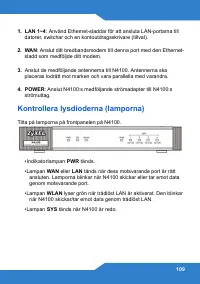
110 Om inga lampor lyser, kontrollera dina anslutningar. Kontrollera att strömadaptern är ansluten till N4100 och ansluten till en lämplig strömkälla. Kontrollera att strömkällan är påslagen. Stäng därefter av N4100, vänta några sekunder och sätt sedan på den igen. Om lamporna fortfarande är släckta...
Page 111 - Installationsguide
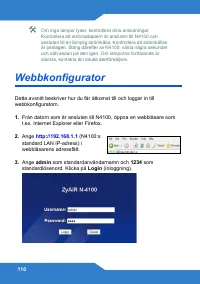
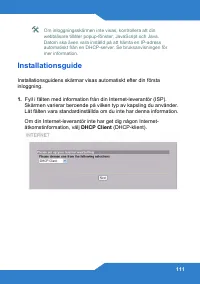
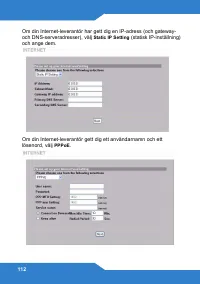
111 Om inloggningsskärmen inte visas, kontrollera att din webbläsare tillåter popup-fönster, JavaScript och Java. Datorn ska även vara inställd på att hämta en IP-adress automatiskt från en DHCP-server. Se bruksanvisningen för mer information. Installationsguide Installationsguidens skärmar visas au...
Page 118 - I want to
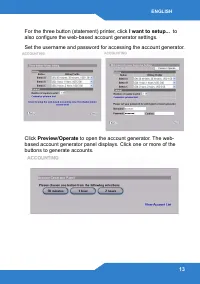
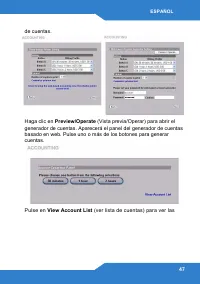
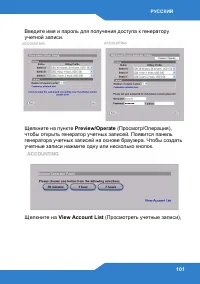
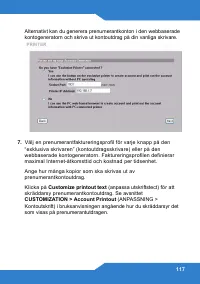
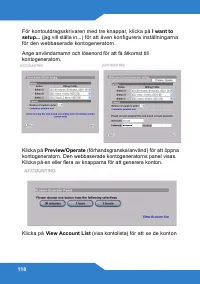
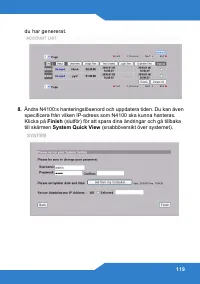
118 För kontoutdragsskrivaren med tre knappar, klicka på I want to setup... (jag vill ställa in...) för att även konfigurera inställningarna för den webbaserade kontogeneratorn. Ange användarnamn och lösenord för att få åtkomst till kontogeneratorn. Klicka på Preview/Operate (förhandsgranska/använd)...
Page 120 - Installation av maskinvara
120 Generera och skriva ut prenumeranters kontoutdrag Om du har en kontoutdragsskrivare ansluten och påslagen, trycker du bara på knapparna för att generera och skriva ut prenumeranters kontoutdrag. Om du använder en PC-ansluten skrivare, gör följande. 1. Öppna din webbläsare och gå till http:/ /192...
Page 121 - Väggmontering
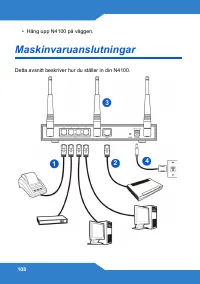
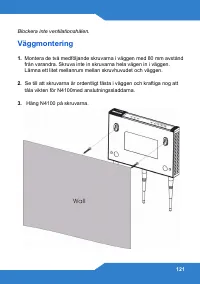
121 Blockera inte ventilationshålen. Väggmontering 1. Montera de två medföljande skruvarna i väggen med 80 mm avstånd från varandra. Skruva inte in skruvarna hela vägen in i väggen. Lämna ett litet mellanrum mellan skruvhuvudet och väggen. 2. Se till att skruvarna är ordentligt fästa i väggen och kr...
Page 123 - 簡介; 在本手冊中,您可以:
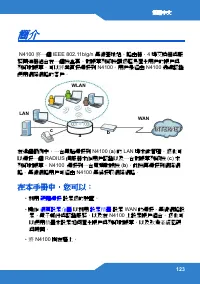
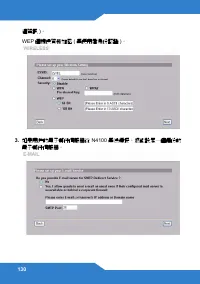
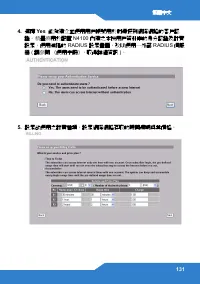
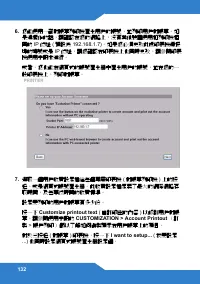
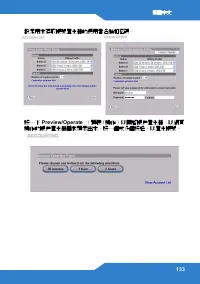
繁體中文 123 簡介 N4100 將一個 IEEE 802.11b/g/n 無線基地站 路由器 4 埠交換器與服 務閘道器結合在一個機盒裏 對帳單列印機讓您輕易產生用戶的帳戶與列印對帳單 可以將其直接連接到 N4100 用戶是經由 N4100 通過認證 使用網際網路的客戶 在這個範例中,一台電腦連接到 N4100 ( a ) 的 LAN 埠來做管理 您也可 以連接一個 RADIUS 伺服器來作用戶認證以及一台對帳單列印機 ( c ) 來 列印對帳單 N4100 連接到一台寬頻數據機 ( b ) ,此機再連接到網際網 路 無線網路用戶可經由 N4100 無縫接取網際網路 在本手冊中,您可以: ...
Page 125 - 檢查
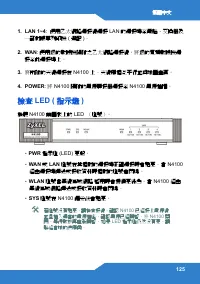
繁體中文 125 1. LAN 1~4 : 使用乙太網路連接線連接 LAN 的連接埠至電腦 交換器及 一部對帳單列印機 ( 選配 ) 2. WAN : 使用您的數據機隨附之乙太網路連接線,將您的寬頻數據機連 接至此連接埠上 3. 將所附的天線連接在 N4100 上 天線應相互平行並與地面垂直 4. POWER : 將 N4100 隨附的電源轉接器連接至 N4100 電源插槽 檢查 LED ( 指示燈 ) 檢視 N4100 前面板上的 LED 燈號 ‧ PWR 指示燈 (LED) 亮起 ‧ WAN 或 LAN 燈號在其相對的連接埠正確連接時會點亮 當 N4100 經由連接埠傳送或接收資料時相對的...
Page 126 - 網頁設定介面
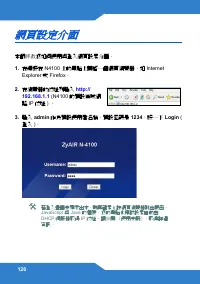
126 網頁設定介面 本節將教您如何使用與 入網頁設定介面 1. 在連接在 N4100 上的電腦上開啟一個網頁瀏覽器,如 Internet Explorer 或 Firefox 2. 在瀏覽器的位址列輸入 http:// 192.168.1.1 (N4100 的預設區域網 路 IP 位址 ) 3. 輸入 admin 作為預設使用者名稱,預設密碼是 1234 按一下 Login ( 入 ) 若 入畫面未顯示出來,則再確定允許網頁瀏覽器跳出視窗 JavaScript 與 Java 的權限 您的電腦也應 設定自動由 DHCP 伺服器取得 IP 位址 請參閱 使用手冊 ,取得 細 資訊
Page 127 - 設定精靈
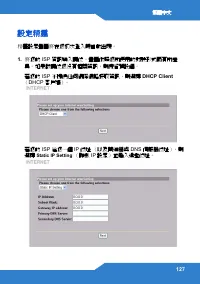
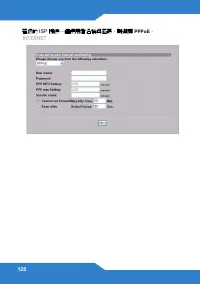
繁體中文 127 設定精靈 精靈設定畫面將在您初次 入時自動出現 1. 將您的 ISP 資訊填入欄位 畫面依照您所使用的封裝形式而有所差 異 如果 欄位您沒有相關資訊,則保留預設值 若您的 ISP 不提供任何網際網路接取資訊,則選擇 DHCP Client DHCP 客戶端 若您的 ISP 給您一個 IP 位址 以及閘道器與 DNS 伺服器位址 ,則 選擇 Static IP Setting 靜態 IP 設定 並輸入這些位址
Page 135 - 產生及列印用戶帳號對帳單; 硬體安裝; 請勿阻塞通風孔
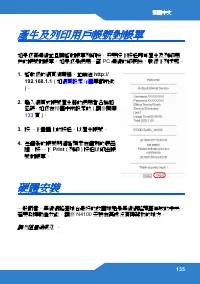
繁體中文 135 產生及列印用戶帳號對帳單 如果您有連線並且開啟對帳單列印機,只要按下按鈕即可產生及列印用戶的帳號對帳單 如果您是使用一部 PC 連線的印表機,執行下列步驟 1. 啟動您的網頁瀏覽器,並前往 http:// 192.168.1.1 ( 如 網頁設定介面 章節所述 ) 2. 輸入網頁式帳號產生器的使用者名稱和密碼,如您在精靈中所設定的 ( 請參閱第 133 頁 ) 3. 按一下畫面上的按鈕,以產生帳號 4. 每個新的帳號明細皆顯示在個別的視窗裡 按一下 Print ( 列印 ) 按鈕以印出帳 號對帳單 硬體安裝 一般而言,無線網路基地台最好的放置地點是無線網路覆蓋區域的中央若要 ...
Page 136 - 壁掛式安裝
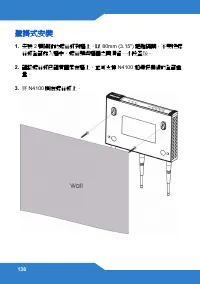
136 壁掛式安裝 1. 安裝 2 顆隨附的螺絲釘到牆上,以 80mm (3.15") 距離隔開 不要把螺 絲釘全部旋入牆中, 螺絲頭與牆面之間須留一小段空隙 2. 確認螺絲釘已確實固定在牆上,並可支撐 N4100 和連接纜線的全部重 量 3. 將 N4100 掛在螺絲釘上
Page 137 - 注意
繁體中文 137 注意 ! 依據 低功率電波輻射性電機管理辦法 第十二條 經型式認證合格之低功率射頻電機,非經許可,公司 商號或 使用者均不得擅自變更頻率 加大功率或變更原設計之特性及功能 第十四條 低功率射頻電機之使用不得影響飛航安全及干擾合法通信;經 現有干擾現象時,應立即停用,並改善至無干擾時方得繼續使用 前項合法通信,指依電信規定作業之無線電信 低功率射頻電機須忍受合法通信或工業 學及醫療用電波輻射性電機設備之干擾 本機限在不干擾合法電臺與不受被干擾保障條件下於室內使用 減少電磁波影響,請妥適使用