Xtrfy K5 - Manuals
Xtrfy K5 Keyboard – User Manual in PDF format online.
Manuals:
User Manual Xtrfy K5


Summary
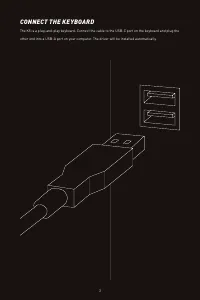
CONNECT THE KEYBOARD The K5 is a plug-and-play keyboard. Connect the cable to the USB-C port on the keyboard and plug the other end into a USB-A port on your computer. The driver will be installed automatically. 3
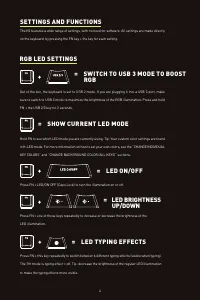
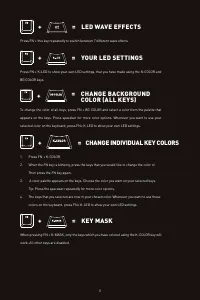
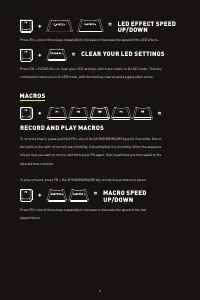
= LED WAVE EFFECTS Press FN + this key repeatedly to switch between 7 different wave effects. + = YOUR LED SETTINGS Press FN + K-LED to show your own LED settings, that you have made using the K-COLOR and BG COLOR keys. + = KEY MASK When pressing FN + K-MASK, only the keys which you have colored usi...
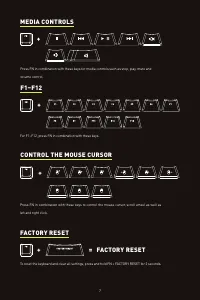
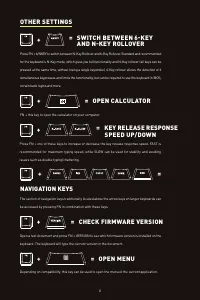
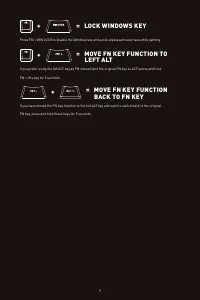
= LED EFFECT SPEED UP/DOWN Press FN + one of these keys repeatedly to increase or decrease the speed of the LED effects. + = To record a macro, press and hold FN + one of the M1/M2/M3/M4/M5 keys for 2 seconds. One of the lights in the right corner will start blinking, indicating that it is recording...