Xtrfy K5 - User Manual

Xtrfy K5 Keyboard – User Manual, read for free online in PDF format. We hope this helps you resolve any issues you may have. If you have further questions, please contact us through the contact form.
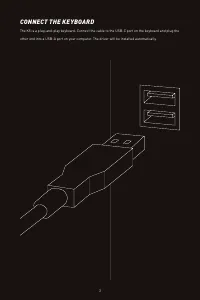
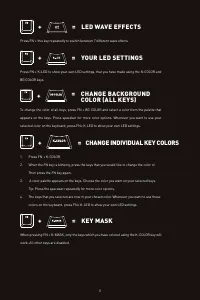
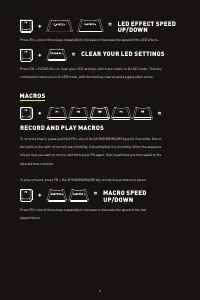
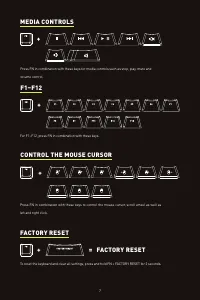
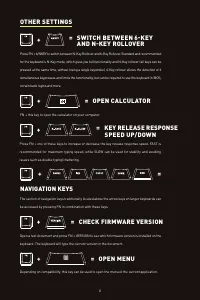
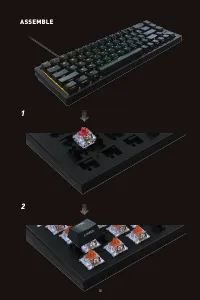
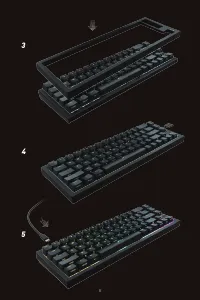
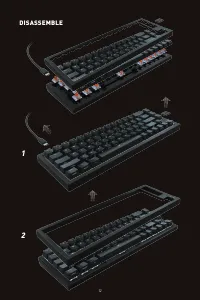
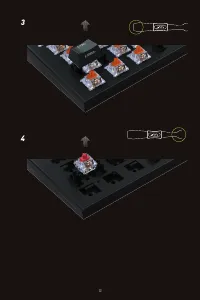

Table of Contents:
- Page 3 – CONNECT THE KEYBOARD
- Page 5 – = CHANGE BACKGROUND
- Page 6 – = LED EFFECT SPEED; MACROS
- Page 7 – MEDIA CONTROLS; CONTROL THE MOUSE CURSOR; FACTORY RESET
- Page 8 – = KEY RELEASE RESPONSE; NAVIGATION KEYS
- Page 10 – ASSEMBLE
- Page 12 – DISASSEMBLE
- Page 14 – TROUBLESHOOTING; CHECK OUT MORE XTRFY PRODUCTS AT XTRFY.COM
K5 COMPACT MANUAL
"Loading the manual" means you need to wait until the file loads and becomes available for online reading. Some manuals are very large, and the time they take to appear depends on your internet speed.
Was this manual helpful?
About this manual
- Brand
- Xtrfy
- Model
- K5
- Document type
- User Manual
- Category
- Keyboard
- Language(s)
- English
- Pages
- 15
- File size
- 2.8 MB
- Format
Summary
CONNECT THE KEYBOARD The K5 is a plug-and-play keyboard. Connect the cable to the USB-C port on the keyboard and plug the other end into a USB-A port on your computer. The driver will be installed automatically. 3
= LED WAVE EFFECTS Press FN + this key repeatedly to switch between 7 different wave effects. + = YOUR LED SETTINGS Press FN + K-LED to show your own LED settings, that you have made using the K-COLOR and BG COLOR keys. + = KEY MASK When pressing FN + K-MASK, only the keys which you have colored usi...
= LED EFFECT SPEED UP/DOWN Press FN + one of these keys repeatedly to increase or decrease the speed of the LED effects. + = To record a macro, press and hold FN + one of the M1/M2/M3/M4/M5 keys for 2 seconds. One of the lights in the right corner will start blinking, indicating that it is recording...