Page 2 - TABLE OF CONTENTS
2 | P a g e TABLE OF CONTENTS INTRODUCTION 3 SAFETY PRECAUTIONS 4-5 IDENT IFICATIO N OF ACCESSORIES 6 IDENT IFICATIO N OF PARTS 7 OPERATING YOUR AIR CONDITIONER 8 INST ALLATIO N INSTRUCTIONS 9-10 AIR FILTERS INSTALLATION 11 OPERAT IO N INSTRUCTIONS 12-13 W ATER DRAINAGE 13 REMOTE CONTROL 14 CARE AND...
Page 3 - D I S P O S A L
3 | P a g e Thank you for choosing the W hynter portable air conditioner. Please f ollow the instructions provided in this user guide to obtain the very best perf ormance f rom your portable air conditioner and take f ull advantage of the many features your portable air conditioner off ers you. W e ...
Page 4 - S AFETY PRECAUTIONS
4 | P a g e Your safety and the safety of others are very important to us. To reduce the risk of fire, electrical shock or injur y when using your appliance, f ollow these basic precautions. S AFETY PRECAUTIONS Bef ore the portable air conditioner is used, it m ust be properly positioned and install...
Page 5 - OPER ATING CONDITION; MODE
5 | P a g e Keep fingers out of the air intakes and air outlets. The unit is an electrical appliance. To avoid injury from electrical shock do not operate it with wet hands, while standing on a wet surface or while standing in water. Do not use it in outdoors or in wet conditions. W hen positi...
Page 6 - IDENTIFIC ATION OF ACCESSORIES; IMAGE
6 | P a g e IDENTIFIC ATION OF ACCESSORIES IMAGE ACCESSORY N AME QUANTITY Intake and Exhaust hose 2 pieces Fixture 2 pieces Screws 8 pieces Hose connector 4 pieces W indow slider kit 1 set Cover 2 pieces Remote control 1 piece
Page 7 - Rear
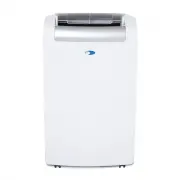
7 | P a g e IDENTIFIC ATION OF P ARTS Front 1. Air vent 2. Control panel Rear 3. Evaporator air intake / air filter 4. Air intake hose 5. Air exhaust hose 6. Casters 7. Drain port 8. Power cord
Page 8 - OPER ATING YOUR AIR CONDITIONER; CONTROL PANEL
8 | P a g e OPER ATING YOUR AIR CONDITIONER Bef ore you begin, thoroughly f amiliarize yourself with the control panel, remote control and all of the functions. Follow the symbol for the desired function. The unit can be controlled by the unit control panel alone or with the remote control. CONTROL ...
Page 9 - INST ALL ATION INSTRUCTIONS; Location
9 | P a g e INST ALL ATION INSTRUCTIONS Location The air conditioner should be placed on a hard and level surface strong enough to support the unit. The unit has casters and it should only be rolled on smooth, flat surfaces. Use caution when rolling on carpet surfaces. Do not attempt to roll the uni...
Page 10 - Window kit Installation
10 | P a g e Window kit Installation W hen you use this air conditioner unit, hot air must be exhausted out of the room to complete the air exchange of the condenser. W hen the unit is operating in dehumidifying and fan-only mode, no exhaust is required. Your window kit has been designed to f it mos...
Page 11 - AIR FILTERS INST ALL ATION; WARNING: NEVER OPERATE THE AIR CONDITIONER WITHOUT THE PRE-FILTER
11 | P a g e AIR FILTERS INST ALL ATION Your W hynter portable air conditioner is equipped with a washable Pre-Filter and a 3M ™ Antimicrobial High Air Flow (HAF) Air Filter. The washable Pre-Filter removes large particles such as dust, pet hair and dander. The 3M ™ Antimicrobial High Air Flow (HAF)...
Page 12 - OPER ATION INSTRUCTIONS
12 | P a g e OPER ATION INSTRUCTIONS BEFORE USING YOUR PORTABLE AIR CONDITIONER Remove the exterior and interior packaging. Before connecting the unit to the power source, let it stand upright for approximately 4 hours. This will reduce the possibility of a malfunction in the cooling system fr...
Page 13 - SETTING SW ITCH OFF TIMER; W ATER DR AINAGE
13 | P a g e TIMER (DELAYED SWITCH ON / OFF) FUNCTION This function mode enables a delayed switch ON or delayed switch OFF of the air conditioner. The time (hours) delay can be set, enabled and disabled. The timer is adjustable between 1-24 hours. SETTING SW ITCH OFF TIMER W ith the air conditione...
Page 14 - REMOTE CONTROL; NOTE
14 | P a g e REMOTE CONTROL The portable air conditioner can be switched on by the remote control. NOTE : Other appliances in the same room controlled by a remote control (TV, radio, stereo, etc.), may cause interferences. Electronic and fluorescent lamps may interfere with the signal transmissi...
Page 15 - CARE AND M AINTEN ANCE; IMPORTANT
15 | P a g e CARE AND M AINTEN ANCE IMPORTANT : Switch off the air conditioner and disconnect the plug from the power outlet Drain water by removing the drain plug. Always transport the air conditioner in an upright position only. CLEANING THE PRE-FILTER To ensure the air intake is f iltered...
Page 16 - TECHNIC AL D ATA
16 | P a g e TECHNIC AL D ATA Model ARC-143MX Cooling capacity 14,000 BTU Power supply 115v/ 60Hz Maximum power input 1250 W atts Maximum input 10.8 Amps Dehumidif ying capacity 91 Pts / Day Thermostat 61°F to 89°F Ref rigerant R-410A Air f low (max.) 384 m3/ Hour Fan speeds 3 (H, M, L) Exhaust hose...
Page 17 - TROUBLESHOOTING; Problem
17 | P a g e TROUBLESHOOTING Problem Possible Causes Solutions The portable air conditioner does not turn on Power failure / outage. The automatic switch, line fuse, or breaker has been tripped. The power supply voltage is too low. The power cord is damaged. The L.C.D.I. power plug for the...
Page 19 - To obtain service or information, contact; Product contents and specifications may change without notice.
ONE YEAR LIMITED WARRANTY & THREE YEAR WARRANTY ON COMPRESSOR This W HYNTER portable air conditioner is warranted, to the original owner within the 48 continental states, for one year f rom the date of purchase against defects in material and workmanship under normal use and service. Should your...