Page 3 - SAFETY PRECAUTIONS; prevent a choking hazard by children.; CAUTION; Read Safety Precautions Before Operation and Installation
SAFETY PRECAUTIONS To prevent death or injury to the user or other people and property damage, the following instructions must be followed. Inco rrect operation due to ignoring of instructions may cause death, harm or damage. • Installation must be performed according to the installation instruction...
Page 5 - The unit must be installed near a grounded plug, and the
PREPARATION All illustrations in the manual are for explanation purpose only. Your machine may be slightly different. The actual shape shall prevail. The unit can be controlled by the unit control panel alone or with the remote controller. DESIGN NOTICE In order to ensure the optimal performance of ...
Page 6 - Model
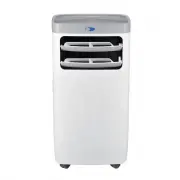
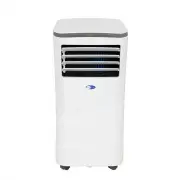
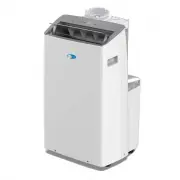
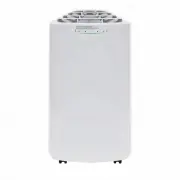
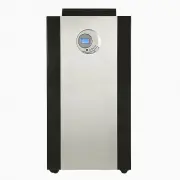
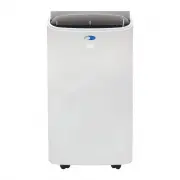
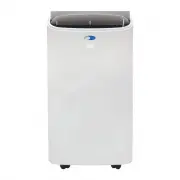
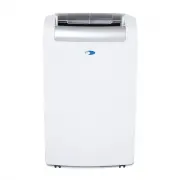
AMBIENT TEMPERATURE RANGE FOR UNIT OPERATION MODE Cool Dry TECHNICAL DATA Model Cooling Capacity (SACC): TEMPERATURE RANGE 61°F - 95°F (16°C - 35°C) 6 1 - 89 °F | 1 6 - 3 2 °C ARC-1 15WG Cool / Fan / Dry ASHRAE: 11,000 BTU / SACC : 6,800 BTU 4 00 sq. ft. Low, Medium, High 6 1 - 89 °F Up to 24 hours ...
Page 7 - ACCESSORIES; ACCESSORY IMAGE; WINDOW KIT INSTALLATION; to lock the hose assembly firmly in place.
ACCESSORIES ACCESSORY IMAGE ACCESSORY DESCRIPTION QUANTITY 1. Exhaust hose 2. Connector (to the window kit) 3. Connector (to the unit) 3 pieces Cover 1 piece Window slider kit with (2) screws and (2) nuts 1 set 1 3 2 B A C 1 piece Remote Control WINDOW KIT INSTALLATION 1. Slide the hose assembly wit...
Page 8 - counterclockwise to secure.; FILTER; WARNING: NEVER OPERATE THE AIR CONDITIONER WITHOUT THE AIR
WINDOW KIT INSTALLATION 4. Insert the other end of exhaust hose assembly with the exhaust connector onto the window panel kit and turn counterclockwise to secure. 5. Plug the power cord into the wall outlet and press the “Reset” button. 6. Please allow 20” of space around the unit for proper air cir...
Page 9 - CONTROL PANEL; Power; Press to turn the air conditioner on and off; Modes; Press to change modes. Controls the functions modes: COOL; Fan; hold the Up and Down buttons for 3 seconds.; OPERATION INSTRUCTIONS; Remove the exterior and interior packing
CONTROL PANEL Power Press to turn the air conditioner on and off . Sleep Mode Press to activate Sleep mode and the sleep light illuminates. Press SLEEP button again to stop the SLEEP operation. Timer Press to program timer delayed switch ON or OFF function. Modes Press to change modes. Controls the ...
Page 10 - SWITCHING ON/OFF THE AIR CONDITIONER; °C to; FAN ONLY MODE
OPERATION INSTRUCTIONS SWITCHING ON/OFF THE AIR CONDITIONER The appliance can be switched ON or OFF by pressing the POWER button on the control panel or the ON/OFF button on the remote control COOLING MODE In this mode, the air conditioner cools and dehumidifies the room. To activate this function m...
Page 11 - SLEEP MODE; °F after an additional 30 minutes. This new temperature will remain; AUTO RESTART; The louvers can be controlled to Auto; NOISE LEVEL; • The compressor may make a pulsating or high-pitched sound; COMPRESSOR LOCK OUT; heating of the compressor and possible circuit breaker tripping.; REMOTE CONTROL
OPERATION INSTRUCTIONS SLEEP MODE In this mode, the air conditioner gradually increases the set temperature in cooling mode, decreases the noise level and conserves energy. The temperature will then increase by another 1°C/ 1 °F after an additional 30 minutes. This new temperature will remain the sa...
Page 12 - INSTALLING BATTERIES; Always change both batteries at the same time; REPLACING THE REMOTE BATTERIES; batteries with the symbols inside the battery compartment.; CARE AND MAINTENANCE; Always unplug the unit before cleaning or servicing.; AIR FILTER; Remove; END OF SEASON STORAGE; Drain all water from the appliance.; UNIT CLEANING; Unplug the appliance before cleaning or servicing.; DISPOSAL; and safe disposal of this appliance.
INSTALLING BATTERIES To insert the batteries, open the flap on the back of the remote control by sliding if off. Strictly adhere to the polarity signs on the bottom of the battery housing, close the flap once the batteries have been inserted. REMOTE CONTROL • Only use two dry LR03 AAA 1.5V Batteries...
Page 13 - TROUBLESHOOTING; PROBLEM; TIPS
TROUBLESHOOTING Many common portable air conditioner problems are easily resolved. Try the troubleshooting suggestions below to see if the problems can be resolved before having to contact the service department. PROBLEM POSSIBLE CAUSES SOLUTIONS The portable air conditioner does not turn on • Power...
Page 15 - THIS WARRANTY DOES NOT COVER:
ONE YEAR LIMITED PARTS WARRANTY THREE YEAR WARRANTY ON COMPRESSOR This WHYNTER product is warranted to the original owner, purchased from an authorized Whynter dealer within the 48 U.S. continental states, for one year from the original purchase date against defects in material and work-manship unde...