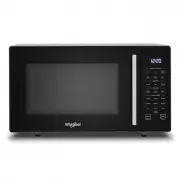
Page 2 - INDEX; 1 Stop Turntable
2 GB INDEX INSTALLATION 3 InstallationSAFETY 4 Important safety instructions 5 Trouble shooting guide 6 PrecautionsACCESSORIES AND MAINTENANCE 7 Accessories 8 Maintenance & CleaningCONTROL PANEL 9 Control panelGENERAL USE 10 First Use-Language selection 10 Stand-by mode 10 Start Protection / Chi...
Page 3 - INSTALLATION; PRIOR TO CONNEC TING
3 GB Position the oven at a distance from other heating sources. For suffi cient ventilation there must be a space of at least 30 cm above the oven. INSTALLATION PRIOR TO CONNEC TING The microwave oven should not be placed in a cabinet. This oven is not intended to be placed or used on a working sur...
Page 4 - IMPORTANT SAFETY INSTRUCTIONS
4 GB IMPORTANT SAFETY INSTRUCTIONS READ CAREFULLY AND KEEP FOR FUTURE REFERENCEIf material inside / outside the oven should ignite or smoke is emitted, keep oven door closed and turn the oven off. Disconnect the power cord or shut off power at the fuse or circuit breaker panel.Do not leave the oven ...
Page 5 - TROUBLE SHOOTING GUIDE
5 GB IMPORTANT SAFETY INSTRUCTIONS The appliances are not intended to be operated by means of an external timer or separate remote-control system. Do not leave the oven unattended if you are using a lot of fat or oil since they can overheat and cause a fire! Do not heat, or use flammable materials i...
Page 6 - PRECAUTIONS; GENERAL; This appliance is designed for domestic use only!; LIQUIDS; CAREFUL
6 GB PRECAUTIONS GENERAL This appliance is designed for domestic use only! The appliance should not be operated without food in the oven when using microwaves. Operation in this manner is likely to damage the appliance. The ventilation openings on the oven must not be covered. Blocking the air intak...
Page 7 - ACCESSORIES; ensure they are suitable for microwave use.
7 GB ACCESSORIES GENERAL There are a number of accessories available on the market. Before you buy, ensure they are suitable for microwave use. Ensure that the utensils you use are oven proof and allow microwaves to pass through them before cooking.When you put food and accessories in the microwave ...
Page 8 - MAINTENANCE & CLEANING; result in a hazardous situation.; Use
8 GB MAINTENANCE & CLEANING Cleaning is the only maintenance normally required. It must be carried out with the microwave oven disconnected. Failure to maintain the oven in a clean condition could lead to deterioration of the surface that could adversely affect the life of the appliance and poss...
Page 11 - TIMER; STOP TURNTABLE
11 GB i Depending on the selected function, it could be needed to add / stir / turn food during cooking. In these cases the oven will pause cooking and it will ask you to perform the needed action.When required, you should: Open the door. Add, Stir or Turn the food (depending on the required act...
Page 12 - SETTINGS
12 GB SETTINGS Here you can easily see and change the product settings (sound, language, factory default settings).Put the product in Stand-By mode (see the Stand-By mode chapter), and press the Settings button to enter the Settings Menu, then use the rotating knob and the Confirmation button to cha...
Page 13 - JET START
13 GB This function is used for quick reheating of food with a high water content such as clear soups, coffee or tea. Press the Jet Start Button. Pressing the Jet Start Button the Microwave function will start at maximum power for 30 seconds, and each additional pressure of the Jet Start Button wi...
Page 14 - MICROWAVE
14 GB Microwave function allows to quickly cook or reheat food and beverages. ONCE THE COOKING PROCESS HAS BEEN STARTED :To adjust the power: Press the Manual Functions Button and rotate the Rotating Knob to adjust power level. To increase time/decrease time: Turn the Rotating Knob, or press Jet S...
Page 15 - GRILL
15 GB High Rack This function uses a powerful quartz grill to brown foods, creating a grill or a gratin effect.Grill function allows to brown foods like cheese on toast, hot sandwiches, potato croquettes, sausages, vegetables. Press the Manual Functions Button . Turn the Rotating Knob to see the...
Page 16 - COMBI GRILL + MICROWAVE
16 GB High Rack This function combines Microwave and Grill heating, allowing you to heat and brown at the same time. Press the Manual Functions Button . Turn the Rotating Knob to see the “COMBI GRILL + MICROWAVE” and press the Confirmation Button to confirm. Turn the Rotating Knob to set the M...
Page 17 - COMBI FORCED AIR + MICROWAVE
17 GB POWER LEVEL SUGGESTED USE: 350 W Poultry, Jacket potatoes, Lasagne & Fish 160 W Roast meat & Fruit cakes 90 W Cakes & Pastry Press the Manual Functions Button . Turn the Rotating Knob to see the “COMBI FORCED AIR + MICROWAVE-USE LOW RACK” and press the Confirmation Button to co...
Page 18 - QUICK HEAT
18 GB Dedicated accessories: Once the heating process has been started the temperature can easily be adjusted by turning the Rotating Knob.During the heating process, “PREHEATING” is displayed and the progress bar is displayed until the set temperature is reached. When the temperature is reached, “E...
Page 19 - DEFROST (MANUAL AND 6
19 GB This function allows you to quickly defrost food either manually or automatically. Use this function to defrost Meat, Poultry, Fish, Vegetables or Bread. 1: MANUAL DEFROST Press the Defrost Button . Turn the Rotating Knob to see the “MANUAL,DEFROST” and press the Confirmation Button to con...
Page 20 - CRISP
20 GB CRISP Dedicated accessories: This exclusive Whirlpool function allows for perfectly golden brown results both on the top and bottom surfaces of the food. Using both Microwave and Grill cooking, the Crisp Plate will rapidly reach the right temperature and begin to brown and crisp the food. The ...
Page 21 - SENSE BREAD DEFROST
21 GB Dedicated accessories: This exclusive Whirlpool function allows you to defrost frozen bread. Combining both Defrost and Crisp technologies, your bread will taste and feel as if it were freshly baked.Use this function to quickly defrost and heat frozen rolls, baguettes & croissants. 6th Sen...
Page 22 - FORCED AIR
22 GB Dedicated accessory: ONCE THE COOKING PROCESS HAS BEEN STARTED: To adjust the temperature: Press the Forced Air Button and rotate the knob to adjust value.To increase time/decrease time: Rotate the Rotating Knob, or press Jet Start Button /Confirmation Button to increase the cooking time in 30...
Page 23 - SENSE STEAM
23 GB Lid Middle Grid Bottom Dedicated accessory: Cooking vegetables:Place the vegetables on the middle grid. Pour 50-100 ml water into the bottom part. Cover with the lid and set the time. Soft vegetables such as broccoli and leek require 2-3 minutes cooking time. Harder vegetables such as carrots ...
Page 24 - SENSE REHEAT
24 GB This function allows you to automatically reheat your dishes. The microwave will automatically calculate the needed microwave power level and time to get the best possible result in the shortest timeUse this function to reheat ready-made food either frozen, chilled or at room temperature..Plac...
Page 25 - FAVOURITES
25 GB The Favourites function provides you with an easy way to quickly store and recall up to 10 customized recipes.Each Favorite can contain a single cycle or a sequence of cycles (up to 6).A cycle consists of a cooking function and the related temperatures, power levels and time settings. COMPATIB...
Page 26 - SENSE CHEF MENU
26 GB 6th Sense Chef Menu is a simple and intuitive guide, offering automatic recipes that guarantee perfect results every time.Use this menu to prepare the dishes listed in the following tables. Simply select a recipe and follow the instructions on the display: 6th Sense Chef Menu will automaticall...
Page 36 - ENVIRONMENTAL HINTS; TECHNICAL SPECIFICATION
36 GB GB ENVIRONMENTAL HINTS The packing box may be fully recycled as confi rmed by the recycling symbol. Follow local disposal regulations. Keep potentially hazardous packaging (plastic bags, polystyrene etc.) out of the reach of children.This appliance is marked according to the European directive...