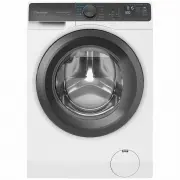
Page 2 - failure to adhere to this manual.; IMPORTANT INFORMATION THAT MAY IMPACT YOUR; Subject to change without notice.; CUSTOMER CARE AND SERVICE
2 www.westinghouse.com.au / www.westinghouse.co.nz Adherence to the directions for use in this manual is extremely important for health and safety. Failure to strictly adhere to the requirements in this manual may result in personal injury, property damage and affect your ability to make a claim und...
Page 3 - CONTENTS
3 CONTENTS 1. SAFETY INFORMATION ....... 4 1.1 Conditions Of Use ..................... 4 1.2 Child Safety ............................... 5 1.3 General Safety .......................... 6 1.4 Installation ................................. 6 1.5 Use ............................................ 7 2. P...
Page 8 - PRODUCT DESCRIPTION
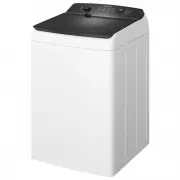
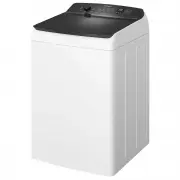
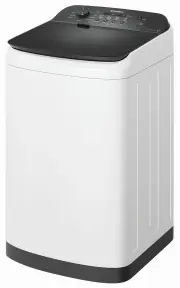
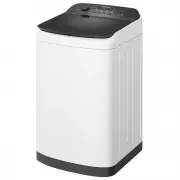
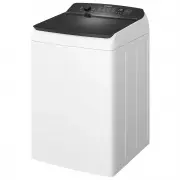
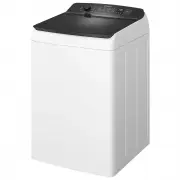
8 www.westinghouse.com.au / www.westinghouse.co.nz Control Panel Lid Cabinet Front Feet Levelling Adjustable : Right & Left Mains Cable Water Inlet Hose Old inlet hose should be discharged if any and use the inlet hose provided with machine. Outlet Hose/Drain Hose (See installation instructions ...
Page 11 - Control Panel Description; Display
11 A G H I B C D E F A B C D E F H G I K J 3. CONTROL PANEL 3.1 Control Panel Description Press the touch buttons with your finger in the area with the symbol. Do not wear gloves when you operate the control panel. Make sure that the control panel is always clean and dry. A Program selector knob G S...
Page 13 - Program Options Compatibility
13 Program Option Delay End Spin High Mid Low No Spin Rinse Extr a Regular Fast Ec o Temp Hot Warm Normal Cold Extra Dirty 120 Dirty 90 Full Load 60 Daily 45 Fast 20 Delicate Eco Save Bedding Stain Machine Clean Soak 45 Mins . 30 Mins . 15 Mins . No Soak Rinse & Spin Spin Water Level Auto Full M...
Page 14 - Water Temperature
14 www.westinghouse.com.au / www.westinghouse.co.nz Water Level Touchpad Choose the water level by pressing the “Water Level” touchpad. Use only the amount of water you need for the wash load. Please refer the to program table on page 12. Flood diagnostic is explained on page 30. You should refer to...
Page 15 - Delay End Touchpad; High; Spin Touchpad
15 Delay End Touchpad Before you start the program, this option makes it possible to define the end of the washing program from minimum of 1 hour to maximum of 20 hours. After selecting Delay End time, press Start/Pause touchpad to start the program. Machine will then countdown and update time on th...
Page 16 - Buzzer; To set “Child Lock” option:; Bleach
16 www.westinghouse.com.au / www.westinghouse.co.nz This setting permits you to either enable or disable the buzzer at the end of the program. As an example, you might wish to disable this buzzer when you start a wash when going to bed, so that when the wash finishes approximately 1 hour later, it w...
Page 17 - Starting Your Washing
17 When loading the clothes into your washing machine, there are four things to remember: Clothes must be loaded evenly around the agitator. For best results, load small items first, followed by large items. 1. 1. Clothes must not be wrapped around the tub. 2. The washing machine must not be overloa...
Page 18 - Add Fabric Softener
18 www.westinghouse.com.au / www.westinghouse.co.nz Do not use gelatinous or thick liquid detergents. NOTE: When you use the liquid detergent - Residues of softener and water may remain in the cup. It is recommended to clean the cup regularly to remove any residue. Mix softener with an equal amount ...
Page 19 - Setting a Program
19 1. Press Power ( ) touchpad, turn the program selector to the required program. The relevant light will light up. - Your washing machine is now in STAND-BY-MODE and ready to wash your clothes. - The buzzer will sound. - Once you selecte a program, the program selected will stay at that position f...
Page 20 - NOTE; At The End Of The Program; Refer to “Cleaning The Lint Filter” on
20 www.westinghouse.com.au / www.westinghouse.co.nz When indicator “ ” appears and blinks after the appropriate number of wash cycles are finished, this indicator is reminds you to clean the lint filters. The appliance stops automatically.The display will show “ ” and flashing with 3 consecutive lon...
Page 21 - Sort Your Washing Into
21 When indicator “ ” appears and blinks after the appropriate number of wash cycles are finished, this indicator is reminds you to clean the lint filters. The appliance stops automatically.The display will show “ ” and flashing with 3 consecutive long beeps. -- - - - Remove the laundry from the app...
Page 22 - Stain Removers
22 www.westinghouse.com.au / www.westinghouse.co.nz If you use pre-treatment sprays or stain removers, apply them to the clothing well away from your washing machine. Pre-treatment sprays and stain remover can damage plastic components on your washing machine. WARNING! Don’t use the wrong type of de...
Page 24 - INTERNATIONAL WASH CODE SYMBOLS; How to clean the lint filter:
24 www.westinghouse.com.au / www.westinghouse.co.nz 23 ENGLISH These symbols appear on fabric labels, in order to help you choose the best way to treat your laundry. Bleach in cold water DO NOT bleach Bleaching Hand wash Max. wash temperature 95 °C Hot iron max. 200 °C Dry cleaning in all solvents D...
Page 25 - What To Do After You Have
25 Your washing machine will give you long and trouble-free service, if you follow the instructions in this section. These instructions show you how to care for your washing machine. Press the Power button to turn off the machine. 1. Turn off the water taps. This will extend the life of the inlet ho...
Page 26 - To clean the water inlet filters:; Cleaning The Drawer
26 www.westinghouse.com.au / www.westinghouse.co.nz Having removed the drawer, use a small brush to clean the recess, ensuring that all washing powder residue is removed from the upper and lower part of the recess. Replace the drawer and run the rinse program without any clothes in the drum. Remove ...
Page 28 - Possible Failures
28 www.westinghouse.com.au / www.westinghouse.co.nz 29 ENGLISH DO NOT call for service until you have checked the points listed below.If you call for service and there is nothing wrong with your washing machine, you will have to pay for the service call. You will have to pay even when your washing m...
Page 30 - Troubleshooting Fault Displays
30 www.westinghouse.com.au / www.westinghouse.co.nz When the washing machine detects a problem that requires your attention, you will be alerted. The machine will warn you of this problem by displaying a fault code in the digital display, accompanied by “Beeping”.Error code and the possible fault in...
Page 32 - Yellowing Or Greying Clothes
32 www.westinghouse.com.au / www.westinghouse.co.nz Problem Possible causes What to do Greyness Yellowing ONLY use low sudsing, front load washer detergent in this machine, such as Cold Power for Front Loaders and High Efficiency Top Loaders or detergent labelled “Matic”. Incorrect wash times and us...
Page 37 - must only select cold water tempera-
37 Please refer to the installation instruction sheet, for more information. It is important that the top of the drain hose is above the joint between the washing machine cabinet and the top panel (see picture). Top of drain hose must be above the join (arrowed) between the top panel and the cabinet...
Page 38 - This machine is designed to operate on a; “An incorrect power supply may void; Check that your domestic electrical; Electrical Connection
38 www.westinghouse.com.au / www.westinghouse.co.nz The manufacturer declines any responsibility for damage or injury through failure to comply with the above safety precaution. Should the appliance power supply cable need to be replaced, this shall be carried out by our Service Centre. Connect the ...
Page 39 - ENVIRONMENT CONCERNS; Packaging Materials
39 The materials marked with the symbol are recyclable. >PE<=polyethylene >PS<=polystyrene >PP<=polypropyleneThis means that they can be recycled by disposing them properly in appropriate collection containers. To save water, energy and to help protect the environment, we recommend...
Page 43 - Warranty
43 Warranty FOR SALES IN AUSTRALIA AND NEW ZEALAND APPLIANCE: WESTINGHOUSE WASHING MACHINES & WASHER/DRYERS Important Notice Before calling for service, please ensure that the steps listed in clause 8 above have been followed. AUSTRALIA FOR SERVICE or to find the address of your nearest authoris...