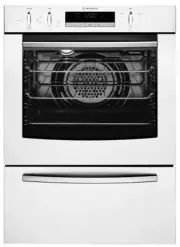
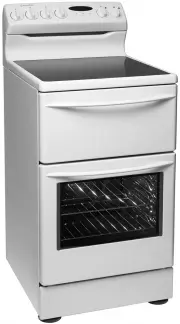
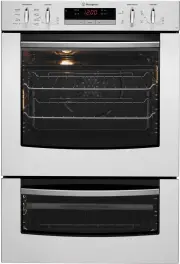
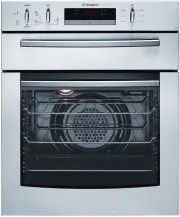
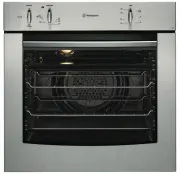
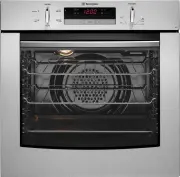
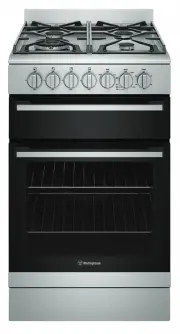
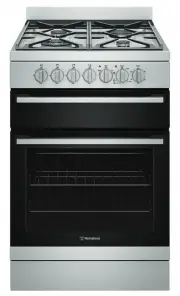
Page 2 - WARNING; WARNING; CAUTION; ENVIRONMENTAL TIPS; ENVIRONMENT; Conditions of use; Please ensure you read the instruction manual fully; IMPORTANT INFORMATION THAT MAY IMPACT; CONTENTS; CONGRATULATIONS
2 Please read this user manual carefully and store in a handy place for later reference. The symbols you will see in this booklet have the following meanings: WARNING WARNING This symbol indicates information concerning your personal safety. WARNING CAUTION This symbol indicates information on how t...
Page 3 - MPORTANT SAFETY INSTRUCTIONS; Installation, cleaning and servicing warnings; General warnings; Always clean the grill/oven dish after every use.; IMPORTANT SAFETY INSTRUCTIONS
3 I MPORTANT SAFETY INSTRUCTIONS Installation, cleaning and servicing warnings • An authorised person must install this appliance. (Certificate of Compliance to be retained). • Before using the appliance, ensure that all packing materials are removed from the appliance. • In order to avoid any poten...
Page 4 - Oven; Child safety
4 IMPORTANT SAFETY INSTRUCTIONS WARNING WARNING Oven • During use the appliance becomes hot. Care should be taken to avoid touching the hot surfaces inside the oven. • Switch the appliance off at the isolating switch before removing the oven light glass for globe replacement. • To avoid an accident,...
Page 5 - DESCRIPTION OF YOUR APPLIANCE; Control Panel; Pyro clean knob control electric oven
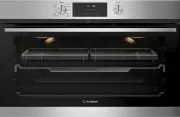
5 DESCRIPTION OF YOUR APPLIANCE DESCRIPTION OF YOUR APPLIANCE Control Panel WVEP9716SD Pyro clean knob control electric oven
Page 6 - Cabinet requirement; INSTALLATION OF THE APPLIANCE; IMPORTANT; To minimise the weight of the oven for easier; Press the l; Leveling oven
6 IN STALLATION OF THE APPLIANCE Cabinet requirement Models are designed to be built into cabinetry either below a benchtop or into a vertical cabinet. WARNING WARNING • The cooker must be installed and serviced only by an authorised person. • A Certificate of Compliance MUST be supplied to be kept b...
Page 7 - INSTALLATION; Oven dimensions
7 IN STALLATION OF THE APPLIANCE INSTALLATION (continued) Oven dimensions 895mm 552mm 572mm 586mm 596mm Underbench installation Your underbench oven looks best when the control panel is directly under the benchtop. An upper infill panel may be added if the cooktop placed above the benchtop is too de...
Page 8 - Cabinet construction for built in oven; For the best integration within a kitchen, install this
8 IN STALLATION OF THE APPLIANCE INSTALLATION (continued) Cabinet construction for built in oven For the best integration within a kitchen, install this appliance in a cupboard that gives a flush fit with the surrounding cupboard fronts. A recess of 20mm is ideal. NOTE: Your appliance must be mounte...
Page 9 - WIRING REQUIREMENTS; For New Zealand Only:; Note: When connections are made to a multi-phase; Connecting to services and commissioning; Hard wiring detail; MODEL
9 WIRING REQUIREMENTS WIRING REQUIREMENTS The cooker MUST be installed in compliance with: • Wiring connections in AS/NZS 3000 Wiring Rules. • Local regulations, municipal building codes and other statutory regulations. For New Zealand Only: The cooking range must be connected to the supply by a sup...
Page 10 - FORE OPERATING YOUR APPLIANCE FOR THE FIRST TIME; BEFORE OPERATING YOUR APPLIANCE FOR THE FIRST TIME; Preparing your appliance for the first time
10 BE FORE OPERATING YOUR APPLIANCE FOR THE FIRST TIME BEFORE OPERATING YOUR APPLIANCE FOR THE FIRST TIME Preparing your appliance for the first time • Please remove all internal boxes and bags from the oven before operation. • Please wipe out the oven interior prior to operation with warm soapy wat...
Page 11 - INSTALLING YOUR OVEN ACCESSORIES; Installing the slides (telescopic runners)
11 IN STALLING YOUR OVEN ACCESSORIES INSTALLING YOUR OVEN ACCESSORIES Slides (telescopic runners) (on selected models) 1. The selected models are supplied with a set of slides and instructions on how to assemble. Ensure the rack and slides are of the same hand, eg. left hand slide should be fitted o...
Page 12 - Fitting grill dish and insert; Maximum grill power; Fitting the AirFry
12 IN STALLING YOUR OVEN ACCESSORIES INSTALLING YOUR OVEN ACCESSORIES (continued) Fitting grill dish and insert Your oven comes with a full width grill dish and a grill insert. The grill dish insert is designed with flexibility to adjust distance between the food and the grill element. Maximum grill...
Page 13 - USING YOUR OVEN; COOKING FUNCTIONS; Symbol
13 USING YOUR OVEN USING YOUR OVEN COOKING FUNCTIONS Symbol Function description Fan Forced Heat comes from the element surrounding the fan. This fan circulates the hot air around the oven cavity so that you can put your food in different places in the oven and still cook them at the same time. You ...
Page 14 - OPERATING SEQUENCE; USING THE APPLIANCE
14 USING YOUR OVEN USING YOUR OVEN (continued) OPERATING SEQUENCE Select the oven function Turn the oven function selector clockwise to select the desired oven function. NOTE: each oven function has a default temperature which can then be adjusted as outlined below. This knob cannot be turned anticl...
Page 15 - BEFORE FIRST USE
15 USING YOUR OVEN USING YOUR OVEN (continued) The display with the maximum number of functions set. Display indicators Lock Assisted cooking Cleaning Settings Fast heat up Progress bar for temperature or time Steam cooking indicator Timer indicators Minute minder Cooking time Time delay Uptimer BEF...
Page 16 - DAILY USE
16 USING YOUR OVEN DAILY USE Start cooking 1. Set a heating function. 2. Set the temperature. How to set: Assisted Cooking Every dish in this submenu has a recommended function and temperature. You can adjust the time and the temperature during cooking. The degree to which a dish is cooked: • Rare •...
Page 17 - CLOCK FUNCTIONS
17 USING YOUR OVEN CLOCK FUNCTIONS Clock function Application Minute minder. When the timer ends, the signal sounds. Cooking time. When the timer ends, the signal sounds and the heating function stops. Time Delay. To postpone the start and/or end of cooking. Uptimer. Maximum is 23 hours 59 minutes. ...
Page 19 - START
19 USING YOUR OVEN How to set: Time Delay 1. Select the heating function. 2. Press repeatedly: Timer The display shows: the time of day h:min START STOP 3. Set the start time. 4. Press OK. The display shows: START STOP 5. Set the end time. 6. Press OK. Timer starts counting down immediately. How to ...
Page 21 - ASSISTED COOKING SETTINGS; USING
ASSISTED COOKING SETTINGS P1 Jacket Potato Wedges P2 Hash Browns P3 Lasagne P4 Potato Gratin P5 Pasta Bake P6 Vegetable Gratin P7 Pizza P8 Pizza frozen P9 Quiche P10 Ciabatta P11 Rolls P12 Baguette P13 Wholegrain Bread P14 White Bread P15 Dark Bread P16 Almond Cake P17 Apple Pie P18 Baked Cheesecake...
Page 22 - Risk of burns and damage to the appliance.; Do not refill the cavity well with water during cooking; Make sure that the appliance is cool before you remove; EASY BAKE STEAM
WARNING WARNING Risk of burns and damage to the appliance. • Do not open the appliance door when the steam function operates, with the exception of preheating. • Open the appliance door with care after the steam function stops. • Refer to cleaning the appliance for cleaning after the steam function ...
Page 23 - NOTE: If desired substitute butter for either margarine; Oven shelf location; COOKING TEST
Get to know your new oven with this ‘Simple Test Cake’ Although we strive for a perfect performing oven, it’s possible that there will be some variation in colour when baking. Therefore, we suggest this simple, easy and delicious to make Simple Test Cake, it can help you understand your new oven. Al...
Page 24 - Choosing the best oven settings; Modes without oven fan; FOOD; Modes with oven fan; COO
Choosing the best oven settings The following table is intended as a guide and experience may show some variation in cooking times necessary to meet individual requirements. We recommend that you preheat your oven for 30 minutes. Modes without oven fan FOOD TEMPERATURE •C OVEN SHELF POSITION* TIME I...
Page 25 - Easy Bake Steam function; f OOD; COOKING GUIDE
Easy Bake Steam function f OOD WATER IN CAv ITy WELL (ML) TEMPERATURE • C Ov EN Sh ELf POSITION* TIME IN MINUTES Yeast goods Bread loaves 200 180 - 200 2 or 3 35 - 45 Bread rolls 200 190 - 210 2 or 3 20 - 25 Gluten free bread 200 180 - 200 2 or 3 40 - 50 Pizza (fresh) 200 210 - 220 2 or 3 15 - 20 Fo...
Page 26 - Air Fry Cooking; Air Fry is designed for single shelf cooking.; To set the Air Fry Function:; Arrange food on to the Air Fry tray.
Air Fry Cooking The Air Fry feature works best for single baking. Air Fry is suitable for French Fries, Chicken Wings, Chicken Nuggets and similar products. See settings in the table below: TIPS & INFORMATION IMPORTANT • Air Fry is designed for single shelf cooking. • Food should be arranged in ...
Page 27 - NOTE: The table shows temperatures and cooking times; Grilling Guide; Grilling is conducted with the oven door closed; COOkING GUIDE
Roasting Meat 1. Place the meat in the oven and set the temperature between 180°C and 200°C. (It is recommended to wrap your meats in an oven roasting bag or foil to prevent fats and oils from splattering, making it easier to clean your oven.) 2. Use the grill (deep) dish and grill insert. Place the...
Page 28 - DEALING WITH COOKING PROBLEMS
PROBLEM CAUSES REMEDIES Uneven cooking: • Incorrect shelf position. • Trays not centralised. • Air flow in oven uneven. • Grill/Baking dish affecting thermostat. – Select shelf that puts food in the centre of the oven. – Centre trays. – Rotate food during cooking. – Remove Grill/Baking dish from ove...
Page 29 - NOTE: Make sure you follow the polish or brushing lines; CLEANING YOUR OVEN; CLEANING
WARNING WARNING • Always switch off power to the oven before cleaning. • Do not line the bottom of the oven with foil or cookware. • Do not use steam cleaners. Stainless steel WARNING WARNING The oven door trim and the control panel are decorated with a special stainless steel that resists finger ma...
Page 30 - Cleaning your oven door; Make sure the appliance power is switched off at the; Changing the light globes
CLEANING YOUR OVEN (continued) Cleaning your oven door The oven door has been designed to allow the two inner door glasses to be removed for cleaning without removing the door from the product. Removing the inner door glass for cleaning: • Open the door fully to gain access to the hinges. • Push dow...
Page 31 - PYROLYTIC CLEANING THE OVEN; CLEANING YOUR PYROLYTIC OVEN
PYROLYTIC CLEANING THE OVEN Pyrolytic cleaning of the oven cavity The oven has the Pyrolytic self-cleaning function. It cleans by burning o the spatters and accumulated dirt and grease from the oven liner, at high temperature. This process produces ash which can then be wiped out of the oven cavity....
Page 32 - Faults; PROBLEM; Further Information; TROUBLESHOOTING
Faults If there is a problem with the oven and/or grill, please: • Check the points listed below before calling for service. It may be possible to avoid a call by fixing the problem yourself – and so continue cooking. NOTE: We may charge for service even in the guarantee period if your problem is du...
Page 33 - NOTES; NOTE
Page 35 - Warranty; Important Notice; AUSTRALIA; NEW ZEALAND; WARRANTY
This document sets out the terms and conditions of the product warranties for Westinghouse Appliances. It is an important document. Please keep it with your proof of purchase documents in a safe place for future reference should there be a manufacturing defect in your Appliance. This warranty is in ...