Page 2 - WARNING; WARNING; CAUTION; Conditions of use; CONTENTS; IMPORTANT INFORMATION THAT MAY
2 CONTENTS Important safety instructions .........................................................3Installing your appliances ................................................................5Product description ...........................................................................7Before first ...
Page 3 - IMPORTANT; ENVIRONMENT; IMPORTANT SAFETY INSTRUCTIONS
3 IMPORTANT SAFETY INSTRUCTIONS Please read the user manual carefully and store in a handy place for later reference. TIPS & INFORMATION IMPORTANT Important – check for any damages or marks. • If you find the oven is damaged or marked, you must report it within 7 days if you wish to claim for da...
Page 4 - Cooktop only
4 IMPORTANT SAFETY INSTRUCTIONS IMPORTANT SAFETY INSTRUCTIONS Cooktop only • If the ceramic glass on cooktop is accidently cracked, switch off the appliance to avoid the possibility of electric shock. • Unattended cooking on a hob with fat or oil can bedangerous and may result in a fire. WARNING CAU...
Page 5 - For New Zealand Only; INSTALLING YOUR APPLIANCE
5 INSTALLING YOUR APPLIANCE WARNING WARNING To avoid any potential hazard, you must follow our instructions when you install your appliance. Failure to install the appliance correctly could invalidate any warranty or liability claims and lead to prosecution. • This appliance must be installed by an ...
Page 6 - Pyrolytic underbench oven; Cabinet construction for your appliance; Levelling oven
6 INSTALLING YOUR APPLIANCE Pyrolytic underbench oven Your underbench oven looks best when the control panel is directly under the benchtop. An upper infill panel may have to be added if the cooktop placed over the oven is too deep. Refer to cooktop installation instructions for required clearance b...
Page 7 - PRODUCT DESCRIPTION; START
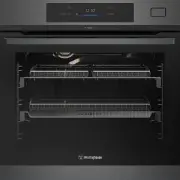
7 CARE AND CLEANING PRODUCT DESCRIPTION 1 On/off button (Press and hold) 2 Favourite button 3 Menu button 4 ‘Touch screen display 5 Preheat button 6 Light button WVEP6918DD 12:30 15min START 85˚C 170 C 4 12:30 15min START D B C A 170 C The display with the maximum number of functions set. A. Time of...
Page 8 - Preparing your appliance for the first time; Setting the time of day; WVEP6918 programmable controller; BEFORE FIRST USE
8 BEFORE FIRST USE Preparing your appliance for the first time • Please remove all internal boxes and bags from the oven before operation. • Please wipe out the oven interior prior to operation with warm soapy water and polish dry with a soft clean cloth. Do not close the oven door until the oven is...
Page 9 - Side racks; INSTALLING YOUR; OVEN ACCESSORIES; Shelves and trays
9 INSTALLING YOUR OVEN ACCESSORIES 1. Obtain left hand side rack and left hand slide – see image to identify. CLICK ! 1 2 3 2. The shaded wires indicate the wire the slide can be mounted on. Fit slide rear clips to the rear of wire at an angle as shown below. CLICK ! 1 2 3 3. Push slide front clip o...
Page 10 - To fit a shelf or tray to telescopic slides:; Air Fry
10 INSTALLING YOUR OVEN ACCESSORIES INSTALLING YOUR OVEN ACCESSORIES To fit a shelf or tray to telescopic slides: 1. Push the shelf or tray along the top of the slide until it hits the back post. Front post Back post 2. Drop the front of the shelf or tray onto the slide ensuring it sits behind the f...
Page 11 - Pre-heating your appliance; Condensation and steam; USING YOUR OVEN
11 USING YOUR OVEN NOTE: For multifunction ovens the desired cooking function must be selected before the oven will operate. Once the desired function has been selected, use the temperature selector to set the required temperature. Pre-heating your appliance For best results when baking you must pre...
Page 12 - Preheat; Press
12 USING YOUR OVEN 4 1 On / Off Press and hold to turn the oven on and off 2 3 Favourites Lists the favourite settings 4 Touch display Shows the current settings of the oven 5 Preheat To deactivate the Preheat function 6 Light To turn the lamp on and off 1 2 3 4 5 6 Press Touch the surface with your...
Page 13 - How to turn the oven on and off; STOP; Display indicators
13 USING YOUR OVEN How to turn the oven on and off 12:34 If you do not use the oven for 2 minutes, the display goes to standby. 11min 150°C STOP When you cook, the display shows the set functions and other available options. 12:30 15min START D E B C A 170°C The display with the maximum number of fu...
Page 14 - Message
14 USING YOUR OVEN Run in the empty oven before the first use. 1. Remove all accessories and removable shelf supportsfrom the oven. 2. Set the temperature to 180 ° C for the function: Fan forced . Let the oven operate for 30 minutes. The oven can emit an odour and smoke during burn off. Make sure th...
Page 16 - Symbol
16 USING YOUR OVEN Symbol Function description Fan Forced Heat comes from the element surrounding the fan. This fan circulates the hot air around the oven cavity so that you can put your food in different places in the oven and still cook them at the same time. You can use the ‘Fan Forced ’ function...
Page 17 - Grill with the oven door closed.; Grill with the oven door closed.
17 USING YOUR OVEN Symbol Function description Rapid Heat The ‘Rapid Heat’ function is ideal for cooking frozen precooked foods such as savoury pastries, pizzas, mini meals (TV dinners), meat pies and fruit pies. Heat comes from the element surrounding the fan as well as a smaller element above the ...
Page 21 - Oven shelves; Roasting meat
21 USING YOUR OVEN Oven shelves TIPS & INFORMATION IMPORTANT • Select the correct shelf location for food being cooked. • Make sure dishes will fit into the oven before you switch it on. • Keep edges of baking dishes at least 40mm from the side of the oven. This allows free circulation of heat a...
Page 22 - PYROLYTIC CLEANING
22 PYROLYTIC CLEANING Pyrolytic cleaning of the oven cavity The oven has the Pyrolytic self-cleaning function, it cleans by burning off the spatters and accumulated dirt and grease from the oven liner, at high temperature. This process produces ash which can then be wiped out of the oven cavity. WAR...
Page 23 - Steam product description; STEAM ASSIST; STEAM ASSISTED COOKING; Cooking function steam assist; Steam Reheat
23 STEAM ASSISTED COOKING Steam product description STEAM ASSIST 1 2 3 1 2 3 1 2 Water tank Level Indicator – Tank empty. – Water present. – Tank full. Overfill alarm will sound. Press ‘OK’ to continue. 1 Steam outlet. This is where steam is injected into the oven, which is behind the fan cover. 2 W...
Page 26 - Water hardness
26 STEAM ASSISTED COOKING Tank Emptying Use this function after cooking with a steam heating function to remove the residual water from the water drawer. Before you start: • Turn off the oven and wait until it is cold 1. Place the deep pan on the base of the oven. 2. Select: Menu / Steam maintenance...
Page 27 - COOKING GUIDE
27 C OOKING GUIDE COOKING GUIDE Recipe Function Shelf position Temp (C) Preheat Cooking time (min excluding preheat) Size/ portion Accessory Chicken nuggets AirFry 3 220 Y 15-25 600g AirFry Tray Croquettes AirFry 3 220 Y 15-25 450g AirFry Tray Crumbed fish AirFry 3 220 Y 15-25 6pcs AirFry Tray Chick...
Page 28 - DEALING WITH COOKING PROBLEMS
28 DEALING WITH COOKING PROBLEMS DEALING WITH COOKING PROBLEMS PROBLEM CAUSES REMEDY Uneven cooking • Incorrect shelf position • Select shelf suitable for cooking function. See cooking function tables in cooking guide • Oven tray too large • Experiment with other trays or dishes • Trays not centrali...
Page 29 - GETTING TO KNOW THE OVEN; Get to know the oven with this ‘Simple Test Cake’
29 GETTING TO KNOW THE OVEN GETTING TO KNOW THE OVEN Get to know the oven with this ‘Simple Test Cake’ Although we strive for a perfect performing oven, it’s possible that there will be some variation in colour when baking. Therefore, we suggest this simple, easy and delicious to make Simple Test Ca...
Page 30 - Enamel; Stainless steel; Glass; Oven
30 WARNING WARNING Ensure the oven is electrically isolated before cleaning. This can be done by switching off the appliance via the powerpoint or isolating switch (if available), or the switchboard. Do not use steam cleaners, as this may cause moisture build up. WARNING CAUTION Do not use sharp met...
Page 31 - Removing the side racks; Releasing the grill element
31 CARE AND CLEANING Removing the side racks 1. Grasp the middle wire at the front. 2. Pull firmly inwards while pushing back. Slides (Telescopic runners) (For applicable models only) • Do not subject slides to temperatures greater than 300°C. • Do not place slides in a dishwasher • Do not use a kni...
Page 32 - Cleaning the quad glazed oven door; Removing the oven door; Removing oven door top trim
32 C ARE AND CLEANING Cleaning the quad glazed oven door (on selected models) WARNING CAUTION Do not lift the door by the handle. Rough handling will cause glass to break. Removing the oven door TIPS & INFORMATION IMPORTANT Your oven is equipped with a door that can be disassembled in order to c...
Page 33 - Cleaning the door glass panels; Re-assembling the quad glazed oven door; Fitting the oven door
33 CARE AND CLEANING Cleaning the door glass panels WARNING CAUTION Do not use harsh abrasives on the glass panes as the reflective surface plays a role in the function of the oven. Do not place glass in dishwasher. Hand wash only with a soft cloth and warm soapy water. When dry polish with a soft c...
Page 34 - Cleaning the side open door (on selected models); Removing the door glass panels
34 C ARE AND CLEANING • Open the door fully to access the hinges. • Rotate the ‘stirrups’ (see the image below) until they lock into the hook. The oven door may now be closed. stirrup in locked position door column Cleaning the side open door (on selected models) Side open door models have been desi...
Page 35 - Re-assembling the side open oven door
35 CARE AND CLEANING Cleaning the door glass panels WARNING CAUTION Do not to use harsh abrasives on the glass panes as the reflective surface plays a role in the function of the oven. Do not place glass in dishwasher. Hand wash only with a soft cloth and warm soapy water. When dry polish with a sof...
Page 36 - NOTE: Make sure you follow the polish or
36 This function assists in the removal of food residue from inside the oven. This method is effective in removing light soiling only. It is not effective in removing stubborn baked-on stains. This function can only be used when the oven is cold. Procedure for cleaning: 1. Remove all shelves, dishes...
Page 37 - Cleaning the cavity well
37 CARE AND CLEANING Cleaning the cavity well The cleaning procedure removes limestone residue from the cavity well after cooking with steam. WARNING Perform the cleaning procedure after every Steam cooking cycle. 1. Mix 150ml of tap water with 100ml of white vinegar and put the mix in the cavity we...
Page 38 - Start using the oven; NOTE: If the oven is still hot from cooking, the; TIPS AND TROUBLESHOOTING
38 TIPS AND TROUBLESHOOTING Before the first use, have you to set: • Language • Display brightness • Key tones • Buzzer volume • Water hardness • Time of day Start using the oven Quickstart Turn on the oven and start cooking with the default temperature and time of the function. • Press and hold: • ...
Page 39 - The effects of dishes on cooking results
39 TIPS AND TROUBLESHOOTING The effects of dishes on cooking results Dishes and tins vary in their thickness, heat conductivity, colour etc. which affects the way they transfer heat to the food inside them. • Aluminium, earthenware, oven glassware and brightshiny utensils reduce cooking and base bro...
Page 40 - SHORTCUTS
40 SHORTCUTS Here you can see all the useful shortcuts. You can also find them in the dedicated chapters in the user manual. How to set: heating functions How to set: cooking with a steam heating function How to set: assisted cooking How to set: cooking time How to delay: start and end of cooking Ho...
Page 41 - TROUBLESHOOTING; problem
41 TOUBLESHOOTING TROUBLESHOOTING NOTE: We may charge for service even in the warranty period if your problem is due to the causes listed below. problem possible cause Oven or grill not working • Time of day is not set. • Power is not turned on. • Controls are incorrectly set . • Oven is in ‘Demo’ m...
Page 42 - Steam functions
42 TROUBLESHOOTING Shelf or telescopic runner slides out when door is opened • Oven cavity is not level, you can perform a check using a level to verify this (refer to installation section). If not levelrefer to installer. Door locked (switching off Pyro function quickly) • Go back into Pyro mode an...
Page 43 - Warranty; Important Notice; AUSTRALIA; NEW ZEALAND
43 WARRANTY This document sets out the terms and conditions of the product warranties for Westinghouse Appliances. It is an important document. Please keep it with your proof of purchase documents in a safe place for future reference should there be a manufacturing defect in your Appliance. This war...