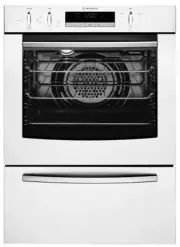
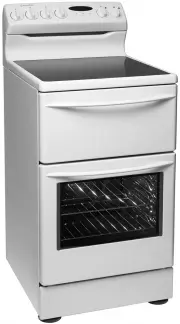
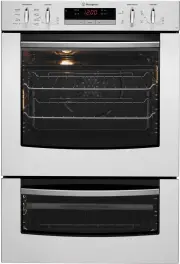
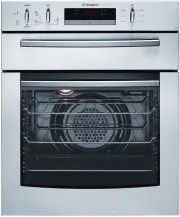
Page 2 - CONGRATULATIONS; WARNING; WARNING; CAUTION; Conditions of use; Please ensure you read the instruction manual fully; CONTENTS; IMPORTANT INFORMATION THAT MAY; Getting to know
2 CONGRATULATIONS Please read the user manual carefully and store in a handy place for later reference. The symbols you will see in this booklet have these meanings: WARNING WARNING This symbol indicates information concerning your personal safety. WARNING CAUTION This symbol indicates information o...
Page 3 - ImPORTANT SAfeTy INSTRUCTIONS; IMPORTANT; Important – check for any damages or marks.; ENVIRONMENT; Information on disposal for users; These warnings have been provided in the interest of; IMPORTANT SAFETY INSTRUCTIONS
3 ImPORTANT SAfeTy INSTRUCTIONS Please read the user manual carefully and store in a handy place for later reference. TIPS & INFORMATION IMPORTANT Important – check for any damages or marks. • If you find the oven is damaged or marked, you must report it within 7 days if you wish to claim for da...
Page 4 - NOTE: You must read these warnings carefully before
4 ImPORTANT SAfeTy INSTRUCTIONS IMPORTANT SAFETY INSTRUCTIONS WARNING CAUTION Read the following carefully to avoid damage to the appliance. • The grill tray must be fully inserted whilst grilling. • Do not place thick portions of food under the grill. Foods may curl, catch and ignite. • Do not use ...
Page 5 - INSTALLING yOUR APPLIANCe; INSTALLING YOUR APPLIANCE
5 INSTALLING yOUR APPLIANCe WARNING WARNING To avoid any potential hazard, you must follow our instructions when you install your appliance. Failure to install the appliance correctly could invalidate any warranty or liability claims and lead to prosecution. • This appliance must be installed by an ...
Page 6 - Hard wiring detail; Cabinet construction for your appliance; Levelling oven
6 INSTALLING yOUR APPLIANCe • If a powerpoint is fitted it must be accessible with the appliance installed, as the plug must be accessible after installation. • This appliance must be mounted on a flat surface for the full width and depth of the product. • To avoid overheating, the appliance must no...
Page 7 - Duo oven; be a full width opening 20mm deep.
7 INSTALLING yOUR APPLIANCe Duo oven WARNING CAUTION NOTE: Dimension “D”. A requirement for all duo ovens – for proper ventilation there must be a gap at the bottom rear of the cabinet. This can be a full width opening 20mm deep. A B C D Flush fit 600 893 581min 20 Proud fit 565 885 560min 20 D B A ...
Page 8 - PRODUCT DeSCRIPTION; PRODUCT DESCRIPTION
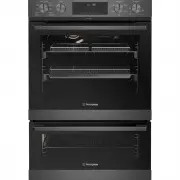
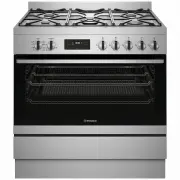
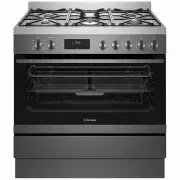
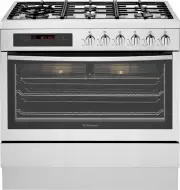
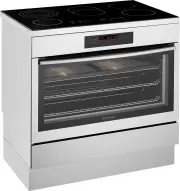
8 PRODUCT DeSCRIPTION WVEP6727 2 4 5 PRODUCT DESCRIPTION 1 Upper function selector 2 Upper oven temperature/menu selector 3 Lower oven indicator light 4 Lower function selector 5 Lower oven temperature selector 1 3
Page 9 - BefORe fIRST USe; Preparing your appliance for the first time; BEFORE FIRST USE; Setting the time of day; Set the time
9 BefORe fIRST USe Preparing your appliance for the first time • Please remove all internal boxes and bags from the oven before operation. • Please wipe out the oven interior prior to operation with warm soapy water and polish dry with a soft clean cloth. Do not close the oven door until the oven is...
Page 10 - INSTALLING yOUR OveN ACCeSSORIeS; Side racks; INSTALLING YOUR OVEN ACCESSORIES; Shelves and trays; NOTE: To Locate the rear edge of the shelves, the detents
10 INSTALLING yOUR OveN ACCeSSORIeS Slides (Telescopic runners) 1. Obtain left hand side rack and left hand slide – see image to identify. CLICK ! 1 2 3 2. The shaded wires indicate the wire the slide can be mounted on. Fit slide rear clips to the rear of wire at an angle as shown below. CLICK ! 1 2...
Page 11 - To fit a shelf or tray to telescopic slides:; Air Fry; INSTALLING YOUR OVEN ACCESSORIES (CONTINUED)
11 INSTALLING yOUR OveN ACCeSSORIeS To fit a shelf or tray to telescopic slides: 1. Push the shelf or tray along the top of the slide until it hits the back post. Front post Back post 2. Drop the front of the shelf or tray onto the slide ensuring it sits behind the front post of the slide. Front pos...
Page 12 - Fitting grill dish and insert; Maximum grill power
INSTALLING YOUR OVEN ACCESSORIES (CONTINUED) Fitting grill dish and insert Your oven comes with a full width grill dish and a grill insert. The grill dish insert is designed with flexibility to adjust distance between the food and the grill element. Maximum grill power Grill dish insert brings the f...
Page 13 - USING YOUR OVEN; Symbol; Forced; Maxi Grill; Maxi Grill; Grill with the oven door closed.; Maxi Grill
USING YOUR OVEN Symbol Function description Fan Forced Heat comes from the element surrounding the fan. This fan circulates the hot air around the oven cavity so that you can put your food in different places in the oven and still cook them at the same time. You can use the ‘Fan Forced ’ function fo...
Page 14 - for up to one hour; Condensation and steam; Select the oven function; Select the oven temperature; around the oven cavity to deliver very even cooking.; •Always place dishes centrally on the shelf to ensure
USING YOUR OVEN TIPS & INFORMATION IMPORTANT Cooling/Venting fan This appliance is fitted with a cooling fan. This prevents your kitchen cabinet from overheating and reduces the condensation inside the oven. It will operate whenever you are using the oven and blow warm air across the top of the ...
Page 15 - USING THE APPLIANCE; Control panel
USING YOUR OVEN USING YOUR OVEN (CONTINUED) USING THE APPLIANCE Control panel Control panel sensor fields Oven Timer Fast heat up Oven Light Child lock Confirm selection Legend Press Turn the knob Select a heating function to turn on the oven. Turn the function selector to the off position to turn t...
Page 17 - CLOCK FUNCTIONS; . Maximum is 23 hours
2. Select Assisted Cooking. Press OK. 3. Select the dish. Press OK. Refer to “Menu structure” chapter. P1 - P41 4. Insert the dish into the oven. Confirm setting. CLOCK FUNCTIONS Clock function Application Minute minder. When the timer ends, the signal sounds. Cooking time. When the timer ends, the ...
Page 18 - How to set: Minute minder; Set the Minute minder
3. Press OK again. 4. Rotate 'Adjust'Selector until the current time is reached. Press OK. 5. Turn Function Selector to Off. 6. After 6 seconds has elapsed, the time is set. How to set: Minute minder 1. Press: Timer The display shows: 2. Set the Minute minder 3. Press OK. Timer starts counting down ...
Page 19 - How to set: Cooking time; How to set: Time Delay
How to set: Cooking time 1. Choose a heating function and set the temperature. 2. Press repeatedly: Timer The display shows: h:min STOP 3. Set the cooking time. 4. Press OK. Timer starts counting down immediately. How to set: Time Delay 1. Select the heating function. 2. Press repeatedly: Timer The ...
Page 20 - How to change: Settings
START STOP 5. Set the end time. 6. Press OK. Timer starts counting down immediately. How to set: Child lock 1. Press and hold Lock to turn Child Lock ON/OFF. How to change: Settings 1. Select . Menu structure Assisted cooking Cleaning Settings 2. Select Settings. 3. Press OK. 4. Select the required ...
Page 22 - Before carrying out the Pyrolytic function; Light clean
P33 Brownies P34 Cakes, small P35 Cream Puffs P36 Eclairs P37 Macaroons P38 Muffins P39 Pastry Strips P40 Puff Pastry P41 Shortbread PYROLYTIC CLEANING THE OVENPyrolytic cleaning of the oven cavity The oven has the Pyrolytic self-cleaning function. It cleans by burning off the spatters and accumulat...
Page 23 - pyrolytic cleaning cycle there may be some burn off; NOTE: The cooling fan will operate at an increased speed; Do not turn off the mains power supply to the; Hints and tips; Baking; Heavy clean; Pyrolytic Cleaning Operation
This knob cannot be turned anticlockwise from off position IMPORTANT During Pyrolytic cleaning the door will automatically lock and will appear on the display. During the pyrolytic cleaning cycle there may be some burn off odours. It is advised to keep the room well ventilated during this cycle. Whe...
Page 25 - COOKING GUIDE; Choosing the best oven settings
COOKING GUIDE 2 5 COOKING GUIDE Choosing the best oven settings The following table is intended as a guide and experience may show some variation in cooking times necessary to meet individual requirements. It may be necessary to change some cooking times and temperatures from your previous oven. For...
Page 26 - Note: Set the minute minder for the; OKING GUIDE
AirFry cooking The AirFry feature works best for single shelf baking. AirFry is suitable for French Fries, Chicken Wings, Chicken Nuggets and similar products, see settings in the following table. Important: • AirFry is designed for single shelf cooking. • Food should be arranged in a single layer o...
Page 27 - Grilling hints; NOTE: The door must be FULLY closed whilst grilling.; Guide to better grilling; MEAT; Fan grill; GRILLING GUIDE; GRILLING
Grilling hints WARNING WARNING Always clean the grill/oven dish after every use. Excessive fat build up may cause a fire. As a method of cooking, grilling can be used to: • Enhance the flavours of vegetables, fish, poultry and meat. • Seal the surface of the food and retain the natural juices. NOTE:...
Page 28 - STeAm ASSISTeD COOKING; ARNING; STEAM ASSISTED COOKING; Risk of burns and damage to the appliance
2 8 STeAm ASSISTeD COOKING ARNING ARNING STEAM ASSISTED COOKING Cooking with steam is a great addition to straight ‘hot air’ cooking. Steam brings out all the natural flavours and goodness in the food, cooks evenly from surface to centre and retains more nutrients and vitamins. Steam assisted cookin...
Page 29 - DEALING WITH COOKING PROBLEMS; PROBLem
DEALING WITH COOKING PROBLEMS PROBLem CAUSeS RemeDy Uneven cooking Baked products too brown on top Baked products too brown on bottom Cakes have a cracked thin crust Baked products are pale, flat and undercooked Cakes fallen in the centre Roast meat, potatoes not browning in fan oven • Incorrect she...
Page 30 - GETTING TO KNOW THE OVEN; Get to know the oven with this ‘Simple Test Cake’; ‘Simple Test Cake’
GETTING TO KNOW THE OVEN ARNING ARNING ARNING ARNING ARNING GETTING TO KNOW THE OVEN Get to know the oven with this ‘Simple Test Cake’ Although we strive for a perfect performing oven, it’s possible that there will be some variation in colour when baking. Therefore, we suggest this simple, easy and ...
Page 31 - CARE AND CLEANING; CARe AND CLeANING
WARNING WARNING Ensure the oven is electrically isolated before cleaning. This can be done by switching off the appliance via the powerpoint or isolating switch (if available), or the switchboard. Do not use steam cleaners, as this may cause moisture build up. WARNING CAUTION Do not use sharp metal ...
Page 32 - Removing the side racks; NOTE: :Light globes are not covered by warranty; Make sure the appliance is turned off before you remove
ARNING Removing the side racks 1. Grasp the middle wire at the front. 2. Pull firmly inwards while pushing back. Slides (Telescopic runners) • Do not subject slides to temperatures greater than 300°C. • Do not place slides in a dishwasher • Do not use a knife or sharp object to clean slides. • Do no...
Page 33 - Removing the oven door; Releasing the grill element
ARNING CAUTION Do not lift the door by the handle. Rough handling will cause glass to break. Removing the oven door TIPS & INFORMATION IMPORTANT • Open the door fully to access the hinges then rotate the ‘stirrups’ (highlighted in the diagram) on both hinges fully to open position. • Slowly clos...
Page 34 - Cleaning the door glass panels; Re-assembling the door glass panels
Removing oven door top trim • Take hold of the grid embossed sections of the door trim at each end and press inwards to release the clips. Remove the door trim by pulling it towards you. Removing the door glass panels WARNING CAUTION Rough handling, especially around the edges can cause the glass to...
Page 35 - Pyrolytic Cleaning of the Oven Cavity
Re-assembling the top door trim • Take hold of the top door trim at each side and position it to the inside edge of the glass. • Push the trim down with its top edge over glass panel until the clip snaps in on each side of the trim. • Push the middle of the trim down to ensure it is straight and fir...
Page 36 - Faults; NOTE: We may charge for service even in the guarantee; Data Plate; TROUBLESHOOTING; Before carrying out the Pyrolytic cleaning function
ARNING CAUTION • All accessories must be removed from the oven, including shelves, trays and side racks. • During pyrolytic cleaning the air outlet vent above the door must be kept clear of any obstruction (e.g. tea towels). • Do not use your oven to clean miscellaneous items (e.g. cookware). • To p...
Page 37 - Oven
Oven PROBLem POSSIBLe CAUSe Oven or grill not working The oven seal is loose Oven light not working Oven not heating enough Clock flashing on display Unit smoking when first used Condensation build up Door cannot be replaced after removal Functions and temperature appear on display but oven does not...
Page 38 - Warranty; Important Notice; AUSTRALIA; NEW ZEALAND; WARRANTY
This document sets out the terms and conditions of the product warranties for Westinghouse Appliances. It is an important document. Please keep it with your proof of purchase documents in a safe place for future reference should there be a manufacturing defect in your Appliance. This warranty is in ...