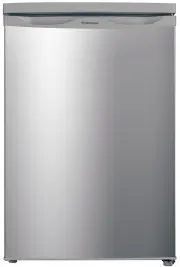
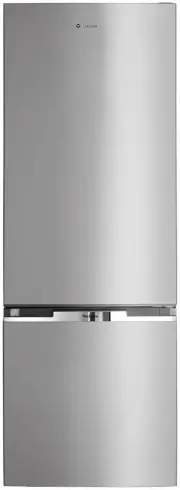
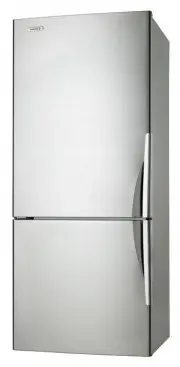
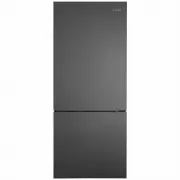
Page 2 - CONTENTS; Conditions of Use; WARNING
2 CONTENTS CONTENTS CONGRATULATIONS Dear customer, Congratulations and thank you for choosing our refrigerator/freezer. We are sure you will find your new appliance a pleasure to use. Before you use the appliance we recommend that you read through the relevant sections of this manual, which provides...
Page 3 - R600a refrigerant warning; IMPORTANT SAFETY
3 SAFETY WARNING WARNING • The refrigerator must be plugged into its own dedicated 220-240V, 50Hz AC electrical outlet. • The plug must be accessible when the refrigerator is in position. • It is essential the power point is properly earthed to ground. Consult a qualified electrician if you are unsu...
Page 4 - BAR REFRIGERATORS WITH ICE BOX FEATURES
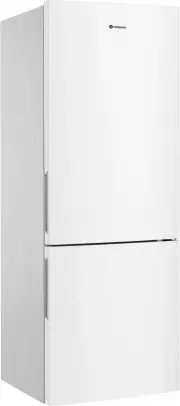
4 FEATURES Features may vary depending on model. Not all models will have features listed. WIM1200AD has grey outer cabinet. Refrigerator door is silver metal look. WIM1200WD has white cabinet and door. BAR REFRIGERATORS WITH ICE BOX FEATURES WIM1200 illustrated 4 12 13 1 12 13 10 9 2 11 5 6 7 8 15 ...
Page 5 - BAR REFRIGERATORS WITHOUT ICE BOX FEATURES
5 Features may vary depending on model. Not all models will have features listed. FEATURES BAR REFRIGERATORS WITHOUT ICE BOX FEATURES 9 8 6 1 Control knob 2 Light 3 Light Switch 4 Glass shelf 5 Glass Crisper Cover 6 Crisper 7 Door bin 8 Egg tray 9 Door seal 10 Drain hole 11 Adjustable levelling leg ...
Page 6 - SINGLE DOOR ALL REFRIGERATOR FEATURES
6 FEATURES SINGLE DOOR ALL REFRIGERATOR FEATURES 1 Control knob 2 Light lens 3 Fan and housing 4 Light switch 5 Wire shelf 6 Drain hole 7 Glass crisper cover 8 Crisper 9 Levelling leg 10 Door bin cover/lid 11 Door bin 12 Egg tray 13 Door gasket/seal 14 Door bin bottom WRM2400 illustrated Features ma...
Page 7 - BAR FREEZER FEATURES
7 FEATURES BAR FREEZER FEATURES 1 1 Temperature control 2 Freezer bin 3 Door seal 4 Adjustable levelling leg WFM0900 illustrated 3 2 4
Page 8 - SINGLE DOOR ALL FREEZER FEATURES
8 FEATURES SINGLE DOOR ALL FREEZER FEATURES 1 Control knob 2 Freezer bin 3 Freezer bin bottom 4 Levelling leg 5 Ice tray 6 Ice bin 7 Door gasket WFM1800 illustrated Features may vary depending on model. Not all models will have features listed. WFM1800SC has grey outer cabinet. Refrigerator door is ...
Page 9 - INSTALLING YOUR NEW APPLIANCE; Installing your refrigerator or freezer; CAUTION
9 INSTALLATION INSTALLING YOUR NEW APPLIANCE Adequate ventilation around your refrigerator. Before you move your appliance into the place where it will operate, check that it will have adequate clearance. Clearance is required for air circulation and too little clearance may affect the performance o...
Page 10 - INITIAL START-UP – FRIDGE; Controlling the temperature in your refrigerator
10 INITIAL START-UP INITIAL START-UP – FRIDGE This series of refrigerators has been fitted with a ‘wet wall’ evaporator which is positioned behind the rear liner. The rear liner will, at times be wet or appear frosted. This is normal and demonstrates that the refrigerator is functioning correctly. T...
Page 11 - Ice making
11 ICE BOX MODELS ICE BOX MODELS – WIM1000 & WIM1200 The ice box compartment is not a deep freezer and is designed for making ice cubes. It is not recommended for the storage of frozen food. Ice making To make ice cubes, fill the ice tray with water and place it in the ice box. To remove ice cub...
Page 12 - INITIAL START-UP – FREEZER; General Information; Controls
12 INITIAL START-UP INITIAL START-UP – FREEZER Your freezer was cleaned and polished before it left the factory. Before use, dust and wipe over inside and out using a clean dry cloth. This product is designed to operate on a power supply of 220/240 volts 50Hz. Connect to a separate power point with ...
Page 13 - CHANGING OVER THE ICE BOX DOOR
13 REVERSING DOOR CHANGING OVER THE ICE BOX DOOR (WIM1200 ONLY) 1. Keep the freezer compartment door closed. Using a screwdriver, remove the mount screw for the installation button, and take the installation button down. 2. Open the freezer compartment door a little way. Pull down the freezer compar...
Page 14 - Precautions; REVERSING THE DOOR OPENING DIRECTION
14 REVERSING DOOR In these examples the operation is changed from right side hinging to left side hinging. Precautions • Turn off the appliance. • Unplug the power cable. • Remove all food from the appliance. • Remove shelves and baskets. • Do not lay the appliance down flat on its back as this will...
Page 16 - Reverse the door
16 REVERSING DOOR The side in which the door opens can be changed from the right side (as supplied) to the left side, if the installation site allows for it. Tools you will need: 1. 8mm socket driver . ① ② 2. Cross- sharped screwdriver . ① ② 3. Putty knife or thin-blade screwdriver . ① ② Before you ...
Page 17 - LAMP REPLACEMENT
The reversing of doors or replacement of light bulbs is not covered by warranty. Assistance, if required can be arranged by calling our service centre on 13 13 49. Normal service call and labour charges apply. 1. Switch off the power at the power point and remove the cord by pulling the plug. 2. Rem...
Page 19 - WHAT TO DO BEFORE CALLING FOR SERVICE
WHAT TO DO BEFORE CALLING FOR SERVICE PROBLEM SOLUTION Refrigerator is not operating Check that the power cord is plugged into the power outlet properly and that the outlet is switched ‘ON’. Try running another appliance from the power outlet. If no power is coming from the outlet you may have blown...
Page 21 - NOTES
Page 23 - Warranty; Important Notice
23 WARRANTY This document sets out the terms and conditions of the product warranties for Westinghouse Appliances. It is an important document. Please keep it with your proof of purchase documents in a safe place for future reference should there be a manufacturing defect in your Appliance. This war...
Page 24 - TOP SERVICE
AUSTRALIA phone: 1300 363 640fax: 1800 350 067 email: [email protected]web: westinghouse.com.au NEW ZEALAND phone: 0800 436 245fax: 0800 225 088 email: [email protected]web: westinghouse.co.nz For more information on all Westinghouse appliances, or for dimension and installation information, call in...