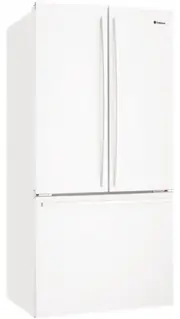
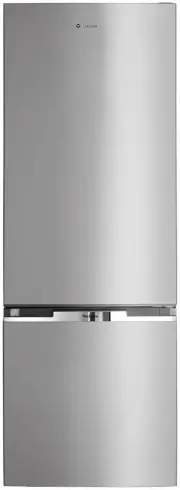
Page 2 - IMpoRtANt – CHECK FoR ANY DAMAGES oR MARKS; ENVIRONMENTAL TIPS; INFoRMAtIoN oN DISpoSAL FoR USERS; BEFORE YOU CALL; Please ensure you read the instruction manual fully; CoNtENtS
2 Contents Important safety instructions . . . . . . . . . . . . . 3General warnings . . . . . . . . . . . . . . . . . 4WHE5100 features . . . . . . . . . . . . . . . . 5WHE5000 features . . . . . . . . . . . . . . . . 6Installing your new appliance . . . . . . . . . . . . 7 Ventilation around your ...
Page 3 - Safety 3; R600A REFRIGERANt wARNING; WARNING; IMpoRtANt SAFEtY INStRUCtIoNS
Safety 3 Please read the user manual carefully and store in a handy place for later reference . Pass the user manual on to new owners of the refrigerator . The symbols you will see in this booklet have these meanings: WARNING This symbol indicates information concerning your personal safety CAUTION ...
Page 4 - GENERAL wARNINGS; Note: You must read these warnings carefully before
4 Safety Read the following carefully to avoid damage or injury This symbol indiCaTes never To do This This symbol indiCaTes always do This It is important to use your refrigerator safely . Check these safety points before using your refrigerator . The appliance must be plugged into its own dedicate...
Page 5 - Features 5
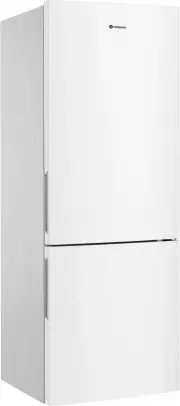
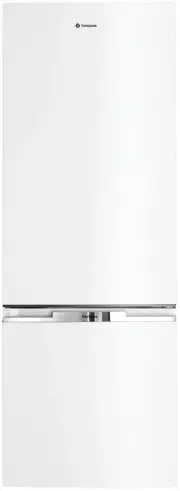
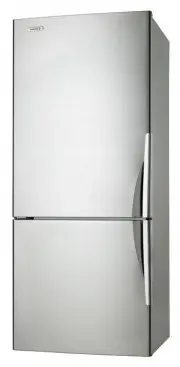
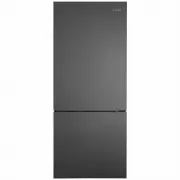
Features 5 alarm reset drinks chill freezer quick freeze eco/ holiday fridge c h i l l s t r e a m wHE5100 FEAtURES sensor alarm reset drinks chill freezer quick freeze eco/ holiday fridge Electronic controls 1 Twist & serve ice cube tray2 Freezer storage tray3 Ice bin with scoop (inside freezer...
Page 6 - Installation
6 Installation c h i l l s t r e a m 5 6 4 7 23 alarm reset drinks chill freezer quick freeze eco/ holiday fridge 12 13 14 16 wHE5000 FEAtURES 1 Refrigerator light 2 Twin dairy compartments 3 Electronic temperature controls 4 Blue feature lighting 5 Adjustable door bins 6 Adjustable glass shelves 7 ...
Page 7 - Installation 7; INStALLING YoUR NEw AppLIANCE; ADEqUAtE vENtILAtIoN ARoUND YoUR REFRIGERAtoR.; CAUTION
Installation 7 INStALLING YoUR NEw AppLIANCE ADEqUAtE vENtILAtIoN ARoUND YoUR REFRIGERAtoR. The diagram below shows the recommended airspace to allow for ventilation of your refrigerator . If 5 mm side clearance, the fridge cabinet must sit at least 5mm proud of kitchen cabinetry for doors to open ....
Page 8 - Installation; FIttING tHE HANDLES
8 Installation FIttING tHE HANDLES 1 . Remove the handles from the packaging 2 . Fit the refrigerator handle by aligning the handle with the mounting locations on the door (as shown below in illustration A) . Ensure that the handle end marked “TOP” is aligned with the top mounting location on the do...
Page 10 - 0 Electronic controls; ELECtRoNIC DISpLAY CoNtRoLS
10 Electronic controls qUICK FREEzE FUNCtIoN Use the quick freeze function when you add a large amount of food to the freezer compartment . This freezes the food quickly but does not affect the temperature in the refrigerator compartment . To use this function, press the quick freeze button once . A...
Page 11 - Electronic controls 11; otHER SpECIAL REFRIGERAtoR FEAtURES; ENERGY EFFICIENCY
Electronic controls 11 • Holiday mode Use this button when you go on holiday or leave the house for long periods of time . The refrigerator goes to default setting temperature (-18°C, +3°C) if the temperature was set colder than the default temperature and minimizes defrosting to save energy . To pu...
Page 12 - 2 Using your appliance; USING YoUR REFRIGERAtoR
12 Using your appliance CRISpER bIN Use the crisper bin to store vegetables, fruit or smallgoods . Change the humidity by sliding the humidity control . Humidity control Storing vegetables Store vegetables in the crisper bin and remember to set the humidity control to more humid (closed). Storing fr...
Page 13 - Using your appliance 13; FREEzER bINS
Using your appliance 13 FREEzER bINS The bins are mounted on telescopic extension slides, to enable full access to the contents . A clear plastic front provides easy visibility of the contents . To remove the bins for cleaning, 1 . Empty food from the bins . 2 . Remove the bins by pulling forward an...
Page 14 - 4 Care & maintenance; CHANGING tHE LIGHt bULb; Ensure the ‘o’ ring is in place before replacing the bulb.; CLEANING tHE AppLIANCE; only wash plastic parts or decorative trim with; MAINtAINING YoUR REFRIGERAtoR
14 Care & maintenance CHANGING tHE LIGHt bULb 1 . Switch off the power at the power point and remove the cord by pulling the plug . 2 . Carefully unclip the light cover by pulling the light cover tab at the rear, towards you . 3 . Unscrew the light bulb and replace it with a new bulb of the same...
Page 15 - troubleshooting 15; problem; IF YoU StILL REqUIRE SERvICE
troubleshooting 15 If you think something may be wrong with your refrigerator, you can carry out some easy checks before calling for service . You may locate the problem, sparing yourself from inconvenience, saving time and money . problem solution Refrigerator is not operating • Check that the powe...
Page 16 - NotES
Page 19 - Warranty; Important Notice
warranty 19 This document sets out the terms and conditions of the product warranties for Electrolux Appliances. It is an important document. Please keep it with your proof of purchase documents in a safe place for future reference should you require service for your Appliance. 1. In this warranty: ...