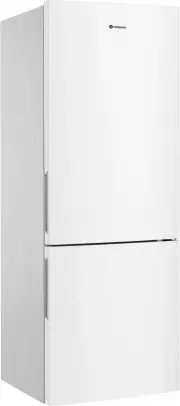
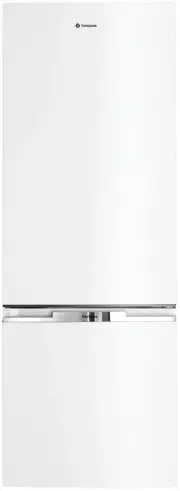
Page 2 - WARNING; Conditions of use; CONTENTS
CONTENTS CONGRATULATIONS Dear customer, Congratulations and thank you for choosing our refrigerator. We are sure you will find your new refrigerator a pleasure to use. Before you use the refrigerator we recommend that you read through the relevant sections of this manual, which provides a descriptio...
Page 3 - R600a refrigerant warning; SAFETY
IMPORTANT SAFETY INSTRUCTIONS Note: You must read these warnings carefully before installing or using the refrigerator. If you need assistance, contact your customer care centre. The manufacturer will not accept liability, should these instructions or any other safety instructions incorporated in th...
Page 4 - TOP MOUNT REFRIGERATOR FEATURES
Features may vary depending on model. Not all models will have features listed. Refrigerator control panel From this panel you can control the temperature of the refrigerator compartment as well as setting the quick chill function or resetting the door alarm. For further information on how to use th...
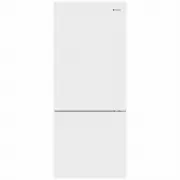
Page 5 - BOTTOM MOUNT REFRIGERATOR FEATURES; Refrigerator/freezer
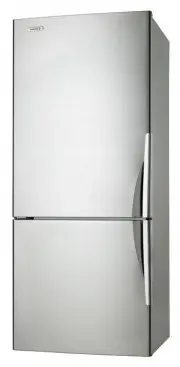
BOTTOM MOUNT REFRIGERATOR FEATURES Refrigerator/freezer control panel From this panel you can control the temperature of the refrigerator and freezer compartments as well as setting the quick freeze function or resetting the door alarm. For further information on how to use this feature refer to the...
Page 6 - FRENCH DOOR REFRIGERATOR FEATURES
FRENCH DOOR REFRIGERATOR FEATURES Refrigerator/freezer control panel From this panel you can control the temperature of the refrigerator and freezer compartments as well as setting the quick freeze function or resetting the door alarm. For further information on how to use this feature refer to the ...
Page 7 - FEATURES
FRENCH DOOR ICE & WATER REFRIGERATOR FEATURES WHE52 6 4 illustrated Refrigerator/freezer control panel From this panel you can control the temperature of the refrigerator and freezer compartments as well as setting the quick freeze function, controlling the Ice Maker or resetting the door alarm....
Page 8 - FRENCH DOOR ICE & WATER REFRIGERATOR FEATURES
FlexStor bins FlexStor bins to meet different storage needs. To remove, lift and tilt. To replace, tilt the top and push down until locked in place. Door storage bin The door bin can be removed by lifting it up over the support lugs. To replace, push down over the support lugs to lock in place. Bott...
Page 9 - QUATTRO FRENCH DOOR REFRIGERATOR FEATURES
QUATTRO FRENCH DOOR REFRIGERATOR FEATURES WQE60 0 0 illustrated Refrigerator/freezer control panel From this panel you can control the temperature of the refrigerator and freezer compartments as well as setting the quick freeze function or resetting the door alarm. For further information on how to ...
Page 10 - VIRONMENTAL TIPS; QUATTRO FRENCH DOOR WITH ICE & WATER REFRIGERATOR FEATURES
VIRONMENTAL TIPS QUATTRO FRENCH DOOR WITH ICE & WATER REFRIGERATOR FEATURES Refrigerator/freezer control panel From this panel you can control the temperature of the refrigerator and freezer compartments as well as setting the quick freeze function, controlling the Ice Maker or resetting the doo...
Page 11 - SINGLE DOOR REFRIGERATOR FEATURES; Refrigerator control panel
Features may vary depending on model. Not all models will have features listed. FamilySafe lockable compartment This compartment can be used to store dairy and is also lockable for storing items like cosmetics and medicines. To operate the lock, turn the knob located on the front of the bin. FlexSto...
Page 12 - Freezer control; SINGLE DOOR FREEZER FEATURES
Freezer control From this panel you can control the temperature of the freezer as well as setting the quick freeze and drinks chill functions or reset the door alarm. For further information on how to use this feature refer to the section “Controlling your Refrigerator”. Features may vary depending ...
Page 13 - Unpacking; Installing your refrigerator; ENVIRONMENT; INSTALLATION
INSTALLING YOUR NEW APPLIANCE Unpacking Most of the packing materials are recyclable. Please dispose of those materials through your local recycling depot or by placing them in appropriate collection containers. Important – check for any damages or marks. If you find the refrigerator is damaged or m...
Page 14 - Water supply and plumbing; ICE AND WATER INSTALLATION; Fitting the handles
INSTALLING YOUR NEW APPLIANCE aligned to cupboards ie. even gap top of refrigerator is level ie. horizontal adjust front feet for uneveness of floor eg. wind this foot down or up 5. If you find your refrigerator rocks from corner to corner, it means your floor is uneven. Find a piece of plastic or h...
Page 15 - IMPORTANT; CAUTION; Party Ice
Please read before beginning installation. The appliance complies with the relevant backflow prevention requirements specified in AS/NZS 2845.1. The water connection to your ice and water product can be self installed. However, it is recommended that you seek advice from a licensed plumber before co...
Page 16 - Water filter
Pu reS ou rce Ul tr a 2 Ice & W ater Filtration System Pu reS ou rce Ul tr a 2 Ice & W ater Filtration System Pu reS ou rce Ul tr a 2 Ice & W ater Filtration System ICE AND WATER INSTALLATION IMPORTANT • Always fit the filter as per manufacturer’s instructions. • If you need to replace w...
Page 17 - USING YOUR REFRIGERATOR; Crisper Bin; SpillSafeTM glass shelves; LED lighting; REMOVING FEATURES
USING YOUR REFRIGERATOR Refrigerators work by transferring heat from the food inside to the outside air. This operation makes the back and sides of the refrigerator feel warm or even hot particularly at start-up and on warm days – this is normal. Avoid placing food against the air vents in the refri...
Page 18 - Freezer bottom bin; Twist and Serve Ice; Drawers fitted with telescopic slides
1. Empty food from the drawer. 2. Remove the drawer by pulling it forward and lifting the front to unhook it from the slides. Once you have removed the drawer, ensure the slides are pushed back so they are fully closed. WARNING Never close the door while the telescopic slides are extended. This may ...
Page 19 - OP MOUNT; TEMPERATURE CONTROL
TEMPERATURE CONTROL The factory default settings; Top mount Refrigerator Mid Freezer Mid Bottom mount & French door Refrigerator 3°C Freezer -18°C All Refrigerator Mid All Freezer -18°C If you want to change the temperature, follow the instructions in the section about the user interface for you...
Page 20 - ABOUT THE USER INTERFACE; Controls – Top mount and single door refrigerator models; USER INTERFACE
ABOUT THE USER INTERFACE Controls – Top mount and single door refrigerator models Refrigerator temperature scale icons Quick chill on/ off icon Temperature adjust/quick chill on/off button DESCRIPTION OPERATION / PRIMARY FUNCTION Refrigerator temperature scale icons • I ndicates the temperature sett...
Page 21 - Controls – Bottom mount and French door
TIPS & INFORMATION Refrigerator temperature scale icons Temperature adjust Refrigerator indication icon Compartment select button Freezer temperature scale icons Quick freeze button Quick freeze on/off icon Freezer indication icon Controls – Bottom mount and French door DESCRIPTION OPERATION / P...
Page 22 - Controls – French door ice & water models
ABOUT THE USER INTERFACE Controls – French door ice & water models 1 2 3 5 4 6 9 8 11 7 10 12 15 13 14 22 USER INTERFACE BUTTON / DESCRIPTION Compartment Selector button Lock Icon PRIMARY FUNCTION Selects controllable compartment. Indicates if the user interface is locked. ICON 1 23 Compartment ...
Page 23 - FUNCTIONS OF THE USER INTERFACE; French door ice & water models
FUNCTION ICON OPERATION Setting the freezer temperature Setting the refrigerator temperature • Press button 1 until freezer is displayed on icon 3. • Press buttons 6 or 7 to adjust temperature up or down. • Press button 1 until the refrigerator is displayed on icon 3. • Press buttons 6 or 7 to adjus...
Page 24 - Controls – Single door freezer models
The factory default settings for the freezer is “-18°C”. If you want to change the temperature, remember to make only small adjustments and wait 24 hours to see if it’s correct. ABOUT THE USER INTERFACE Controls – Single door freezer models DESCRIPTION OPERATION / PRIMARY FUNCTION Quick Freeze on/of...
Page 25 - Freezer Temperature Alarm
TIPS & INFORMATION ERROR CODE WHAT IT MEANS… WHAT TO DO… Communication Error If you see this icon displayed (Ice & Water model) or the top temperature icon is flashing it means that the control has lost contact with the main control board. The appliance will operate at its last known setting...
Page 26 - Interior; CLEANING YOUR REFRIGERATOR; Switching off your refrigerator; CLEANING
WARNING BEFORE CLEANING: Turn the refrigerator off at the power point and unplug the cord to prevent any chance of electrocuting yourself. Doors and exterior (white and silver): You should only clean the doors with lukewarm soapy water and a soft cloth. CAUTION Never use stainless steel cleaners, ab...
Page 27 - FOOD STORAGE GUIDE
FOOD STORAGE GUIDE CATEGORY PRODUCT REFRIGERATOR FREEZER STORAGE TIPS MEAT Sausages and Mince 1-2 Days 2-3 Months Keep cold meat at the back of the refrigerator where it is coldest. Plastic can cause meat to sweat if stored in refrigerator for more than a day. Roast can take up to 48 hours to defros...
Page 28 - Appliance does not operate at desired temperature; Appliance noise; TROUBLESHOOTING
TROUBLESHOOTING Appliance does not operate at desired temperature In a modern frost free refrigerator / freezer, cold air is circulated around the various compartments through air vents using a high efficiency fan. CONCERN WHAT TO DO Refrigerator is too warm Adjust the refrigerator to a colder setti...
Page 29 - Crisper Operation; Refrigerator operation
Crisper Operation CONCERN WHAT TO DO Excess moisture build up in crisper It is normal for there to be some moisture and humidity in the crisper bin. Ensure that the crisper is not over packed.Adjust crisper humidity slides. Crisper bin can not be removed If crisper bin interferes with the door bins,...
Page 31 - If you still require service
If you still require service If you have a problem, and the problem persists after you have made the checks mentioned, contact your nearest Electrolux approved Service Centre or the dealer you bought the refrigerator from. Be ready to quote the model number, the 9-digit PNC and 8-digit serial number...
Page 32 - NOISES; BRRR; OK
NOISES Appliance noise Your new refrigerator may make sounds that your old one didn’t make. Because the sounds are new to you, you might be concerned about them. Most of the new sounds are normal. Hard surfaces, like the floor, walls and cabinets, can make the sounds seem louder than they actually a...
Page 33 - Warranty; Important Notice; AUSTRALIA; NEW ZEALAND
3 3 This document sets out the terms and conditions of the product warranties for Westinghouse Appliances. It is an important document. Please keep it with your proof of purchase documents in a safe place for future reference should there be a manufacturing defect in your Appliance. This warranty is...
Page 34 - NOTES
NOTES ......................................................................................................................................................................................................... ...............................................................................................
Page 36 - TOP SERVICE
phone: 1300 363 640fax: 1800 350 067 email: [email protected] westinghouse.com.au web: NEW ZEALANDphone: 0800 436 245fax: 0800 225 088 email: [email protected]web: westinghouse.co.nz For more information on all Westinghouse appliances, or for dimension and installation information, call into your re...