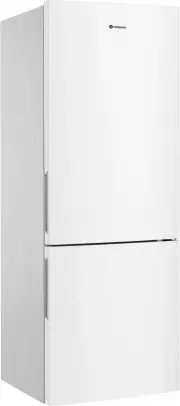
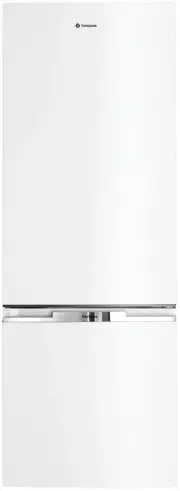
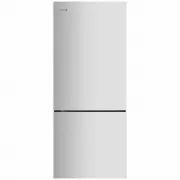
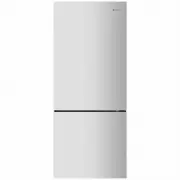
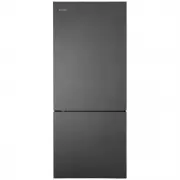
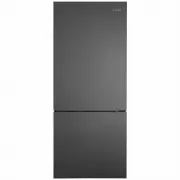
Page 2 - WE’RE THINKING OF YOU; Visit our website to:; Register your product for better service:; westinghouse; CUSTOMER CARE AND SERVICE
2 www.westinghouse.com WE’RE THINKING OF YOU Thank you for choosing Westinghouse. We have designed this product to make your life simpler and deliver impeccable performance for many years. Please spend a few minutes reading this document to get the best from your new Westinghouse appliance. Visit ou...
Page 3 - . SAFETY INFORMATION; WARNING
3 EN 1 . SAFETY INFORMATION Note: You must read these warnings carefully before installing or using the refrigerator. If you need assistance, contact your customer care centre. The manufacturer will not accept liability, should these instructions or any other safety instructions incorporated in this...
Page 4 - GENERAL WARNINGS; Environmental information.
4 www.westinghouse.com GENERAL WARNINGS Read the following carefully to avoid damage or injury. It is important to use your refrigerator safely. Check these safety points before using your refrigerator. • The appliance must be plugged into its own dedicated electrical outlet. • The plug must be acce...
Page 5 - . DESCRIPTION OF THE APPLIANCE; TOP MOUNT REFRIGERATOR FEATURES; The details of the refrigerator feature:
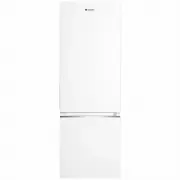
5 EN 2 . DESCRIPTION OF THE APPLIANCE TOP MOUNT REFRIGERATOR FEATURES The details of the refrigerator feature: Door Door Handle Twist Ice and Serve Temperature Control (Freezer) Freezer Shelf Chiller CompartmentMultiflow Refrigerator Light Adjustable Glass ShelvesTemperature Control (Refrigerator) H...
Page 7 - BOTTOM MOUNT REFRIGERATOR FEATURES
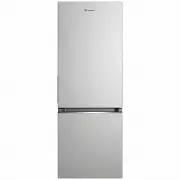
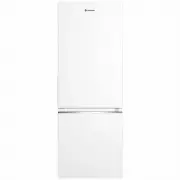
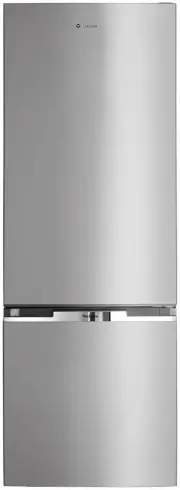
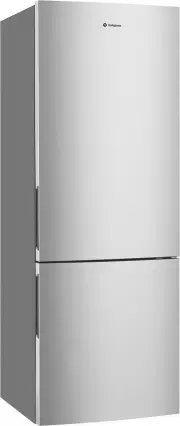
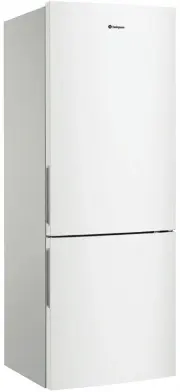
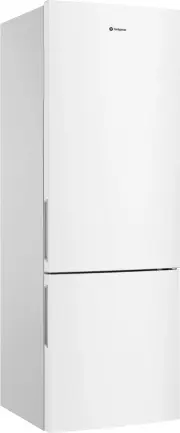
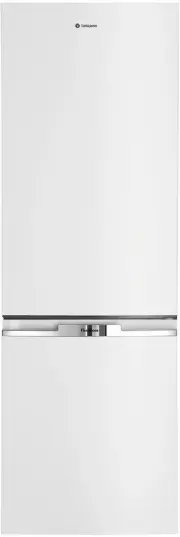
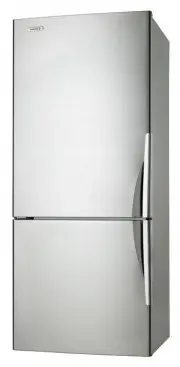
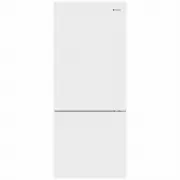
7 EN BOTTOM MOUNT REFRIGERATOR FEATURES The details of the refrigerator feature: Door Door HandleMultiflowRefrigerator Light Adjustable Glass ShelvesTemperature Control (Refrigerator)Temperature Control (Freezer)Humidity Slide ControlCrisperTwist Ice and Serve Drawer Meat Box Drawer Middle Freezer D...
Page 8 - . TEMPERATURE CONTROL; Bottom mount refrigerator temperature; IMPORTANT
8 www.westinghouse.com 3 . TEMPERATURE CONTROL Set the temperature by using the slide temperature controls, refer to the relevant instruction for Bottom mount freezer or Top mount freezer models shown in this section. When you first turn on the refrigerator, set both the refrigerator and freezer tem...
Page 9 - . INSTALLING YOUR NEW APPLIANCE
9 EN 4 . INSTALLING YOUR NEW APPLIANCE Unpacking ENVIRONMENT Most of the packing materials are recyclable. Please dispose of those materials through your local recycling depot or by placing them in appropriate collection containers. Important – check for any damages or marks. If you find the refrige...
Page 10 - Installing your refrigerator
10 www.westinghouse.com Installing your refrigerator Allow the following clearances for ease of installation, proper air circulation, and plumbing and electrical connections: MODEL MAX DOOR HEIGHT (H) DOOR WIDTH (W) CABINET WIDTH (W1) TOTAL DEPTH (D) CABINET DEPTH (D1) DEPTH DOOR OPEN (D2) WTB2300 1...
Page 11 - . USING YOUR REFRIGERATOR; some models it will be necessary to
11 EN 5 . USING YOUR REFRIGERATOR Refrigerators work by transferring heat from the food inside to the outside air. This operation makes the back and sides of the refrigerator feel warm or even hot particularly at start-up and on warm days – this is normal.Avoid placing food against the air vents in ...
Page 12 - CAUTION
12 www.westinghouse.com 5.1.3 Crisper Drawer Crisper drawer is designed for storing fruits, vegetables, and other fresh produce. – To empty food from the crisper. On some models it will be necessary to remove the bottle storage bins. – Remove the crisper by pulling forward, then up and forward again...
Page 13 - . CLEANING YOUR REFRIGERATOR; BEFORE CLEANING: Turn the
13 EN 6 . CLEANING YOUR REFRIGERATOR WARNING BEFORE CLEANING: Turn the refrigerator off at the electric outlet and unplug the cord to prevent any chance of electrocuting yourself. Doors and exterior (white and silver): You should only clean the doors with lukewarm soapy water and a soft cloth. CAUTI...
Page 14 - FOOD STORAGE GUIDE; IMPROTANT
14 www.westinghouse.com 7. FOOD STORAGE GUIDE CATEGORY PRODUCT RECOMMENDED STORAGE TIMES FOR FRESH FOODS * STORAGE TIPS REFRIGERATOR FREEZER MEAT Sausages and Mince 1-2 Days 2-3 Months Keep cold meat at the back of the refrigerator where it is coldest. Plastic can cause meat to sweat if stored in re...
Page 15 - TROUBLESHOOTING; Appliance does not operate at desired temperature
15 EN 8. TROUBLESHOOTING CONCERN WHAT TO DO Refrigerator is too warm. • Ensure food is allowed to cool before placing inside the refrigerator. • Ensure the appliance is set up as per instructions. • Ensure that contents are not obstructing the cooling vents. • Ensure the door is not held open or is ...
Page 16 - Refrigerator operation
16 www.westinghouse.com CONCERN WHAT TO DO When your appliance is not operating • Check that the power cord is plugged into the power outlet properly and that the outlet is switched on. • Try running another appliance from the same power outlet. If no power is coming out from the outlet, you may hav...
Page 17 - NOISES; Appliance noise; BRRR; OK
17 EN 9. NOISES Appliance noise Your new refrigerator may make sounds that your old one didn’t make. Because the sounds are new to you, you might be concerned about them. Most of the new sounds are normal. Hard surfaces, like the floor, walls and cabinets, can make the sounds seem louder than they a...
Page 18 - Warranty
18 www.westinghouse.com This document sets out the terms and conditions of the product warranties for Westinghouse Appliances. It is an important document. Please keep it with your proof of purchase documents in a safe place for future reference should there be a manufacturing defect in your Applian...
Page 19 - Notes