Page 2 - Table of Contents; CALIFORNIA PROPOSITION 65 WARNING; Safety Information
Table of Contents Table of Contents ................................................................... Safety Information ................................................... Precautions to Avoid Possible Exposure to Excessive Microwave Energy ............................... California Proposition 6...
Page 3 - To reduce the risk of fire in the oven
□ To reduce the risk of fire in the oven cavity: 1. Do not overheat the liquid. Carefully attend to the appliance when paper, plastic, or other combustible materials are placed inside the oven to facilitate cooking. 2. Remove wire twist-ties from paper or plastic bags before placing bag in oven. 3. ...
Page 4 - IMPORTANT
4 HOMEDEPOT.COM Please contact 1-855-847-7264 for further assistance CAUTION: Changes or modifications not approved by the party responsible for compliance could void the user's authority to operate the product.This equipment generates, uses and can radiate radio frequency energy and, if not install...
Page 5 - Installation
Make sure that all the packing materials are removed from the inside of the door.This microwave oven must be placed on a flat, stable surface.For correct operation, the oven must have sufficient airflow. Allow minimum 8 in . (20.32cm) of free space necessary above the top surface of the oven and 2 i...
Page 6 - Control Panel Operation; Please remove the protective
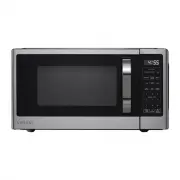
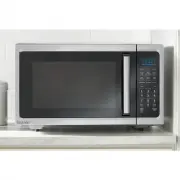
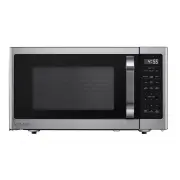
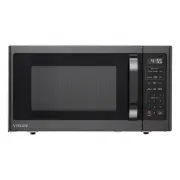
Control Panel Operation AUTO COOK Use to set the auto cook programs (See Page 8). TIMER The TIMER function can be used alone, even in the process of cooking. POWER LEVEL Use to set microwave power levels. CLOCK Press to set the clock function. TIME DEFROST Press to set defrosting time. TIME COOK Use...
Page 7 - Operation Instruction; Setting The Kitchen Timer
Operation Instruction 1. Setting The Clock This is 12 and 24 hour clock, and you can select which by pressing CLOCK pad. During cooking, the current time can be seen by touching CLOCK pad. EXAMPLE: How to set the oven clock time at 8:30. 1) In standby mode, touch CLOCK pad once to select 12 hour clo...
Page 8 - AUTO Cooking Program; Auto Program Food Chart; Time; Menu
Operation (Continued) 5. Setting Time Defrost 1) Touch the TIME DEFROST pad. 2) Enter desired defrosting time by touching the correct number pads. The longest time you can set is 99 min. 99 sec. 3) Touch the START/+30 SEC pad to start. 6. Setting Weight Defrost 1) In standby mode, touch the WEIGHT D...
Page 10 - Care and Cleaning; particular disposal center provided by the municipalities.
Care and Cleaning 10 HOMEDEPOT.COM Please contact 1-855-847-7264 for further assistance 1. Turn off the oven and unplug the power cord from the wall when cleaning.2. Keep the inside of the oven clean. When food splatters or spilled liquids adhere to oven walls, wipe with a damp cloth. Mild detergent...
Page 11 - Warranty
Warranty 11 HOMEDEPOT.COM Please contact 1-855-847-7264 for further assistance This warranty applies to microwave ovens under the brand name Vissani sold by The Home Depot, in the U.S (“Vissani Products”). This warranty is in lieu of any other warranty and expressly applies to the individual product...