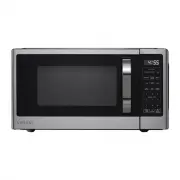
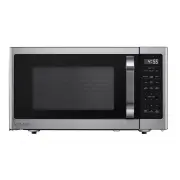
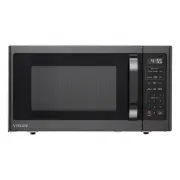
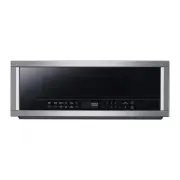
Page 2 - Specifications; IMPORTANT SAFETY INSTRUCTIONS
2 Table of Contents Table of Contents . . . . . . . . . . . . . . . . . . . . . . . . . . . . . . . . . . . 2Safety Information . . . . . . . . . . . . . . . . . . . . . . . . . . . . . . . . . . 2 PRECAUTIONS TO AVOID POSSIBLE EXPOSURE TO EXCESSIVE MICROWAVE ENERGY . . . . . . . . . . . . . . . . ....
Page 3 - SAVE THESE INSTRUCTIONS
3 HOMEDEPOT.COM Please contact 1-855-847-7264 for further assistance. 6. Use this appliance only for its intended use as described in the manual. Do not use corrosive chemicals or vapors in this appliance. This type of oven is specifically designed to heat, cook or dry food. It is not designed for i...
Page 4 - GROUNDING INSTRUCTIONS; RADIO INTERFERENCE; UTENSILS
4 GROUNDING INSTRUCTIONS This appliance must be grounded. In the event of an electrical short circuit, grounding reduces the risk of electric shock by providing an escape wire for the electric current. This appliance is equipped with a cord having a grounding wire with a grounding plug. The plug mus...
Page 5 - MATERIALS YOU CAN USE IN MICROWAVE OVEN; MATERIALS TO BE AVOIDED IN MICROWAVE OVEN
5 HOMEDEPOT.COM Please contact 1-855-847-7264 for further assistance. Utensil Test:1. Fill a microwave-safe container with 1 cup of cold water (250ml) along with the utensil in question.2. Cook on maximum power for 1 minute.3. Carefully feel the utensil. If the empty utensil is warm, do not use it f...
Page 6 - PART NAMES
6 PART NAMES 1. Microwave oven door with see-through window 2. Door hinges3. Waveguide cover: DO NOT REMOVE.4. Turntable motor shaft 5. Microwave oven light It will light when microwave oven is operating or door is open. 6. Safety door latches The microwave oven will not operate unless the door is s...
Page 7 - CONTROL PANEL
7 HOMEDEPOT.COM Please contact 1-855-847-7264 for further assistance. CONTROL PANEL The 7-digit Interactive Display spells out operating steps and shows cooking hints. Number next to the control panel keyillustration indicates pages on whichthere are feature descriptions and usageinformation. Note:F...
Page 8 - MICROWAVE
8 Operation(continued) □ Before operating your new oven make sure you read and understand this Use and Care Guide completely. □ The clock can be disabled when the microwave is first plugged in and the STOP key is selected. To re-enable the clock follow clock instructions. 1 SETTING THE CLOCK □ Suppo...
Page 9 - WEIGHT DEFROST; TIME DEFROST; SPEED COOKING; USING NUMBER PADS FOR “1-6”
HOMEDEPOT.COM Please contact 1-855-847-7264 for further assistance. 9 Operation(continued) 5 WEIGHT DEFROST TOUCH DISPLAY SHOWS : 1. Defrost X1 2. 3. Start+30sec. Time counting down 6 TIME DEFROST TOUCH DISPLAY SHOWS : 1. Defrost X2 2. 3. Start+30sec. Time counting down NOTE: The buzzer will sound t...
Page 13 - DEMO SETTING
HOMEDEPOT.COM Please contact 1-8 - 7- for further assistance. 13 Operation(continued) 23 DEMO SETTING In waiting state TOUCH DISPLAY SHOWS : 1. USER PREF x4 2. Start+30sec. or 3. Start+30sec. Time counting down 55 84 7264
Page 14 - MAINTENANCE; Troubleshooting
14 MAINTENANCE Check your problem by using the chart below and try the solutions for each problem. If the microwave oven still does not work properly, contact the nearest authorized service center. TROUBLE POSSIBLE CAUSE POSSIBLE REMEDY Oven will not start Electrical cord for oven is not plugged in....
Page 17 - GUÍA DE USO Y CUIDADO; llame al Servicio de atención al cliente de VISSANI.; SKU; MICROONDAS
GRACIAS Agradecemos la confianza que ha depositado en Vissani con la compra de este microondas. Nos esforzamos por crear continuamente productos de calidad diseñados para mejorar su hogar. Visítenos en línea para ver nuestra línea completa de productos disponibles para sus necesidades de mejoras par...
Page 18 - Especificaciones; INSTRUCCIONES DE SEGURIDAD IMPORTANTES
2 Tabla de contenido Tabla de contenido . . . . . . . . . . . . . . . . . . . . . . . . . . . . . . . . . . 2Información de seguridad . . . . . . . . . . . . . . . . . . . . . . . . . . . . 2 PRECAUCIONES PARA EVITAR LA POSIBLE EXPOSICIÓN A EXCESIVA ENERGÍA DE MICROONDAS . . . . . . . . . . . . . . ...
Page 20 - INTERFERENCIA DE RADIO
4 21. No coloque nada directamente sobre la superficie del aparato cuando el aparato esté en funcionamiento.22. Limpie las campanas de ventilación con frecuencia: no se debe permitir que la grasa se acumule en la campana o el filtro.23. Cuando se quemen alimentos debajo de la campana, encienda el ve...
Page 21 - MATERIALES QUE PUEDE UTILIZAR EN EL HORNO MICROONDAS
5 HOMEDEPOT.COM Please contact 1-855-847-7264 for further assistance. UTENSILIOS PRECAUCIÓN - Riesgo de lesiones personalesLos utensilios bien cerrados podrían explotar. Los recipientes cerrados deben abrirse y las bolsas de plástico deben perforarse antes de cocinar.Consulte las instrucciones en “M...
Page 22 - MATERIALES QUE SE DEBEN EVITAR EN EL HORNO MICROONDAS
6 MATERIALES QUE SE DEBEN EVITAR EN EL HORNO MICROONDAS UTENSILIOS OBSERVACIONES Bandeja de aluminio Puede causar arcos eléctricos. Transfiera la comida a un plato apto para microondas. Cartón de comida con asa de metal Puede causar arcos eléctricos. Transfiera la comida a un plato apto para microon...
Page 23 - NOMBRES DE LAS PIEZAS; Previo a la operación
7 HOMEDEPOT.COM Please contact 1-855-847-7264 for further assistance. NOMBRES DE LAS PIEZAS 1. Puerta del horno microondas con ventana transparente2. Bisagras de puerta3. Cubierta de la guía de ondas: NO RETIRAR.4. Eje del motor del plato giratorio5. Luz del horno microondas 6. Pestillos de puerta d...
Page 24 - PANEL DE CONTROL
8 PANEL DE CONTROL La pantalla interactiva de 7 dígitos detalla los pasos operativos y muestra sugerencias de cocción. 1. Visualización: 2. VERDURAS 3. PALOMITAS DE MAÍZ 4. MENÚ DE SNACK 5. DERRETIR/ABLANDAR 6. Teclas numéricas (0 a 9) 7. NIVEL DE POTENCIA 8. TEMPORIZADOR 9. DESCONGELACIÓN 10. PARAR...
Page 25 - MICROONDA
HOMEDEPOT.COM Please contact 1-855-847-7264 for further assistance. 9 OPERACIÓN(continuación) □ Antes de operar su nuevo horno, asegúrese de leer y comprender completamente esta Guía de uso y cuidado. □ El reloj puede desactivarse cuando el microondas se conecta por primera vez y se selecciona 1 AJU...
Page 26 - DESCONGELACIÓN POR PESO; COCCIÓN RÁPIDA; USO DE AÑADIR 30 SEG.; USO DE LAS TECLAS NUMÉRICAS
10 OPERACIÓN(continuación) 5 DESCONGELACIÓN POR PESO EL VISOR TÁCTIL MUESTRA: 1. Defrost X1 2. 3. Start+30sec. Tiempo contando 6 DESCONGELACIÓN POR TIEMPO EL VISOR TÁCTIL MUESTRA: 1. Defrost X2 2. 3. Start+30sec. Tiempo contando NOTA: El timbre sonará para recordarle que debe dar vuelta la comida cu...
Page 27 - VERDURAS; PALOMITAS DE MAÍZ; PAPA
HOMEDEPOT.COM Please contact 1-855-847-7264 for further assistance. 11 OPERACIÓN(continuación) 9 VERDURAS EL VISOR TÁCTIL MUESTRA: 1. Veggies X1 Veggies X2 2. 3. Start+30sec. Tiempo contando 10 PALOMITAS DE MAÍZ Presione la tecla “Palomitas de maíz” y el LED mostrará 3.3 oz. Presione “Palomitas de m...
Page 31 - MANTENIMIENTO; Solución de problemas
HOMEDEPOT.COM Please contact 1-8 - 7- for further assistance. 15 MANTENIMIENTO Verifique su problema usando el cuadro a continuación y pruebe las soluciones para cada problema. Si el horno microondas aún no funciona correctamente, comuníquese con el centro de servicio autorizado más cercano. PROBLEM...