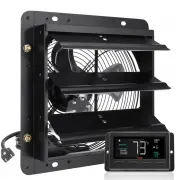
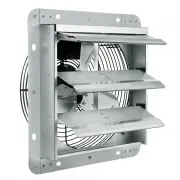
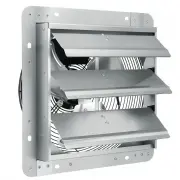
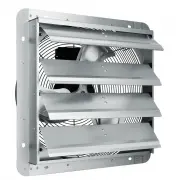
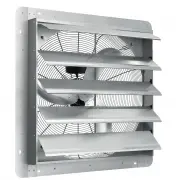
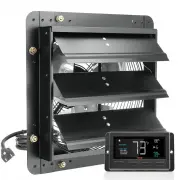
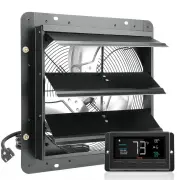
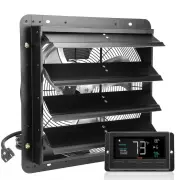
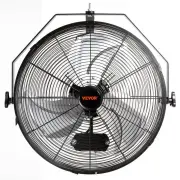
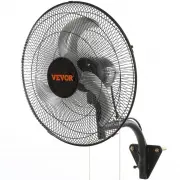
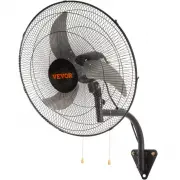
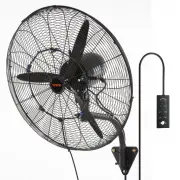
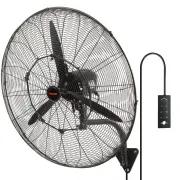
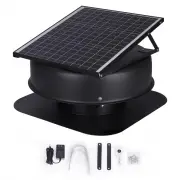
Page 3 - SHUTTER EXHAUST FAN
- 1 - Have product questions? Need technical support? Please feel free to contact us: [email protected] NEED HELP? CONTACT US! This is the original instruction, please read all manual instructions carefully before operating. VEVOR reserves a clear interpretation of our user manual. The appearance of...
Page 4 - Contents; Save all warnings and instructions for future reference.; WARNING
- 2 - PLEASE READ THE INSTRUCTIONS CAREFULLY BEFORE USING THE EQUIPMENT Contents Ⅰ .SAFETY PRECAUTIONS Ⅱ .PRODUCT DESCRIPTION Ⅲ .INSTALLATION Ⅳ .POWERING AND SETUP Ⅴ .CLEANING Ⅵ .PROGRAMMING SAFETY PRECAUTIONS WARNING Read all safety warnings, instructions, illustrations and specifications provided ...
Page 5 - BE CAREFUL
- 3 - If the machine emits smoke, odor, motor noise and other abnormal conditions,Please do not use it. It may cause fire or electric shockDo not disassemble, repair or rectify the machine during use. Doing so may result in fire or electric shock and personal injury BE CAREFUL DO NOT use fan in wind...
Page 6 - PRODUCT DESCRIPTION; TECHNICAL PARAMETER; Voltage; PRODUCT STRUCTURE DIAGRAM
- 4 - Disconnect the fan when removing grills for cleaning.Do not leave the fan running unattended. This appliance can be used by children aged from 8 years and above and persons with reduced physical, sensory or mental capabilities or lack of experience and knowledge if they have been given supervi...
Page 7 - INSTALLATION; TIPS
- 5 - INSTALLATION TIPS ! Prepare tools in advance: Small wrench , Hammer
Page 9 - POWERING AND SETUP
- 7 - 6. Finally connect the lines correctly, (Refer to WIRING DIAGRAM) Note: Make sure the product is firm and the wiring is right before power on WIRING DIAGRAM POWERING AND SETUP Step 1: Plug the fan’s 3-pin connector into the universal controller’s out 1 or out 2 port signified by the fan/power ...
Page 11 - PROGRAMMING; BUTTON DESCRIPTION; down button lowers. Hold both to turn off triggers.
- 9 - PROGRAMMING BUTTON DESCRIPTION 1.MODE BUTTON Cycles through the controller's temperature/humidity programming: ON, OFF,TIMER, AUTO (4 triggers),and ALARM (4 settings). 2.UP / DOWN BUTTON Adjusts the settings of the mode that you are in. Up button raises and down button lowers. Hold both to tur...
Page 12 - OPERATION DESCRIPTION; MODE SETTING; humidity. Use this mode to set the fan's maximum blowing strength,; OFF MODE; Pushing the up or down button will change the display’s brightness,
- 10 - Displays the alerts and statuses from the controller, including the alarm and the screen lock. 7.PROBE HUMIDITY Displays the current humidity that the corded sensor probe is measuring. Shows “- -” if no probe is plugged in. 8.FAN SPEED Displays the current speed the fan is running at, or what...
Page 13 - button will change the display’s units to F or C, respectively.; TIMER MODE; spinning 5 seconds after the timer is set.; TRIGGER MODE: HIGH TEMPERATURE; probe’s reading falls below your trigger, the fan will turn off. We
- 11 - to 1 if the device is left unattended for 30 seconds. Holding the up or down button will change the display’s units to F or C, respectively. TIMER MODE In this mode, pressing the up or down button will set the timer. The fan will ramp up to ON Mode’s setting until the timer’s clock runs out. ...
Page 14 - TRIGGER MODE: LOW TEMPERATURE
- 12 - You may set this trigger below the low temperature trigger to create a range where the fan is active. Note that this trigger can activate as long as you are in AUTO Mode, even if you are viewing a different trigger within AUTO Mode. TRIGGER MODE: LOW TEMPERATURE In this mode, pressing the up ...
Page 15 - TRIGGER MODE: HIGH HUMIDITY
- 13 - Note that this trigger can activate as long as you are in AUTO Mode, even if you are viewing a different trigger within AUTO Mode. TRIGGER MODE: HIGH HUMIDITY In this mode, pressing the up or down button sets a high humidity trigger. The fan will activate if the probe’s reading meets or excee...
Page 17 - ALARM SETTING: LOW TEMPERATURE; In this mode, pressing the up and down button sets a low temperature
- 15 - Note that alarm triggers can only activate in AUTO, ON, or TIMER Mode. Please leave ALARM SETTING to arm the controller. ALARM SETTING: LOW TEMPERATURE In this mode, pressing the up and down button sets a low temperature alarm. The alarm will sound and its icon will flash if the probe’s readi...
Page 21 - CHECK FAN ALERT; This icon will flash when the fan's probe senses interference to; Made In China
- 19 - CHECK FAN ALERT This icon will flash when the fan's probe senses interference to its functioning. Check the fan for possible issues. If the fan is not heating up, please see the warranty page for replacement information. Manufacturer: Bote electric appliance(Guangdong)Co.,Ltd Address: 5TH flo...