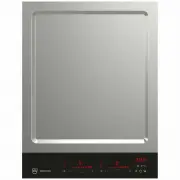
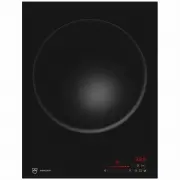
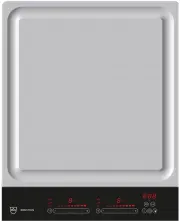
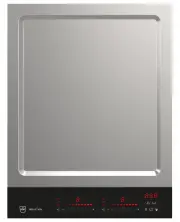
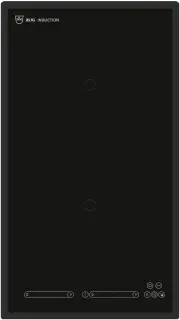
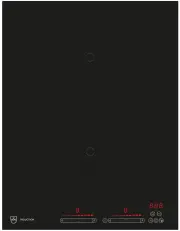
Page 2 - Type
Thank you for choosing to buy one of our products. Your appliance is made to highstandards and is easy to use. Nevertheless, please take the time to read these operatinginstructions in order to familiarize yourself with the appliance and get the best use out ofit. Please follow the safety precaution...
Page 3 - Contents
3 Contents 1 Safety warnings 4 1.1 Symbols used......................................................... 4 1.2 General safety precautions .................................. 4 1.3 Appliance-specific safety precautions ............... 5 1.4 Instructions for use .......................................
Page 4 - Safety precautions; Symbols used; Information on disposal; General safety precautions
4 1 Safety warnings 1.1 Symbols used Denotes important safety precau-tions.Failure to observe said precautionscan result in injury or in damage tothe appliance or fittings! Information and precautions thatshould be observed. Information on disposal Information about the Operating In-structions ▸ Ind...
Page 5 - Safety precautions; Instructions for use; Before using for the first time; Use original spare parts only.
1 Safety warnings 5 1.3 Appliance-specific safety precautions ▪ WARNING: Under no circum-stances may hot pots or pansbe placed on the display. ▪ WARNING: If the surface iscracked, switch the applianceoff and disconnect it from themains to avoid possible elec-tric shock. ▪ Children under 8 years of a...
Page 6 - Caution: Burns hazard; Keep pets away from the appliance.; Caution: Risk to life; Do not climb on to the appliance.
1 Safety warnings 6 damage to the appliance and fittings,as well as affect the functioning of theappliance. If the appliance is not work-ing properly or in case of a repair order,follow the instructions given in the Re-pair service section. Contact our Cus-tomer Services if necessary. ▪ Use original...
Page 7 - Hob; Status display
1 Safety warnings 7 ▪ Pots with pure copper or aluminiumbases should not be used for cookingas they can leave behind traces thatcan be difficult to clean. If the tracesare not removed immediately aftercooking with a suitable cleaning agent,they can be permanently burned on andtherefore permanently r...
Page 8 - Hotplate display; Setting range
1 Safety warnings 8 fumes! An adequate flow of fresh airmust be guaranteed e.g. via non-clos-able openings in doors or windows andin combination with an air-intake/ex-haust-air wall box or by other technicalmeans. ▪ When carrying out maintenance workon the appliance, including replacinglight bulbs, ...
Page 10 - Cookware; Operating the appliance; Operating the display
3 Appliance description 3.3 How induction hobs function Induction hobs work very differently from conventional hobs or hot plates. The inductioncoils under the glass ceramic plate produce a rapidly changing magnetic field which dir-ectly heats up the magnetic base of the cookware. The glass ceramic ...
Page 11 - Swipe; Scroll; Switching the appliance on
3 Appliance description Sandwich base Multi-layer material Pressed base Cast iron Enamelled castiron (silit) Key: Noise level Steel Heat distribution Aluminium Reaction speed Enamel Care Good Weight Satisfactory Unfavourable General notes on cookware ▸ As far as possible ensure that the dia- meter o...
Page 12 - Operating the appliance; MemoryFunction; Saving settings
3 Appliance description Pan position Position pots and pans on the hob sothat the steam is not drawn into therange hood over the handles. Energy-efficient cooking For maximum energy efficiency and even heat distribution note the following: ▪ The base of the cookware must be clean, dry and smooth. ▪ ...
Page 13 - Teppan Yaki function; ▸ Place the Teppan Yaki plate to the left or
4 General operation If activated charcoal filters are not supplied with the appliance, these should beordered and installed before using the appliance for the first time. 4 General operation Overview of the various menus, functions and options of the hob: Menu Content Selection Menu activation Menu ...
Page 14 - PowerPlus; Switching PowerPlus on; AutoPowerPlus; Switching AutoPowerPlus on
5 Operating the hob ▸ Touch or swipe the slider «0–P» to set the power level. – The desired setting can be selected when the cookingzone and the slider are displayed. – The power level selected is accepted when the slider isreleased. – Shortly after the last entry is made, the slider disap-pears. 5....
Page 15 - Cancelling AutoPowerPlus; ProfessionalMode; Switching the ProfessionalMode on
5 Operating the hob 5.6 Power management High power levels cannot be set withboth cooking zones of a group ( A or B ) at the same time. For instance, if PowerPlus is activatedwith both cooking zones of a group, thenthe power output is reduced for thecooking zone that was first selected ac-cording to...
Page 16 - Switching the ProfessionalMode off; GourmetGuide; Starting a function
5 Operating the hob ▸ Increase or decrease the selected value with or re- spectively. ▸ Use and in the setting range at the bottom to switch between hours and minutes. ▸ Touch . – The operating time is set to «0h 00». ▸ Confirm the entry with or scroll with . Operating time Touch the button to exit ...
Page 17 - Cancelling a function; Operating time; Setting and starting the operating time
5 Operating the hob End of the operating time When the operating time is up – the relevant cooking zone switches off – an acoustic signal is emitted – «00s» flashes below the cooking zone. ▸ Touch the cooking zone to switch off the acoustic signal and display. 00s 5.9 Cooking functions Melting With ...
Page 18 - Restore function; Switching pause cooking on
5 Operating the hob 5.10 Easy cooking Do not leave food cooking unattended while using the easy cooking function. Riskof food boiling over, burning on and igniting! The following functions are available for selection: Cooking Control The hob detects boiling point and switches automatic-ally to the c...
Page 20 - EcoManagement; Consumption indicator when cooking; Switching a hotplate off; When the timer is switched on
5 Operating the hob ▸ The desired continued cooking level is selected by touch- ing the corresponding number. ▸ Confirm the entry with . Automatic boost Continued cooking level 7 Switching the automatic boost off before time ▸ Switch the cooking zone off. ▸ To resume operation without the automatic ...
Page 21 - User settings; Overview of user settings; Brightness
5 Operating the hob Switching the timer off before time ▸ Touch or the digits of the timer. ▸ Touch . – The timer is set to «00h 00». ▸ Confirm the entry with . Timer Timer finished When the timer finishes – an acoustic signal is emitted. – flashes. – «00s» flashes. ▸ Touch «00s» or to switch off th...
Page 22 - Time; Notifications; Acoustic signals; Assistance functions
5 Operating the hob 5.13 Wipe protection This function prevents the power level from being changed accidentally, for instancewhen wiping the control panel with a cloth. Switching wipe protection on ▸ Touch . – Wipe protection is activated for 20 seconds or untilcancelled. Wipe protection activated 1...
Page 23 - Childproof lock
6 Operating the range hood 6 Operating the range hood 6.1 Switching the range hood on manually ▸ Press . – The slider is displayed. ▸ Touch the slider "0-P" or swipe it to set the power level. – The desired setting can be set as long as the display isflashing. – The setting is applied when y...
Page 24 - Appliance information; Consumption indicator; Factory settings
6 Operating the range hood The following settings are available for selection: OFF OptiLink is switched off Silent mode Low noise level operation ▸ Use a wooden spoon to- gether with the pan lid tovent the steam into thesuction inlet of the rangehood. Standard mode Normal mode Power mode High power ...
Page 25 - Care and maintenance; face of the glass ceramic hob could otherwise become damaged.; Cleaning; cleaning sponge for glass ceramic hobs.
6 Operating the range hood 6.6 After-running time When the appliance is switched off, the range hood can continue to run for a certainperiod of time at level 1. Residual cooking fumes and smells are extracted and the rangehood is dried. The after-running time is activated if the appliance has been i...
Page 26 - «Homepage»; Error messages; Message
7 User settings 7 User settings Overview of user settings ▪ Childproof lock ▪ Button signal ▪ Language ▪ Ventilation ▪ Brightness ▪ Factory setting ▪ Loudness Changing user settings To change the user settings, the appliance must be switched on.▸ Touch .▸ The desired user setting page can be selecte...
Page 28 - Accessories
7 User settings 7.5 Button signal The button signal can be switched on or off. ▸ Select the «Button signal» user setting.▸ Touch to activate the button signal.▸ Confirm the setting with . activated Button signal 7.6 Ventilation The ventilation mode of the range hood can be changed. It is possible to...
Page 29 - Technical data; Product fiche; In accordance with EU Regulation No. 66/2014; EcoStandby
8 Care and maintenance 8 Care and maintenance 8.1 Glass ceramic surfaces Ideally, clean the appliance when it has completely cooled down.Burns hazard! Always clean the hob after use. This prevents food residue from burning on. Dried-on orburned-on food residue is harder to clean off.Use of improper ...
Page 30 - Tips and tricks; Energy-efficient cooking
8 Care and maintenance ▸ Wipe off with a wet cloth and then polish with a dry cloth or the soft side of a suitable cleaning sponge. Only use the cleaning agents and methods recommended on our «Homepage» . 8.2 Range hood Take care that no water gets into the housing of the appliance! If water gets in...
Page 31 - Disposal; Packaging; For more information, please contact the local authorities.
8 Care and maintenance Cleaning the grease filters ▸ Clean the grease filters in the dishwasher.▸ Select an «intensive» or «heavy» wash programme. Cleaning may cause the grease filters to become slightly discoloured. However,this will not affect the functioning of the filters in any way. If no dishw...
Page 32 - Index
9 Trouble-shooting Resetting the saturation indicator for the activated charcoal filters ▸ In the display, touch the activated charcoal filter . – The «Filter» menu is displayed. ▸ Reset the filter as described (see page 25). Filter Reset activated charcoal filter Alternatively, the saturation indic...
Page 34 - Notes
9 Trouble-shooting Malfunction Possible cause Solution Er 22 ▪ Internal error occurred. ▸ Note down the error number. ▸ Note down the serial number (SN) of the appliance. See theidentification plate (see page39) for this. ▸ Call Customer Services. «E6» or «E9» flash or il-luminate in the display ▪ I...
Page 35 - Appliance; Where is the identification plate?
10 Accessories and spare parts 10 Accessories and spare parts Grease filters Recirculation box Activated charcoal filters 11 Technical data 11.1 Hob In accordance with EU Regulation No. 66/2014 Description Unit Value Model number GK 31094 Type designation GK GKD46TIMASZO Number of cooking zones 4 He...
Page 36 - Quick instructions; To switch appliance on
12 Disposal Description Abbreviation Unit Value Air flow in operation at intensive or fast-running level Q boost m 3 /h 582.8 A-rated airborne acoustical noise at minimum speed SPE min dBA - A-rated airborne acoustical noise at maximum speed SPE max dBA - A-rated airborne acoustical noise when opera...